
Lumshot
Capture, annotate, and share screenshots faster

Details
- Categories
- Target Audience
- Pricing
- Freemium from $29
- Platforms
Discovery signals
How AI and people discover Lumshot on PeerPush
By AI reads among Productivity & Notes tools
17,556 AI reads in the last 30 days, ranked against every Productivity & Notes tool listed.About Lumshot
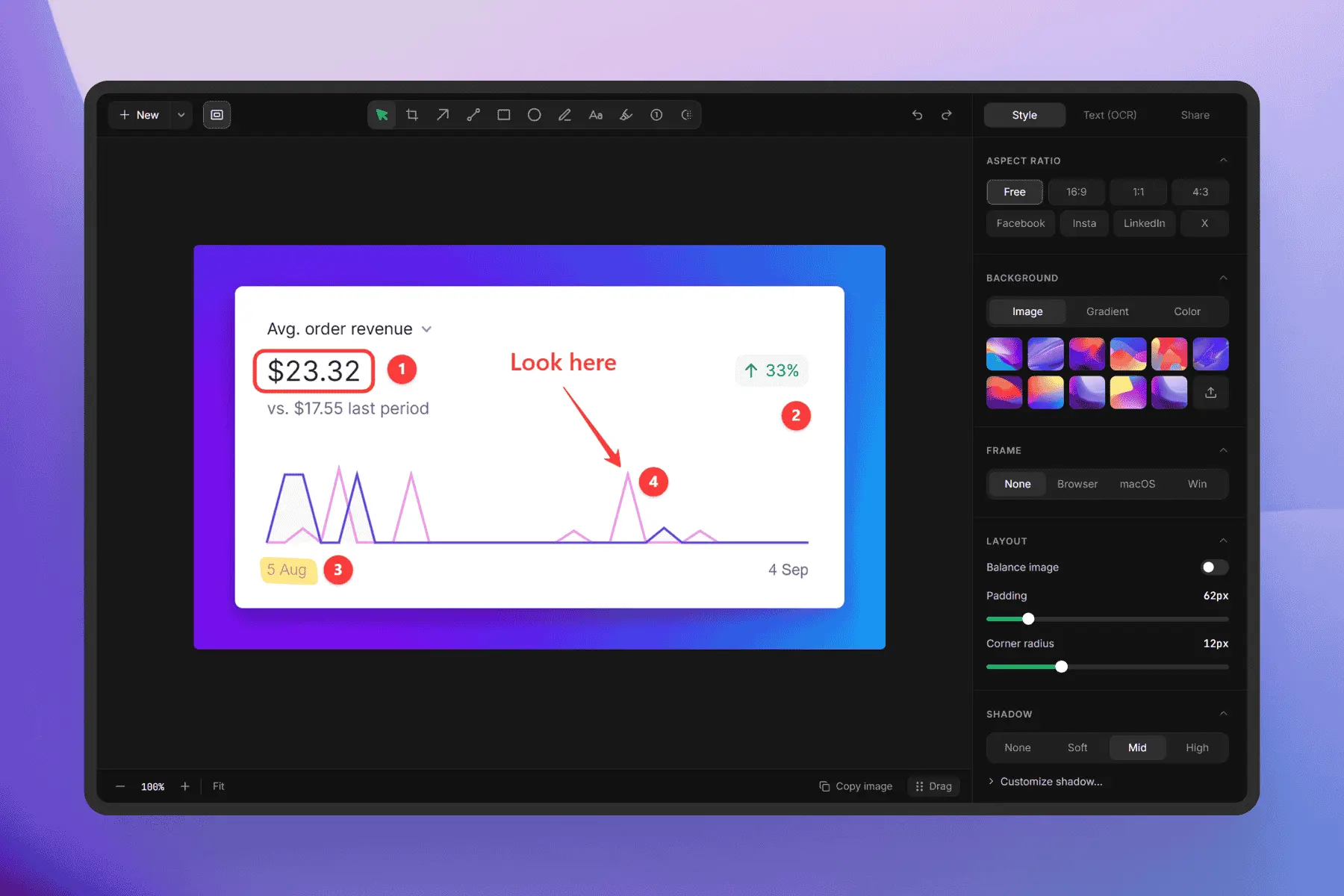
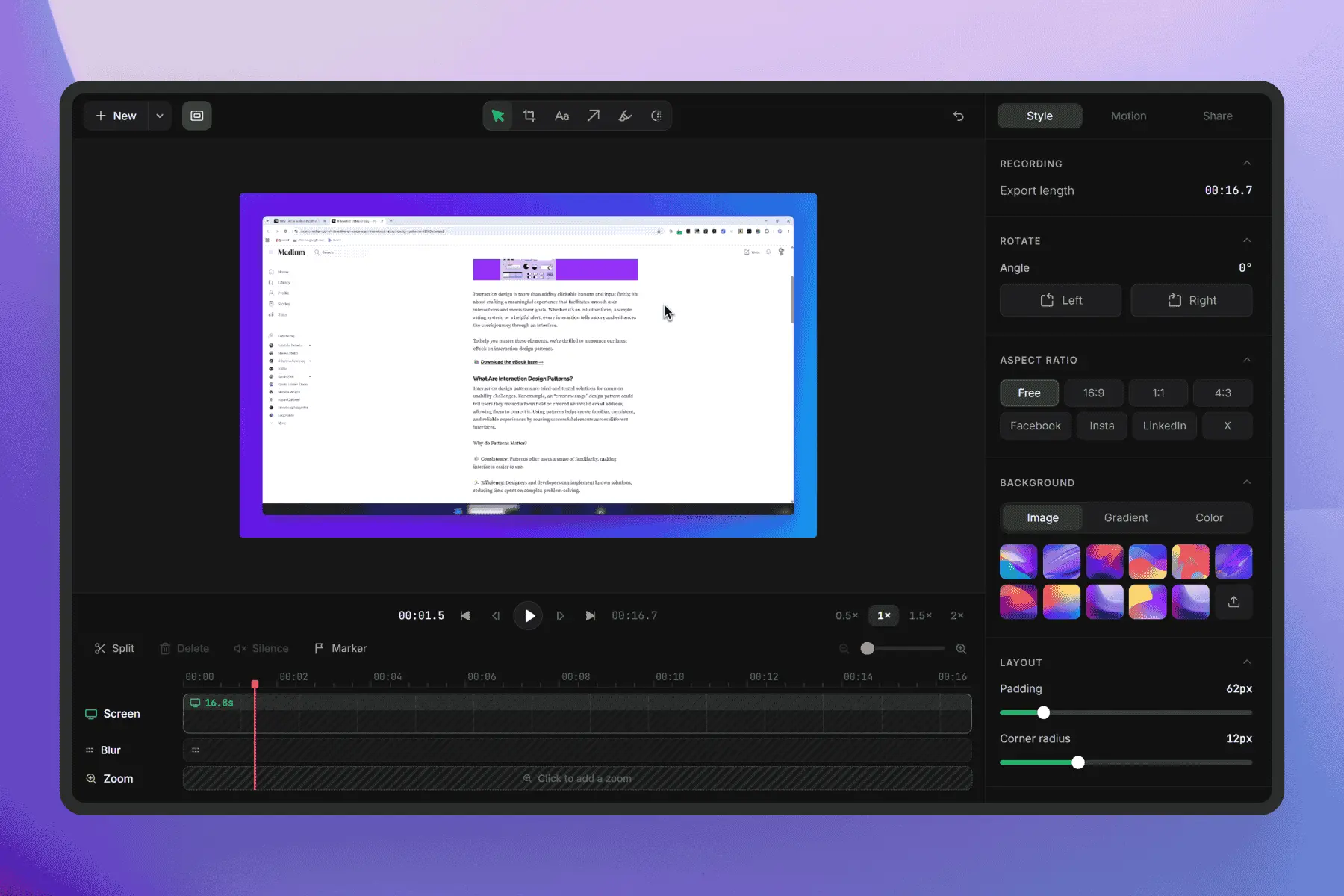
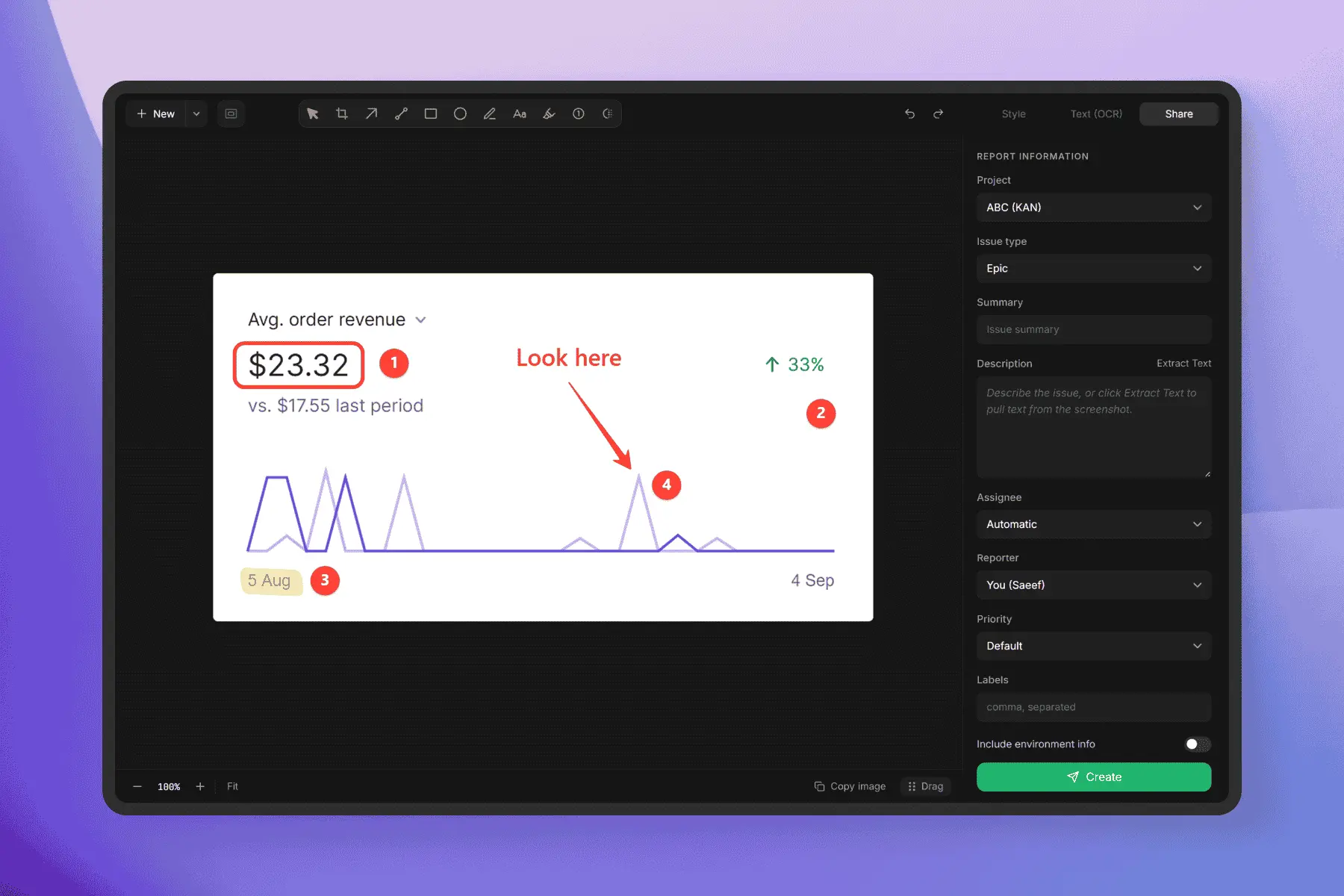
Lumshot is a modern screenshot, screen recording, and visual communication tool built to help you capture, explain, and share ideas faster. It combines powerful screenshot annotation, screen capture, OCR, AI workflows, and collaboration tools in one lightweight app. Designed for developers, designers, QA teams, support teams, educators, and anyone who needs to communicate visually, Lumshot helps turn screenshots into clear, actionable information without disrupting your workflow. Key features include: • AI Auto Paste: instantly send screenshots to ChatGPT, Claude, Cursor, and other AI tools for faster analysis, debugging, writing, and problem-solving. • Screenshot Annotation: add arrows, shapes, highlights, text, blur, and other annotations to clearly explain what matters. • Screen Recording: record your screen to demonstrate bugs, workflows, product features, or issues that are difficult to explain with a static image. • Scrolling Capture: capture full webpages and long content that extends beyond the visible screen. • OCR & Text Extraction: extract text from screenshots and turn visual information into editable, usable text. • Jira Issue Creation: create Jira issues directly from your captured screenshots and attach the relevant visual context. • Smart Redact: quickly hide sensitive information such as personal data, credentials, or other private content. • Drag-to-Share: quickly move captured visuals into other apps and workflows. • Fast Capture: capture a screen, window, or selected area without interrupting your work. Unlike basic screenshot utilities, Lumshot brings capture, annotation, recording, OCR, AI assistance, redaction, and issue reporting into a single visual communication workflow. Whether you're reporting a software bug, reviewing a UI design, documenting a feature, creating a support request, explaining a problem to an AI assistant, or teaching a process, Lumshot helps you communicate with more context and fewer steps.
Screenshots
Product Updates (2)
Lumshot is now on the Microsoft Store.
You can now install Lumshot directly on Windows and use it as your all-in-one screenshot and screen recording tool. Get Lumshot on the Microsoft Store: https://apps.microsoft.com/detail/9NXKPBF112B9 Capture regions, windows, full screens, and scrolling pages. Annotate screenshots with arrows, text, shapes, highlights, and blur. For screen recording, Lumshot supports system audio, microphone, webcam, and custom cursor styles for clearer and more polished recordings. You can also use OCR to extract text, Smart Redaction to hide sensitive information, AI Auto Paste to send screenshots directly to supported AI chats, and Jira integration to turn screenshots into actionable issues. Built for developers, designers, teams, and anyone who needs to explain something visually.
Comments (0)
No comments yet. Be the first to share your thoughts!
Sharper Screen Recording, Custom Cursors & a Cleaner UI
Lumshot just got a major update. Our screen recorder is now sharper and more powerful, delivering higher-quality video recordings for product demos, tutorials, presentations, bug reports, and everyday screen capture. We’ve also added custom cursor styles for screen recordings, so you can choose how your cursor appears in the final video and make important actions easier to follow. The interface has been redesigned with a more minimal and clean UI, keeping the tools you need close while removing unnecessary clutter. Better screen recording. Cleaner UI. More control. Lumshot brings screen capture, screenshots, annotations, OCR, recording, and sharing together in one lightweight app.
Comments (1)

The sharper recording and custom cursor controls sound ideal for bug reports; cleaner demos are a big win for async reviews.
Reviews (13)
Average 4.9 out of 5
Based on 13 reviews
Bringing capture, annotations, recording, OCR, and redaction together makes visual bug reports much easier to explain. The AI handoff and Jira workflow are thoughtful additions for busy teams.

perfect to make screenshoot

annotate is the key work here for me! Thanks and good luck!


Comments (9)
Smart Redact plus Jira issue creation is a really thoughtful combo for bug reports. Hiding sensitive data before sharing is easy to forget. Congrats on the Microsoft Store release!
Lumshot elegantly combines screenshot capture and annotation in one tool. Streamlines visual documentation and feedback workflows with built-in editing, saving time across design and support teams beautifully.
@omribenshoham Thank you, i invite to use the app.
Nice app
useful idea!
@bgrutkowski13 thank you
Great product from one founder to another if you can take a look at Kognis that would be great.
@kognis thank you
The AI Auto Paste feature is a nice touch. Sending screenshots straight into tools like ChatGPT or Cursor without all the extra copy-paste steps sounds genuinely useful for everyday dev and design work.
@tushar Glad you like it.
Really like how Lumshot makes screenshots feel much more useful, especially with the quick annotations and sharing. The AI paste feature is a nice touch too—it could save a lot of time in my daily workflow.
@thtonmoy91 Glad you like it. Lot more are coming, stay with us.
Screenshot communication workflows waste time without proper tooling. Lumshot cuts this friction by embedding annotations and sharing directly in your flow. The AI paste feature for ChatGPT and Claude alone saves hours monthly by eliminatin
@omribenshoham Really appreciate this! The AI paste feature was built exactly for that moment when you’re constantly jumping between your screen and ChatGPT or Claude. Glad it’s saving you time!
Thanks for checking out Lumshot! Built to simplify screenshots, annotations, and visual communication. I'd love your feedback and feature ideas as I continue improving it. 🚀