
Magnesia
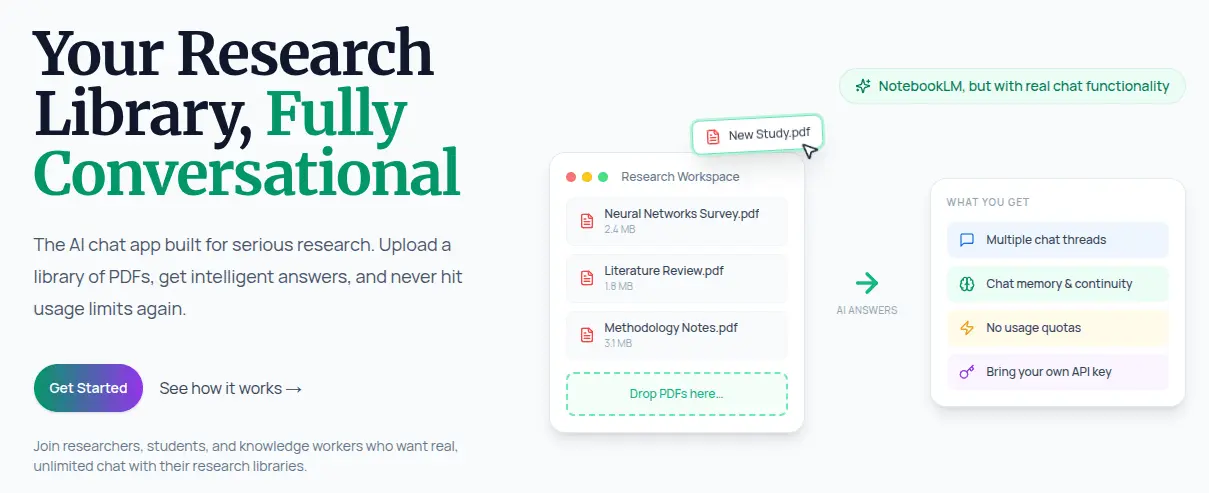
NotebookLM alternative with real chat functionality

Details
- Follow on
- Categories
- Target Audience
- Pricing
- Freemium
- Platforms
Discovery signals
How AI and people discover Magnesia on PeerPush
About Magnesia
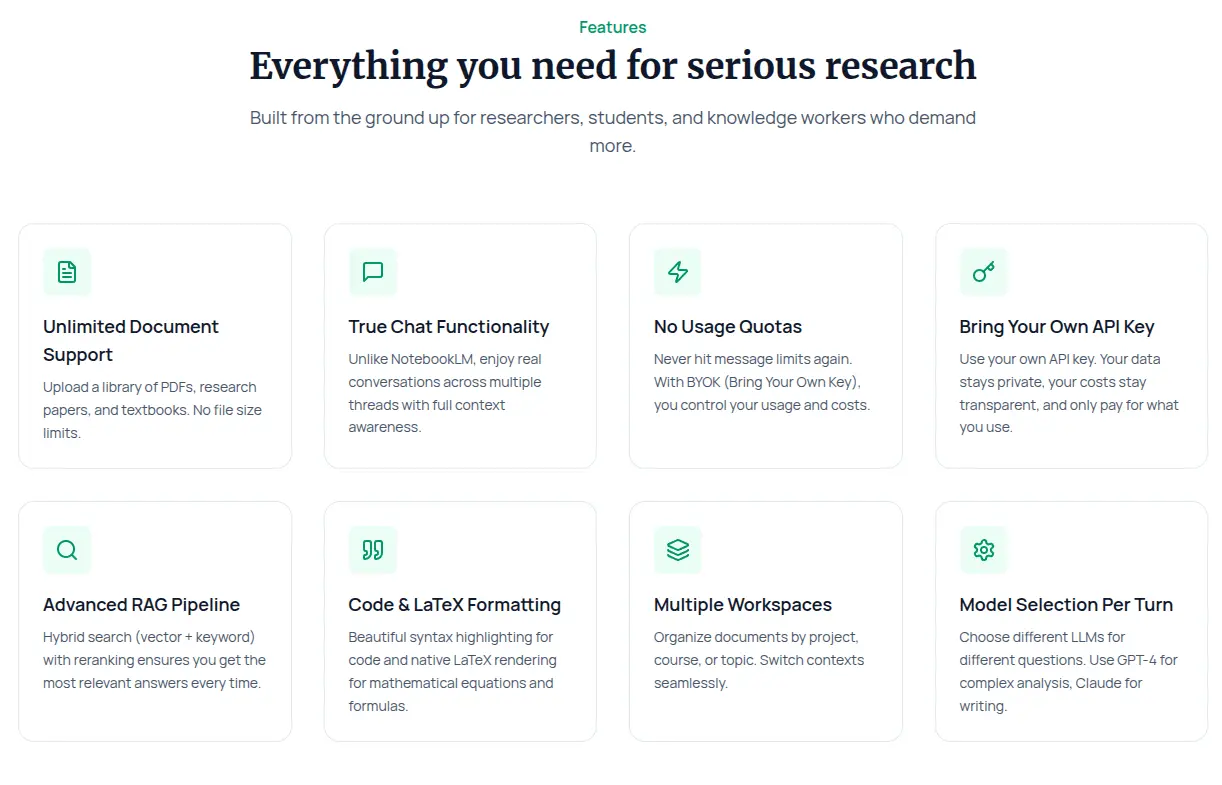
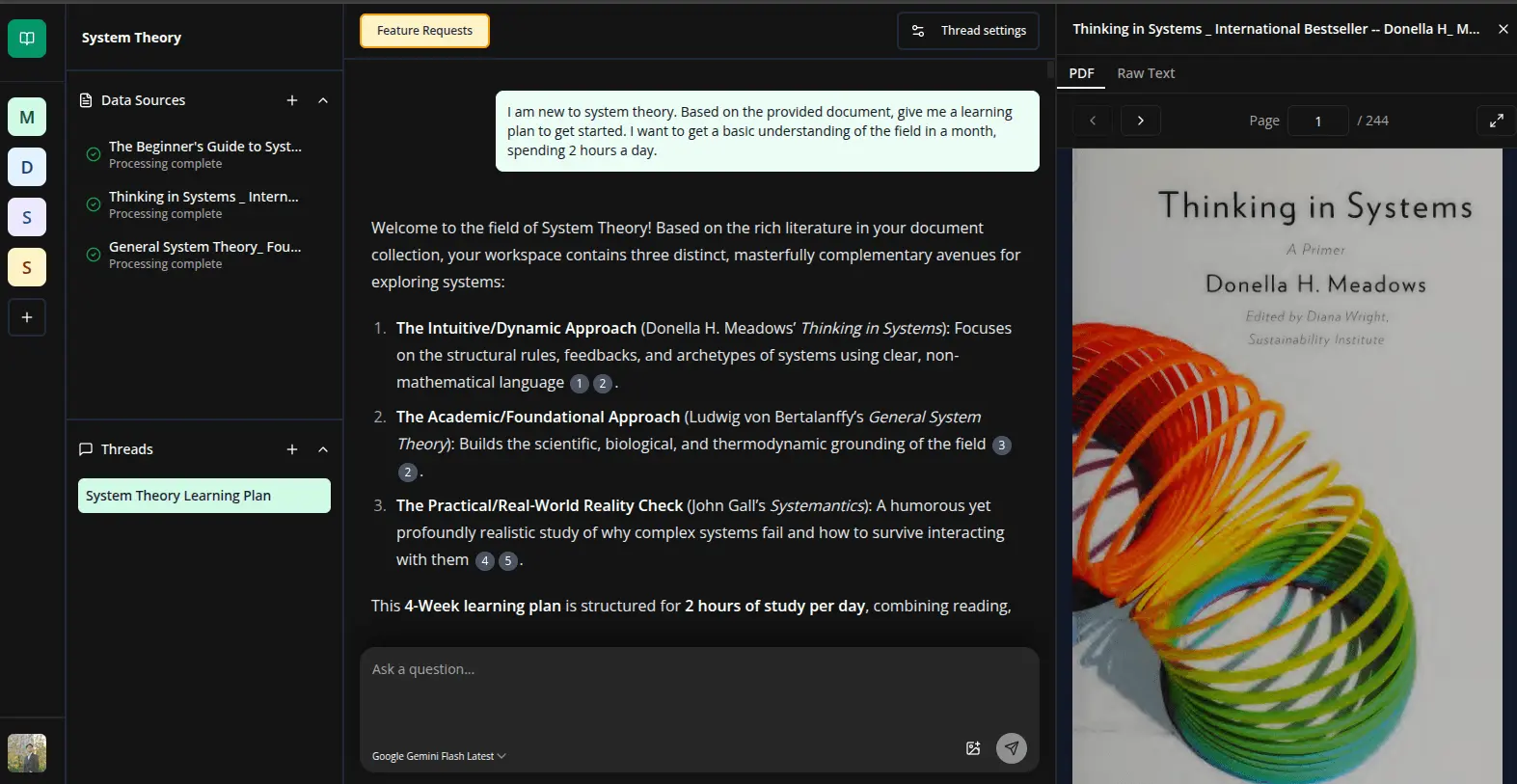
We built Magnesia to solve a single problem: NotebookLM doesn't have real chat functionality If you've used NotebookLM for research, you know the frustration. It's excellent at analyzing documents, but the chat experience is fundamentally broken. One chat thread per notebook. No memory across conversation turns. Every discussion feels isolated and disconnected. You can't build on previous insights, can't maintain context across related questions, can't have the kind of deep, exploratory conversations that real research demands. We asked ourselves: what if you could keep NotebookLM's powerful document analysis but add the conversational intelligence of ChatGPT, plus a complete workspace for serious research? ✨ That's Magnesia ✨ ✅ Complete Research Workspace Magnesia combines NotebookLM's document power with ChatGPT's conversational intelligence in an integrated workspace designed for deep research. Upload your PDFs and documents, then have natural, continuous conversations that actually remember everything you've discussed. Create multiple workspaces for different projects, maintain as many chat threads as you need, and build on previous insights with full context across your entire research journey. But unlike pure chat apps, Magnesia gives you a complete research environment. View your documents side-by-side while chatting—toggle between PDF pages and searchable raw text. Click on inline citations to jump directly to the exact location in your sources, no more hunting through documents. Take markdown notes to capture insights, then @mention those notes as context in future conversations. Your entire research loop—ask, verify sources, take notes, ask deeper questions—happens in one seamless workspace. ✅ Smart Context Control You decide exactly what context the AI uses for each question. Select which documents from your workspace to include in specific conversations—use all of them, just a few, or none at all for pure reasoning. Need to reference a visual? Drag and drop images directly into your conversation, or tag specific PDF pages to be analyzed as images. Working with ideas from previous discussions? @mention your notes to include them as context. Customize RAG parameters per thread to match your workflow. This level of control means better answers at lower costs. You're not sending your entire document library with every question—just what's relevant. ✅ Professional Citations in an Integrated Workspace Every AI response includes NotebookLM-style inline citations with click-to-source navigation. But unlike NotebookLM's separate source view, Magnesia's citations open directly in your side-by-side document viewer—you stay in the conversation while verifying sources. Click a citation, the document panel opens to that exact chunk, highlighted and ready to read. Continue chatting, check another source, take notes. Everything happens in one integrated workspace, no context switching required. ✅ No More Usage Limits Beyond fixing NotebookLM's chat problem, we've eliminated the usage anxiety that makes Claude Projects and Google AI Studio frustrating for serious research. Our bring-your-own-key architecture means you control your costs completely. No quotas, no restrictions, no artificial walls stopping you mid-insight. Processing hundreds of papers for your dissertation? Conducting month-long research projects? Analyzing entire technical documentation libraries? Go ahead. Advanced RAG technology works behind the scenes to keep API costs reasonable while maintaining accuracy. ✅ Built for Real Research Work Every feature serves serious knowledge work. Choose your preferred LLM model for each individual message—need a quick answer? Use a fast model. Complex analysis? Switch to a more capable one. Beautiful rendering for code blocks and LaTeX equations handles technical content properly. Visual bookmark system helps you track important insights across long conversations. Organize everything across multiple workspaces and threads with a collapsible, resizable sidebar that adapts to your workflow. No feature bloat. No audio overviews or flashcards cluttering the interface. Just powerful, focused tools for the way researchers actually work. ✅ Simple, Fair Pricing One-time purchase. No subscriptions, no recurring fees, no surprise charges. You own the software and control your API costs. Whether you're a graduate student analyzing literature, a professional managing technical knowledge bases, a legal researcher working with case files, or a lifelong learner exploring complex subjects: this is NotebookLM's document analysis with the conversational workspace you've been missing. Let us know what you think! 👇👇👇
Product Video
Watch a video demo of Magnesia.
Screenshots
Reviews (1)
Average 5.0 out of 5
Based on 1 review

Comments (0)
No comments yet. Be the first to share your thoughts!