
Maverick Project Scheduler
AI-powered cloud project scheduling and Gantt charts
Details
- Categories
- Target Audience
- Pricing
- Subscription from $8.99
Discovery signals
How AI and people discover Maverick Project Scheduler on PeerPush
About Maverick Project Scheduler
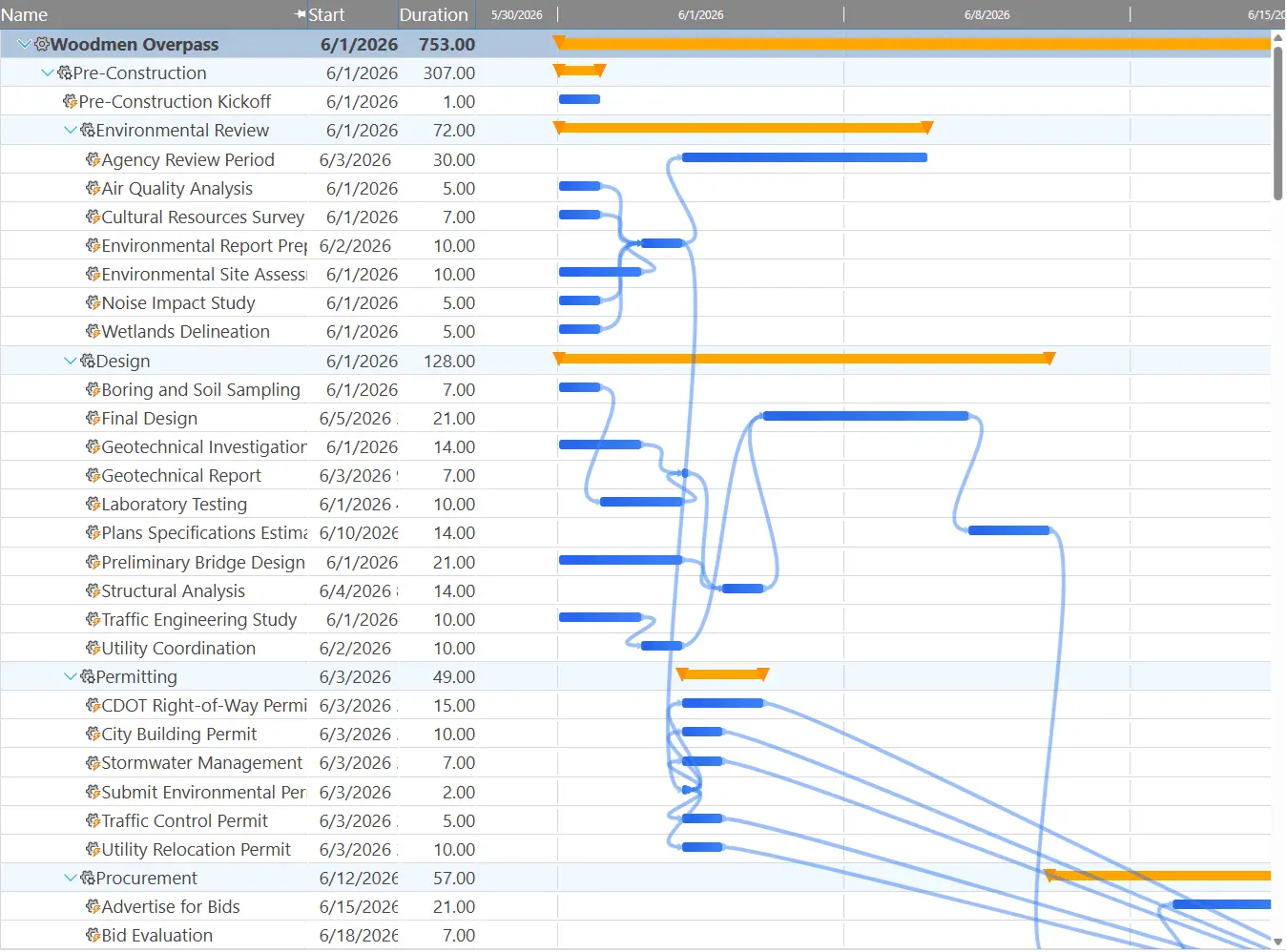
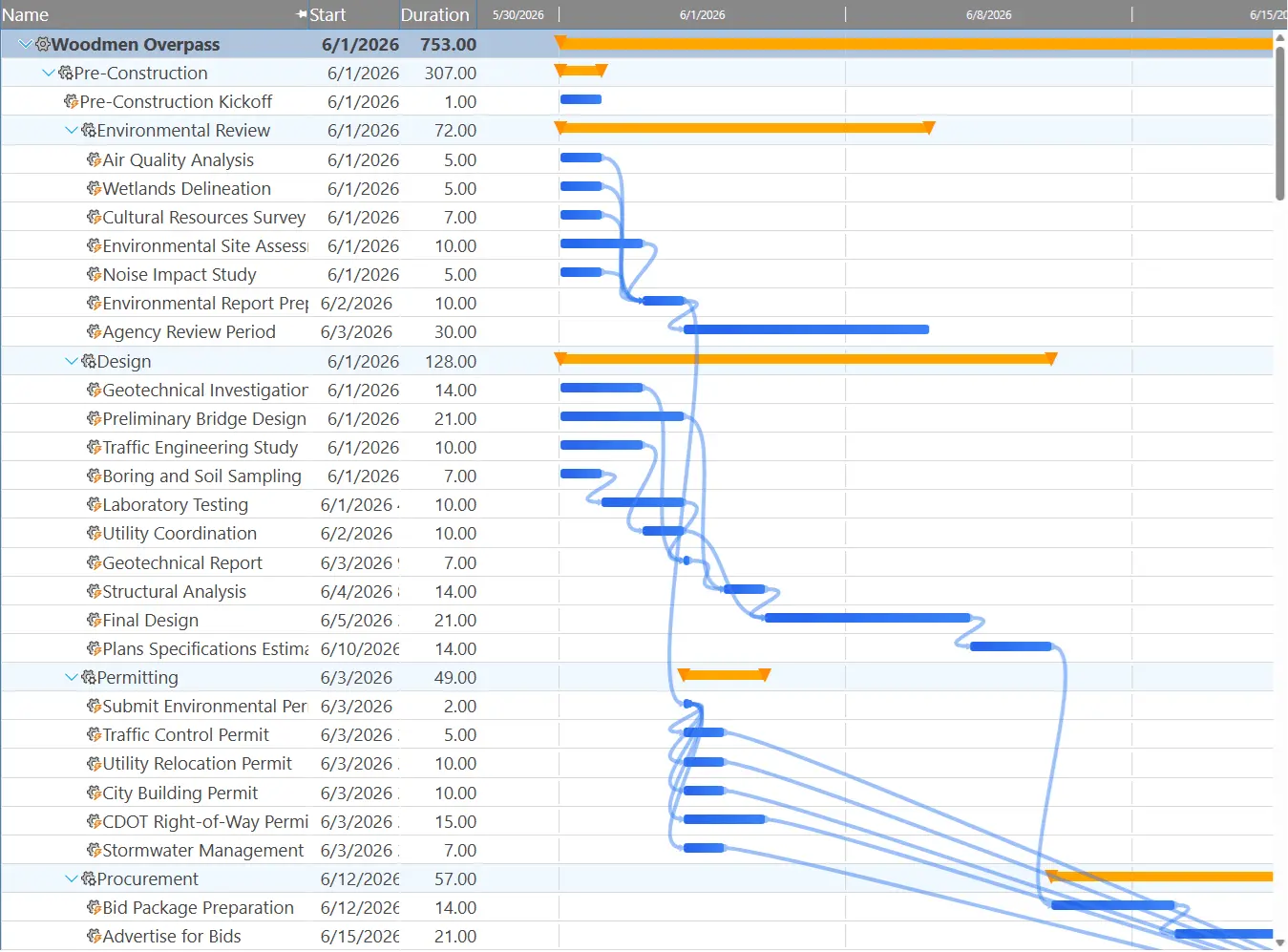
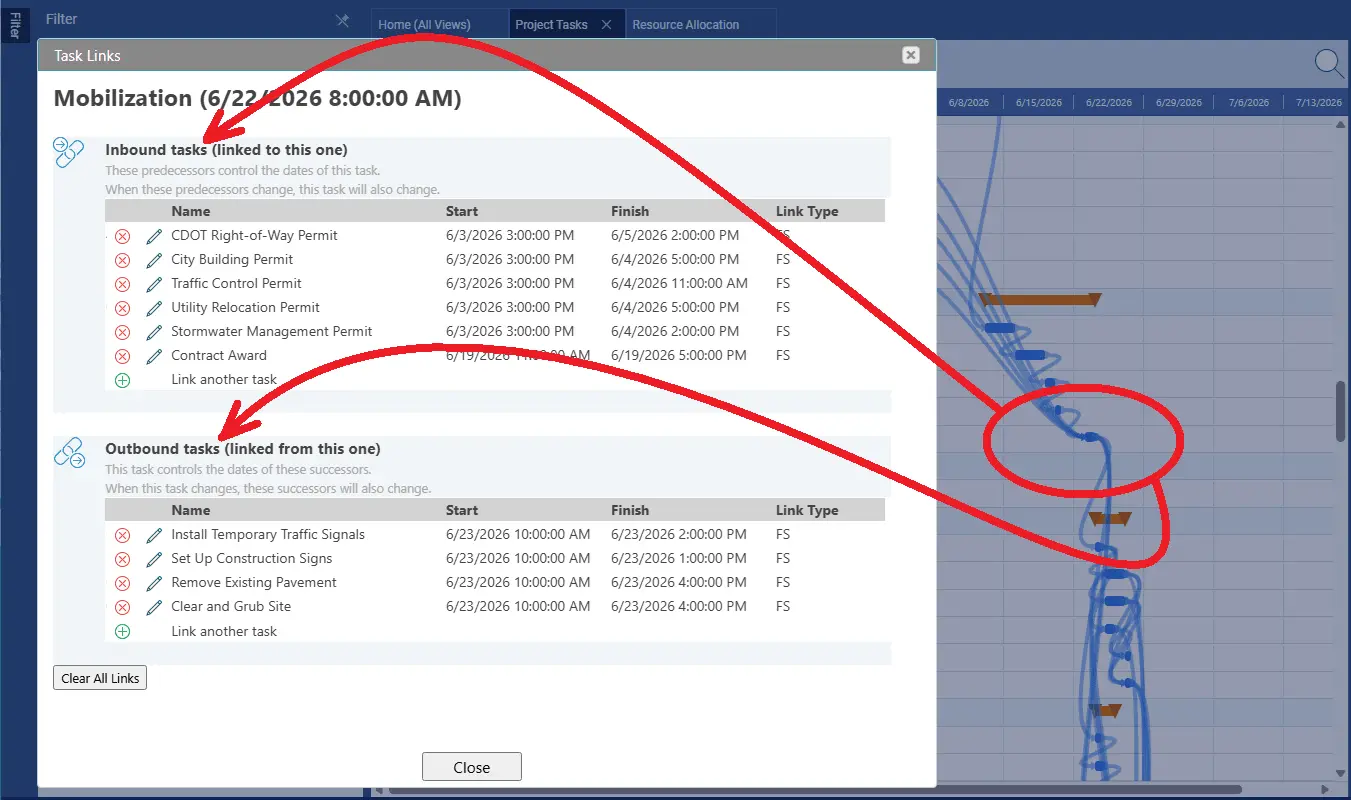
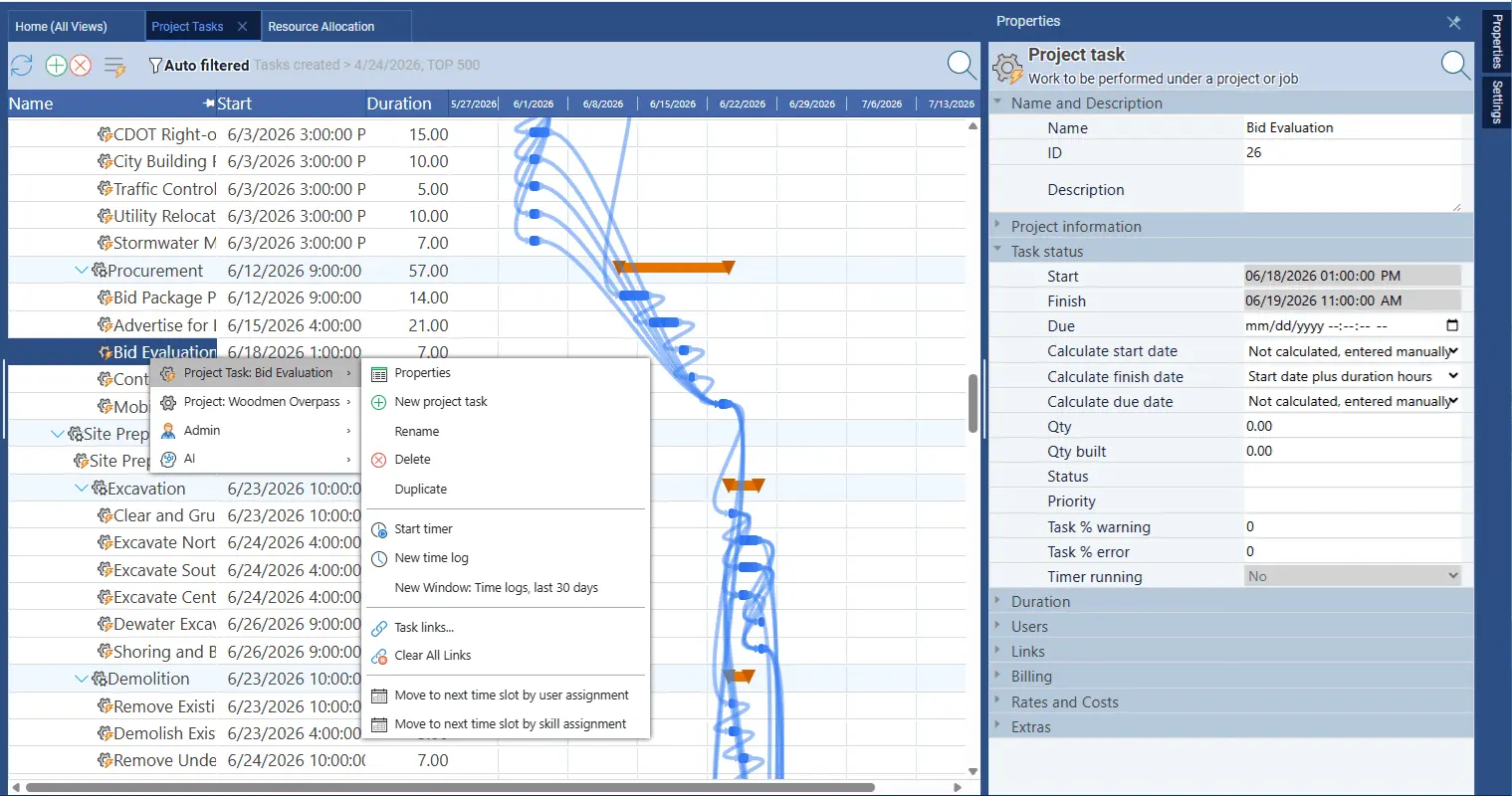
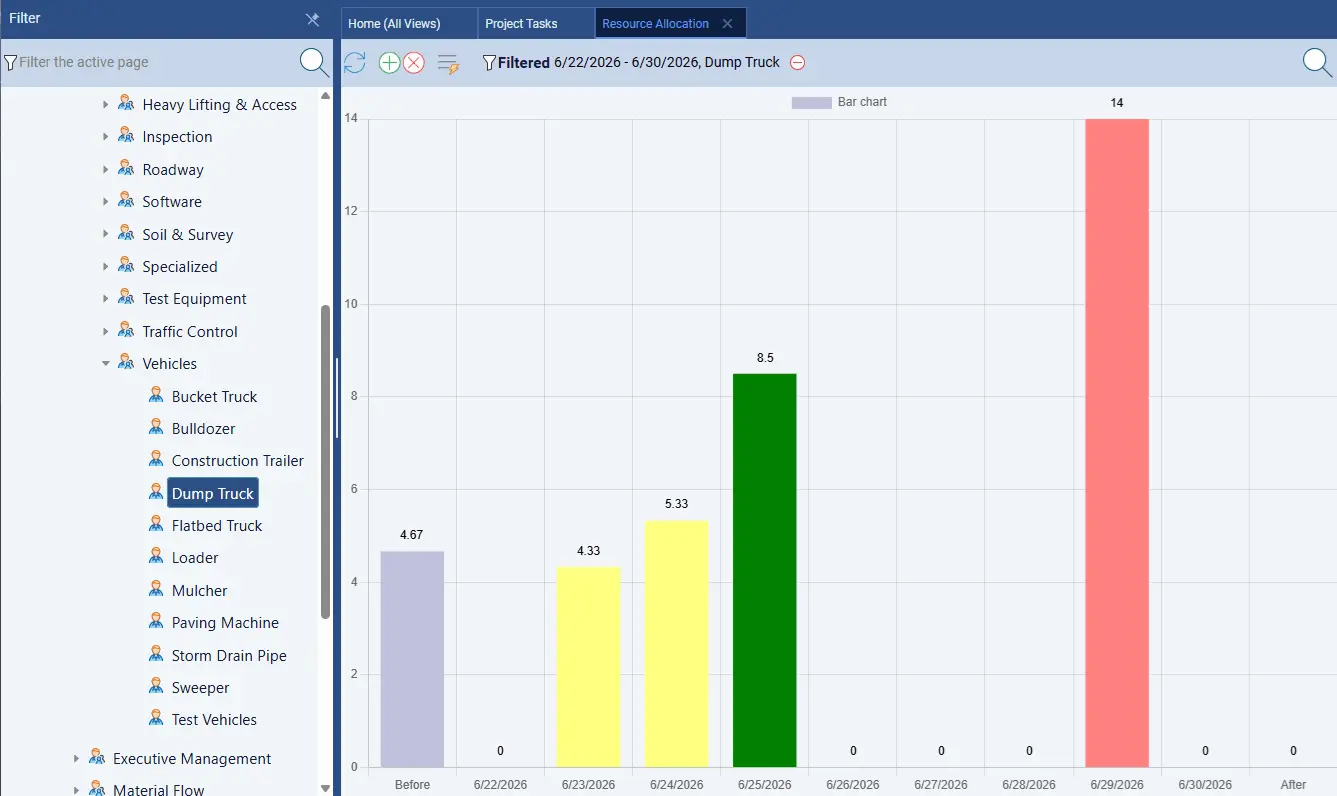
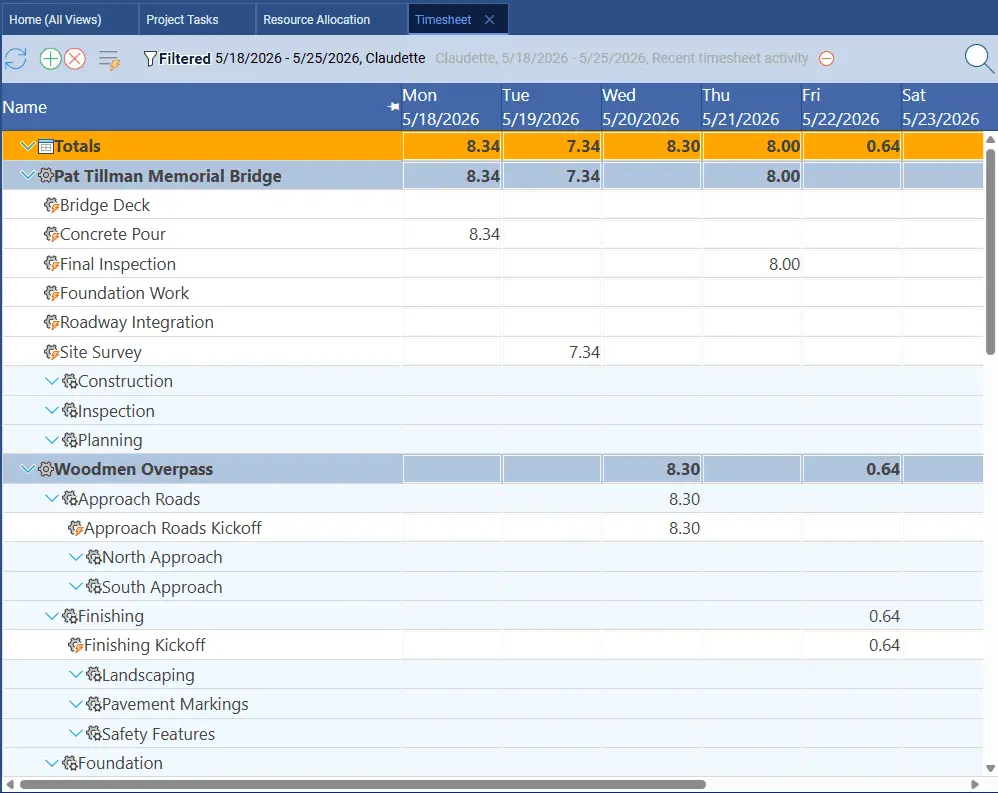
# Maverick Project Scheduler — AI-Powered Project Management **Maverick Project Scheduler** is a cloud-based project management platform that combines professional scheduling tools with a built-in AI assistant. Plan projects, build Gantt charts, manage resources, track time, and control budgets — all in one place. Trusted by teams in 20+ countries across engineering, manufacturing, consulting, and government. Starts at $8.99/user/month. --- ## AI That Does Real Work The AI in Maverick is wired directly into your schedule data — not bolted on as a chatbot. Describe what you need in plain English and it acts: push a phase out two weeks, level the workload across your team, reschedule everything on the critical path. It handles the ripple effects automatically. Maverick also supports multiple LLM providers simultaneously, letting admins configure which AI model each user connects to — a capability no other scheduling tool offers. --- ## Scheduling Tools Built for Serious Projects **Gantt Chart** — drag-and-drop task bars with dependency link lines (FS, SS, FF, SF), lag days, milestone graphics, and summary rollups. Link lines redraw when you sort. **Task Grid** — 50+ task properties, full project hierarchy, unlimited subprojects, filter by resource/client/status/category/completion, sort by 60+ fields. **Task Calendar** — view tasks by day, week, month, quarter, or year. **Critical Path** — identifies zero-float tasks so you know immediately what a delay costs the project. --- ## Resource Management Maverick tracks three resource types: human, machine, and material. Assign by utilization percentage or fixed hours. The scheduler computes start dates, finish dates, and cost from assignments automatically. The Resource Allocation Bar Chart shows each person's workload across any time period — color-coded green (correct), amber (under), red (over). The availability grid shows open hours before you commit. The AI can level resources automatically without breaking dependency logic. --- ## Time Tracking, Costing, and Reporting Employees log hours against tasks in the built-in timesheet; actuals roll up to cost and completion automatically. For field and manufacturing teams, barcode scanning lets you log time and materials against job tickets without manual entry. Project costing computes salary cost, client billing rate, and estimated-vs-actual variance from assignments and logged hours. Custom reporting supports unlimited grouping, filtering, sorting, and scripting, with scheduled reports that build and email automatically on any cadence. Automated imports pull task data from ERP and MRP systems on a schedule so the project always reflects current production data. --- ## Compatibility and Access Import and export Microsoft Project (MPP), Excel, Word, CSV, and HTML. Runs in any modern browser on any device — nothing to install. Role-based employee rights control who sees what across the portfolio. --- ## Pricing **$8.99/user/month.** Pro features — resource allocation charts, timesheets, barcode scanning, custom fields, automated reports — included at no extra charge for a limited time. Free trial available; contact sales for credentials to a live test environment. **719-488-8697 | mavgantt.com** --- *Maverick Project Scheduler is a registered trademark of Maverick Development. Made in the USA.*
Product Video
Watch a video demo of Maverick Project Scheduler.
Screenshots

Product Updates (4)
Gantt Mini-Map and Resource Allocation Mini-Chart
See the link below for details on the new Gantt Mini-Map. Included in this product update is a new Resource Allocation "frozen row" which can sit at the top of your Gantt chart. These two special rows act as mini dashboards to give you access to quick info. Leave us a message for your thoughts! https://mavgantt.com/gantt-mini-map-resource-allocation-frozen-rows
Comments (0)
No comments yet. Be the first to share your thoughts!
Want to compare Maverick against Monday.com or Basecamp?
Here's a new page for all the popular project management comparisons. Let us know if we got something wrong, or missed something. We'll make it right. https://mavgantt.com/compare
Comments (1)

We created a new page to learn Maverick!
Try the link below to step through the actual menus and commands to create a new project in the Maverick Project Scheduler. These little blueprint pages are inspiring and interesting. https://mavgantt.com/blueprints
Comments (1)
New Gantt Usability
The Gantt column has been updated with new capabilities, including hover over bars to highlight successors and predecessors, hover over link line to show linked tasks, Today line, weekend shading, and more. Have you seen it?
Comments (1)
Reviews (1)
Average 5.0 out of 5
Based on 1 review

5 star tool, super easy to use and very nice
Comments (1)
This is a deep product. It is simple, but has deep features and capabilities you can discover with use. AI assisted project management is the top capability. Just chat with AI about your projects.
@strdtime you're right to say this