
Mind Rig
Develop high-quality prompts without leaving your editor

Details
- Follow on
- Categories
- Target Audience
- Platforms
Discovery signals
How AI and people discover Mind Rig on PeerPush
- ChatGPT
- Perplexity
- Claude
- +2 other AI crawlers
Reads by these AI engines
Crawlers behind these engines read this listing on PeerPush.About Mind Rig
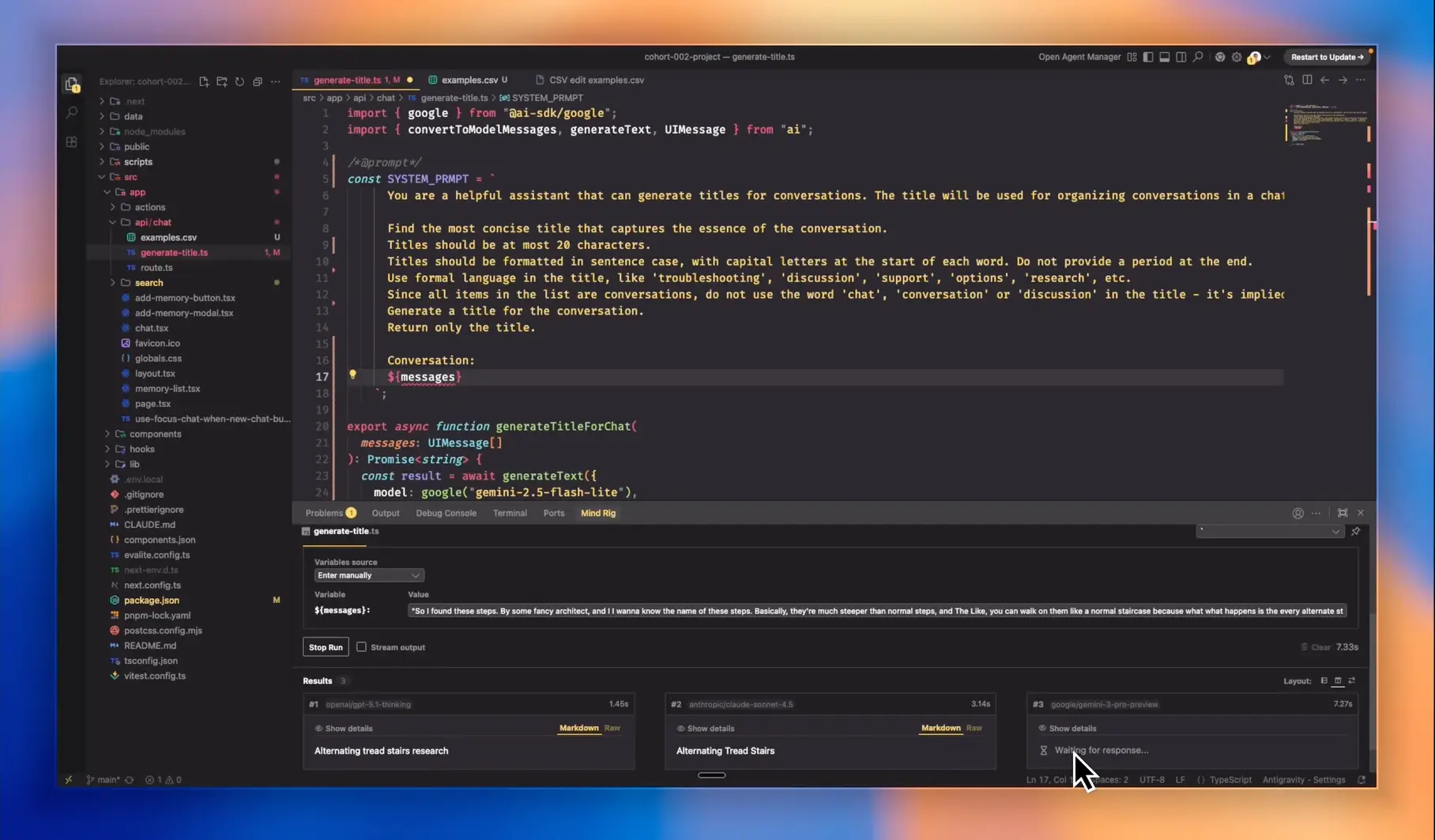
A free VS Code extension that lets developers test prompts in their editor — without the overhead of formal evaluation tools and infrastructure. When I update a prompt, I need to verify that it works across a range of different inputs. Usually, that means tediously running the prompt again and again with different inputs, every time I make a change. Mind Rig me re-run a prompt against 10 different inputs and see all the results side-by-side in my code editor. Basically saves a fixed batch of test inputs so I can re-run the same data set each time I tweak the prompt. Also runs multiple models at once and compares speed/cost/quality outputs. Supports hundreds of models via Vercel Gateway. Also shows request/response JSONs + usage stats. - Free and open-source - Supports Ruby, PHP, Go, C# and Java in addition to JS/TS/Python. - Connect your Vercel AI Gateway API key to access 100s of model providers. - Most importantly, it matches your editor's colour theme 🎨 - We also have a Discord community if you need any help getting set up.
Screenshots
Reviews (0)
No reviews yet. Be the first to rate this product!
Comments (1)
Nice product!