
Platform Architecture Authority
Catch your Azure architecture risks before your investors do
Details
- Follow on
- Target Audience
- StartupsFreelancersIT Leaders / Engineers
- Pricing
- One-time from $115
- Platforms
- Web
Discovery signals
How AI and people discover Platform Architecture Authority on PeerPush
By AI reads among Data & Infrastructure tools
676 AI reads in the last 30 days, ranked against every Data & Infrastructure tool listed.About Platform Architecture Authority
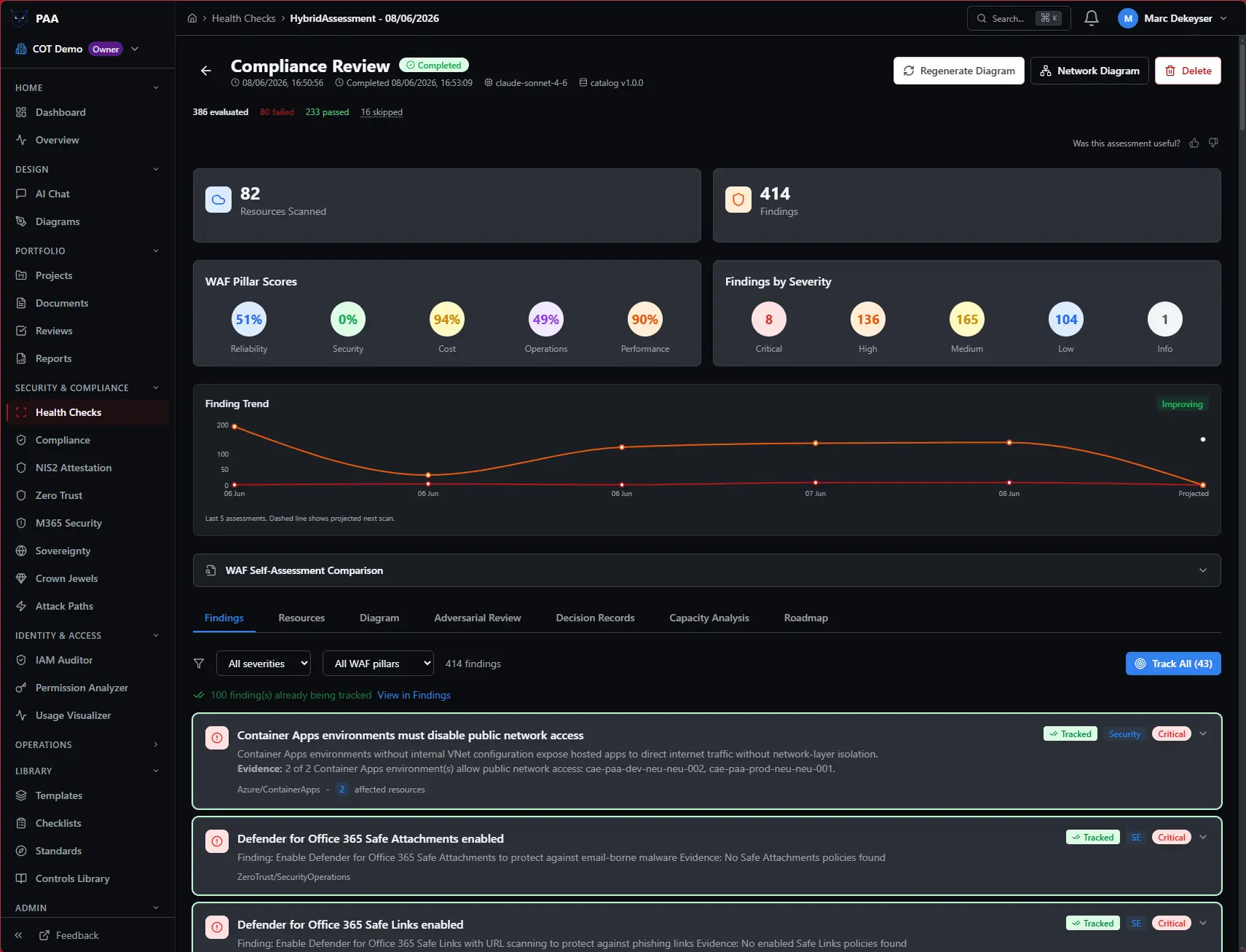
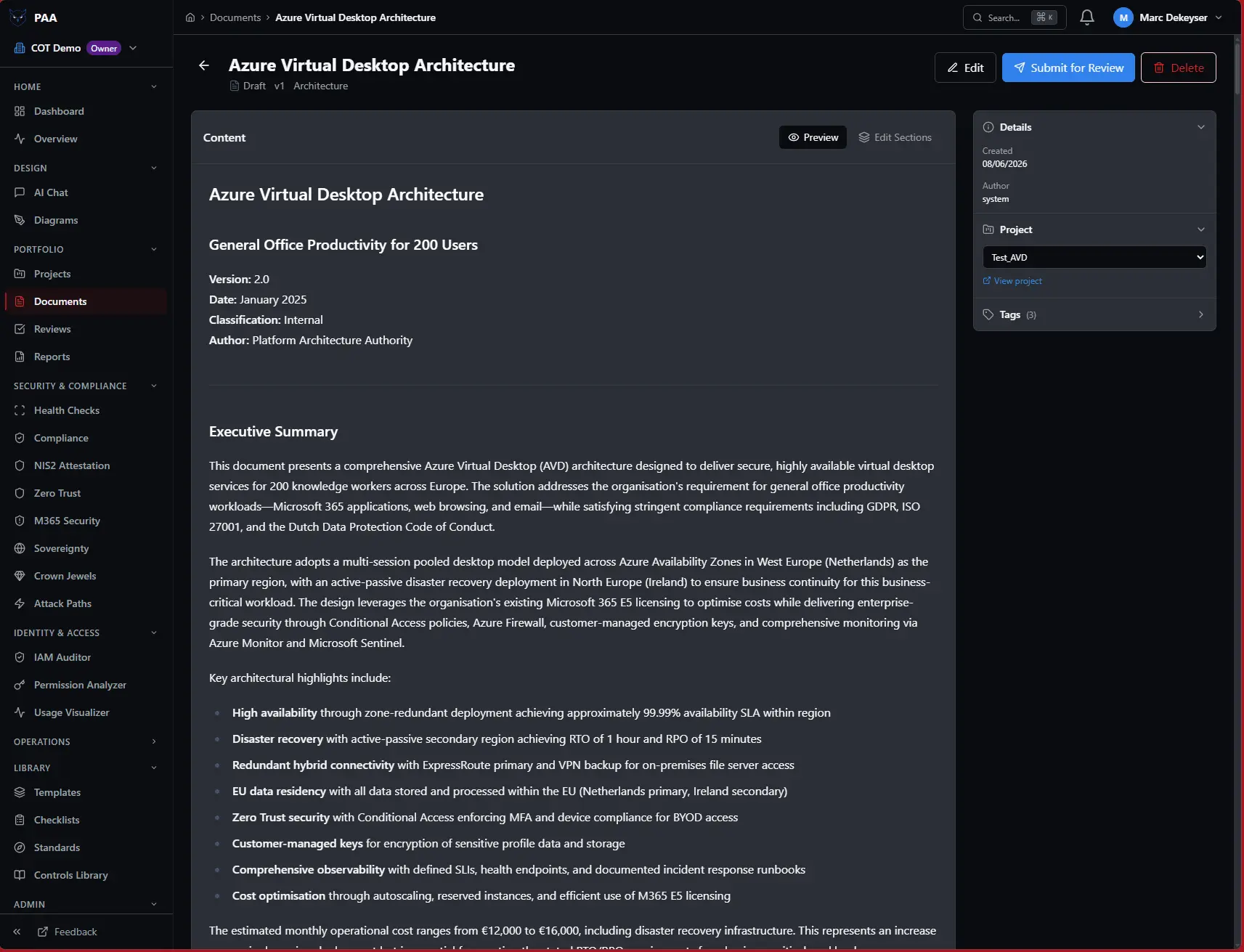
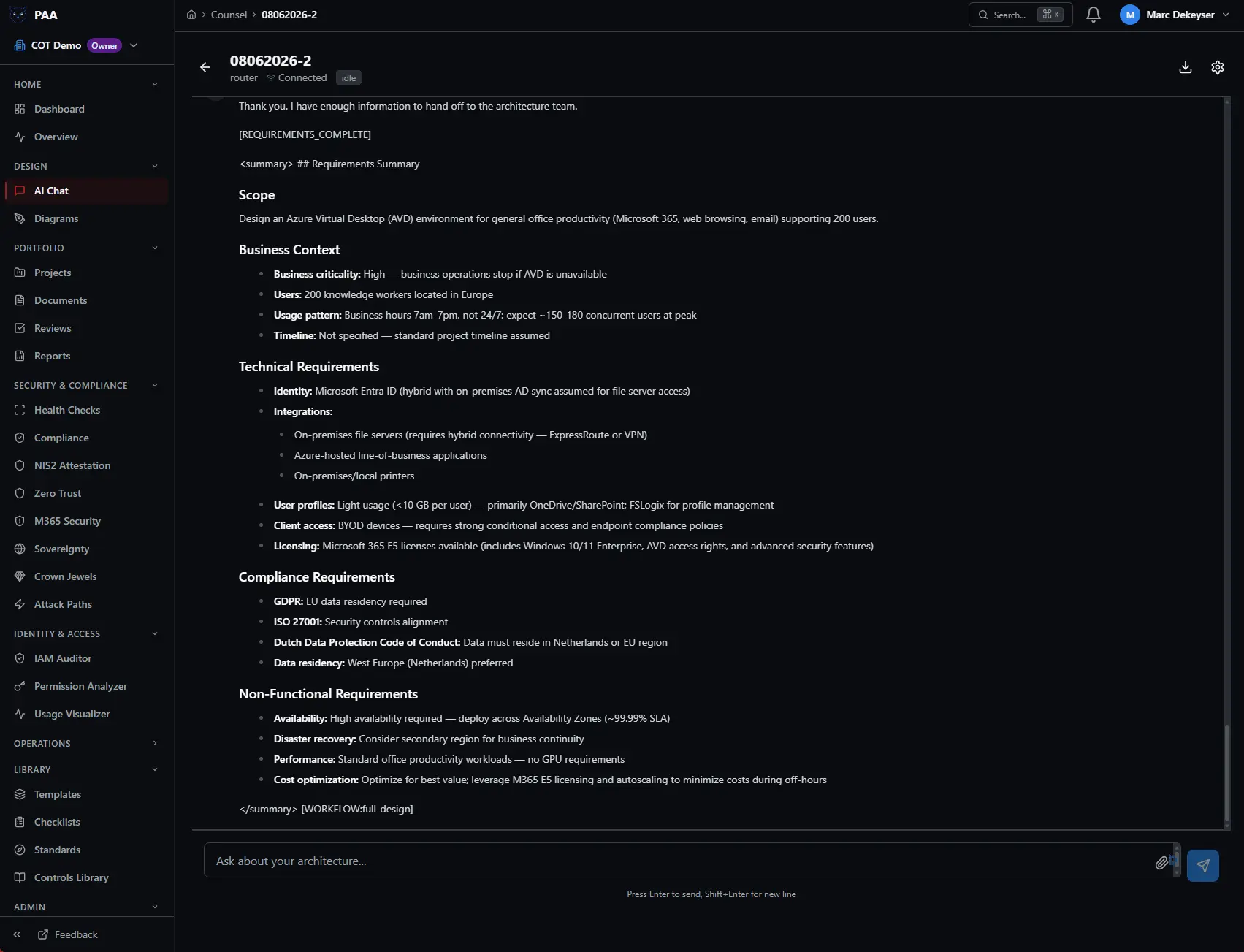
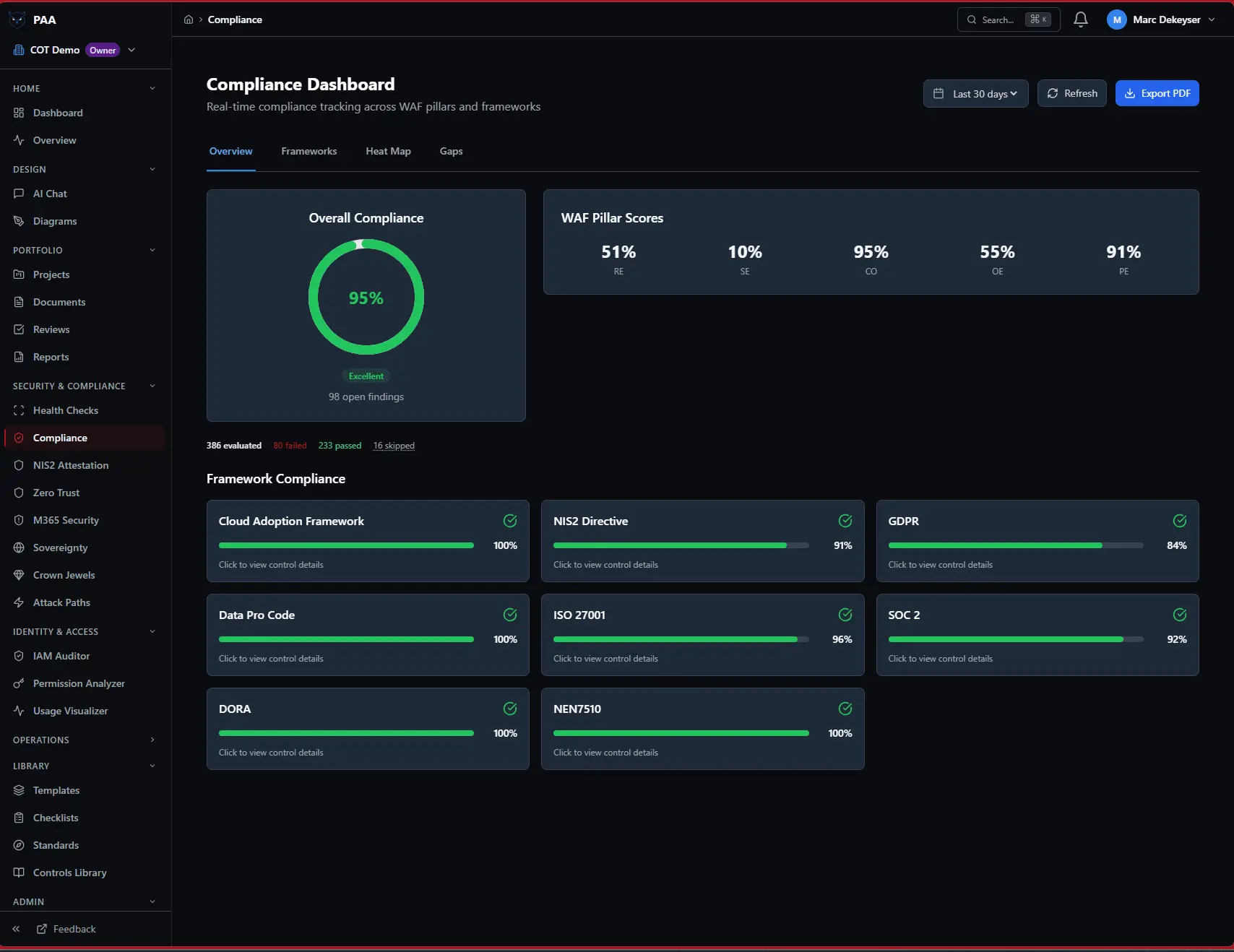
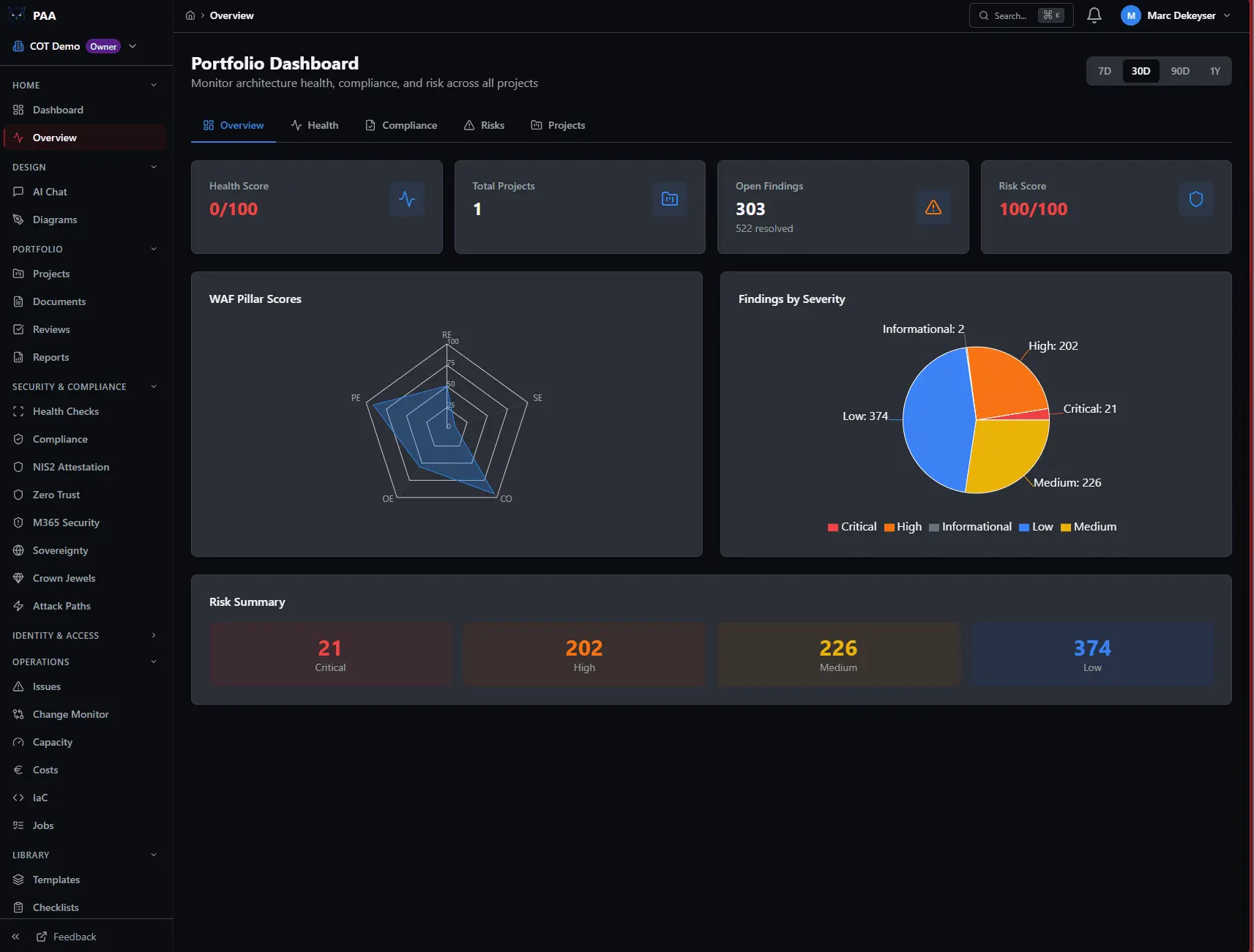
PAA is an AI-powered cloud security posture management (CSPM) and architecture assessment tool for Microsoft Azure, Microsoft 365 and Zero Trust. It points 800+ automated Well-Architected checks at your environment — run by specialised AI agents — and turns them into prioritized findings, remediation code, architecture diagrams, and audit-ready compliance evidence. Built on a decade at Microsoft & Microsoft for Startups (Azure App Consult team), it catches the architecture risks that surface during investor due diligence — public storage nobody meant to open, over-privileged access, the quiet five-figure cloud waste — before someone else finds them. Think of it as a Microsoft-native alternative to Vanta, Drata and Defender for Cloud: where those prove controls exist or watch runtime, PAA checks whether the architecture underneath is built right — and maps the evidence to NIS2, DORA, ISO 27001, SOC 2 and GDPR. Run it once on a €99 day pass, or keep it running so your posture, compliance evidence and drift stay current as your environment changes. Read-only access, results in hours, no consultant. Key features: - 700+ Well-Architected checks across Azure, M365 and Zero Trust, run by specialised AI agents - Remediation code (Terraform / Bicep) attached to every finding — not just a list - Compliance automation: evidence mapped to NIS2, DORA, ISO 27001, SOC 2 and GDPR, kept current - Auto-generated architecture diagrams (Mermaid) and ADRs, plus drift detection between scans - Findings run through an adversarial AI review before you see them (fewer false alarms) - Results in hours · read-only · EU-resident · from a €99 day pass Start your first assessment — €99 day pass → https://paa.crimsonowl.eu
Discount Codes
30% OFF - contact [email protected](-30% OFF)
Valid until Dec 31, 2026
Product Video
Watch a video demo of Platform Architecture Authority.
Screenshots
Product Updates (10)
Since Rev 49, four releases have landed:
Rev 50 — Findings that point at the exact line. Every finding from an analysed Bicep/Terraform file now carries its exact source location (file:line) and, where it applies, names the Microsoft built-in Azure Policy behind it — its effect and a "Blocks deployment" flag — so at review time you know whether a change will fail a governance gate. Citations are verified against Microsoft's catalogue. Rev 51 — PAA in the tools you already work in. PAA is now an MCP server: point Claude Code or any MCP client at it and query your estate from inside your AI tools — search findings, check posture, pull a remediation playbook, run attack-path analysis, or evaluate an IaC snippet before you ship it. Sign in with your Microsoft account, or use a token for automation. Every call is tenant-isolated and entitlement-checked. Rev 52 — Cloud Control Framework. A single, editable "house" of controls — Identity and Azure foundations, Corp/Online/Sandbox structures, Dev/Test/Prod floors, plus a separate M365 house — inherited cumulatively upward. Assign a workload to a level and it inherits the right stacked control set. PAA generates architecture toward these controls and measures your estate against them. New defaults arrive as suggestions you accept or dismiss, never silent changes; controls a scan can't prove are marked "not verified," never "failed." Rev 53 — Ongoing security hardening. Dependency updates, defensive input/output hardening, tightened error responses, and secrets that never leave the vault — following up our external penetration test and continuous scanning.
Comments (0)
No comments yet. Be the first to share your thoughts!
A workspace organised around your job — and your whole posture on one page
PAA had grown feature by feature, and it showed: related tools scattered across the menu, the same number reported in several places, and no single answer to "how am I doing, and what needs me first?" This release reorganises the platform around what you're actually trying to do, folds related tools into tabbed hubs, and introduces one page that rolls your entire posture — Azure, Microsoft 365, Zero Trust, identity, and compliance — into a single verdict. Security Posture — your whole estate on one page. A new hub rolls every domain PAA assesses — Azure, Microsoft 365, Zero Trust, identity, and compliance — into one headline verdict and score. A ranked "Needs you now" queue surfaces the handful of things that genuinely warrant your attention first, weighing severity, crown-jewel involvement, recency, and whether something passing has regressed. An always-on "What changed" feed shows posture regressions since you last looked. One glance answers how am I doing and what do I fix first — no more opening five pages. A workspace organised around your job. Navigation is regrouped around what you're trying to do rather than internal feature names, so related work sits together and your muscle memory holds. Related tools are consolidated into tabbed hubs: Identity & Access unites the IAM Auditor, Permission Analyzer, and Usage Visualizer; Applications & Capabilities pairs your application portfolio with the capability map. Fewer places to look, the same depth underneath. Architecture Chat, front and centre. The always-on architecture-intelligence chat — the surface that reasons over your live estate, cost, and IaC — is now named consistently and elevated to the top of the workspace. The thing that makes PAA always-on, rather than a point-in-time report, is the first thing you reach for.
Comments (0)
No comments yet. Be the first to share your thoughts!
Compliance attestation — a second framework, auditor-ready evidence, and an honesty check — This tr
PAA's compliance attestation lets you self-attest against a regulatory control set — answering each control while PAA auto-evidences the ones it can prove from your live scans — and produce a signed PDF for your regulator or auditor. This release adds a second framework, wires an evidence trail into every control, and checks what you attest against what we actually see in your tenant. What's new: - A second framework — the Dutch NIS2 control set (Cbw) — Attest against the ADR/NOREA Cbw framework: 26 controls across 16 themes, four auto-evidenced from your scans. Each takes a hybrid answer plus an optional 1–5 maturity rating (context only, never scored) and its Cbw/Cbb legal reference. The PDF is framework-aware — labelled for Cbw, rolled up by theme, with a CC-BY ADR/NOREA attribution. - One tabbed attestation hub — NIS2 and Cbw now sit side by side under Compliance > Attestation; switch with a tab. Existing NIS2 links still work. - Auditor-facing evidence trail on every control — The full chain behind each control: resource, check, control and framework, confidence and source, active exceptions, and evidence freshness. It shows inline, in Appendix A of the PDF, and as JSON/CSV export. Break-glass and PIM-eligible accounts are recognised so identity controls map honestly. - A consistency check — When a hand-entered answer materially contradicts what your latest scan implies — over- or under-claiming — PAA flags it inline and rolls it into a sign-off acknowledgement. Non-blocking and waiver-aware: the final answer stays yours. - Footprint-aware applicability — Azure-IaaS-only controls are auto-marked Not applicable (score-neutral) when you run no VMs, scale sets, or managed disks, grouped per theme — reinstate any with one click.
Comments (1)

Application Portfolio & capability mapping
PAA turns its deep knowledge of your cloud into a standing inventory of your applications — auto-derived from what's deployed, enriched with business context, and rolled up onto a capability map your board can read. It's the technical foundation for enterprise architecture, built from live ground-truth instead of a spreadsheet that's stale the day it's filled in. - Auto-derived Application Portfolio — Applications are inferred from your Azure inventory (grouped by tag, then resource group, then AI inference). Each re-scan reconciles against your decisions: it never deletes a confirmed app, only marks unconfirmed ones stale. Confirm, rename, merge, or archive as you go. - Obsolescence & tech-debt at a glance — Each app carries an obsolescence signal (e.g. end-of-life App Service runtimes) and a tech-debt count from its open findings. The count drills down to the exact findings behind it — defensible, never a black box. - Business context overlay — Add what only you know: owner (from your tenant members), business criticality, and a TIME disposition (Tolerate / Invest / Migrate / Eliminate). - Tenant-editable capability taxonomy — A hierarchical L1→L2 capability model, seeded from a reference set and fully editable. Map each app to the capabilities it supports. - Capability risk heatmap — A board-ready map rolling each app's risk (severity-weighted findings × criticality) onto its capabilities. High heat shows in crimson; drill into any tile for the apps behind it. - Beyond Azure — Apps discovered from Entra ID appear after your next M365 collection, and you can add SaaS/on-prem apps by hand. Non-Azure apps sit on the same map as Unassessed, and business-critical Unassessed capabilities are flagged as coverage gaps.
Comments (0)
No comments yet. Be the first to share your thoughts!
One finding per control: cross-framework de-duplication
The same underlying control — “require MFA for administrators”, “block legacy authentication”, “require approval to activate a privileged role” — is independently checked by many standards at once (CIS, EIDSCA, SCUBA, Zero Trust, the community check set, and more). Until now that meant the same issue could appear five or six times in your results. It now collapses into a single finding per control, with every contributing check shown as evidence. What’s new: - Overlapping findings collapse into one — When several framework checks verify the same underlying control, they merge into one finding titled by the control instead of repeating the same issue once per framework. Your findings list reflects real, distinct issues — not framework overlap - Cross-framework evidence on every merged finding — Each merged finding shows “Verified by N checks across M frameworks” with the exact contributing checks. One glance shows how many independent standards agree a control is failing — strong, defensible evidence to put in front of a stakeholder or auditor. The citations appear on the assessment results, on the finding detail page, and in your PDF and PowerPoint exports - De-duplication summary — The assessment overview shows how many overlapping findings were collapsed into how many canonical controls, so the reduction in noise is visible at a glance Cleaner tracking over time — Each control is now tracked under one stable identity, so the same issue no longer re-opens as a brand-new row on every scan and resolves automatically once the control passes — even if a different framework’s check is the one that flags it next time - Fewer false positives on privileged access — The privileged-access / standing-access check now recognises your designated emergency-access (break-glass) accounts and accounts that are eligible through PIM rather than permanently assigned.
Comments (0)
No comments yet. Be the first to share your thoughts!
Clearer Manual Review reasons & two more automated checks
When a check can’t be evaluated automatically, the platform now tells you why — so “Manual Review” no longer hides whether something genuinely needs your judgement, is waiting on a license or consent, or simply isn’t reachable from our collectors yet. What’s new: - Manual Review now carries a reason — Every Microsoft 365 check that lands in Manual Review is tagged with why it’s there: Human judgement (a genuinely manual decision — e.g. your sensitivity-label strategy), License or consent required (the check works, but your tenant hasn’t granted the access it needs — e.g. the Power BI admin API, or Defender for Office 365 licensing), Platform limitation (not reachable from our collectors today — e.g. controls that depend on the Security & Compliance PowerShell endpoint), or Not yet automated (on our build list). No more guessing whether a Manual Review item is your action, your licensing, or ours - Honest posture scoring — Checks we can’t assess because of a missing licence/consent or a platform limitation are now excluded from your score rather than counted against you. Your score reflects what we can actually measure, not gaps in our coverage - Two checks now automated — Sign-in to shared mailboxes is blocked (CIS 1.2.2) and Unified audit log is enabled (CIS 7.1.1) now return a real Pass/Fail from data we already collect, instead of asking you to verify them by hand
Comments (0)
No comments yet. Be the first to share your thoughts!
Governed exceptions & multi-framework coverage
Accept risk on your own terms — with an approver, an expiry date, and a full audit trail — and see how a single piece of evidence carries across every framework you report against. What’s new: - Control Exception Register: Accepting a risk is now a governed, time-limited decision rather than a silent status change. Each exception is anchored to a specific finding or control, carries a reason (and, for a compensating control, a description of the offsetting measure), requires approval, and has an expiry date. When it expires it is reverted automatically, the finding re-opens and the requester and approver are notified, so a risk acceptance can never quietly outlive its mandate. Every request, approval, rejection, revocation, and expiry is kept on an immutable audit trail - Approver-gated waivers: Marking a finding Waived or Mitigated now raises a request in the register instead of flipping a status. Owners can approve at the point of request; everyone else raises a request for a separate approver to action. While an exception is active it excuses the affected controls from compliance scoring, and the finding can’t be quietly reopened without revoking the exception first - Multi-framework coverage matrix: A single view of your posture across every framework at once, including the ones you cover implicitly: when a control is already evidenced by findings shared with a framework you assessed, that coverage is surfaced as reuse-implied alongside the frameworks you assessed directly - Evidence reuse: For any finding, see the full set of framework controls a single piece of evidence satisfies — evidence once, satisfy many — so you can show an auditor exactly how one remediation carries across ISO 27001, SOC 2, NIS2, GDPR, and the rest. -AI risk identification: Synthesises the most important business-impact risks from your current
Comments (1)

Incredible tool for auditing Azure infrastructure. The 700+ automated checks saved us hours of manual review during our compliance assessment. Highly recommended.
Self-rotating certificates to authenticate against your tenants
We built a platform that scans your Azure and M365 tenants and flags credential hygiene problems. Long-lived secrets. Over-permissioned app registrations. The usual. To onboard, we asked you to create a client secret. Valid for two years. Yeah. The tool that flags long-lived credentials as a risk shipped with a two-year credential as step one of setup. I'd love to say nobody noticed. Someone did — me, reading our own onboarding script at 11pm, slightly horrified. So R-618 went in testing this week. Microsoft Graph auth now runs on a Key Vault certificate the platform rotates itself, roughly every 90 days, swapped at the 30-day mark by a background job with no human in the loop. The onboarding secret still exists, but it lives for seven days, does one job, and gets deleted. After that there's no standing secret to leak, to forget, or to find in someone's screenshot. The credential that was hardest to get right was never in a customer's tenant. It was the one our own product needed to run. You can scan for a thousand misconfigurations and still ship one, because it holds your own setup flow together. Your security posture isn't the list of things you check for. It's the things you make other people accept to work with you.
Comments (0)
No comments yet. Be the first to share your thoughts!
Become an early adopter - get 30% off!
While the tool has been live and being used, for peerpush early adopters we offer 30% off the monthly fee for 12 months. This brings your monthly payment down to 559 euros (excl VAT) for full functionality and all future updates! Requirements: - B2B Only: We do not offer B2C, so B2B only. - Entra ID: Authentication to the tool is handled through Entra ID, so you do need this to actually use the tool. Expectations: - Constructive feedback :) Contact [email protected] to get setup with the discount!
Comments (0)
No comments yet. Be the first to share your thoughts!
NIS2 Attestation
We just added NIS2 attestation with auto hydration of the technical state of your environment!
Comments (0)
No comments yet. Be the first to share your thoughts!
Reviews (7)
Average 5.0 out of 5
Based on 7 reviews
Why wouldn't I give 5 stars? It does exactly what I want xD


super good tool, very helpuful. i recommend

Comments (2)
Critical for startups building on Azure. Catches compliance and security gaps that would tank due diligence. The remediation suggestions actually save time - getting architecture validated early beats expensive rewrites later.
PAA makes Azure architecture reviews faster and more accessible, especially with clear risk checks and remediation code.