
Personal Black Hole
Awesome Black Holes on any web page. With a screensaver mode

Details
Discovery signals
How AI and people discover Personal Black Hole on PeerPush
- ChatGPT
- Perplexity
- Claude
- +11 other AI crawlers
Reads by these AI engines
Crawlers behind these engines read this listing on PeerPush.About Personal Black Hole
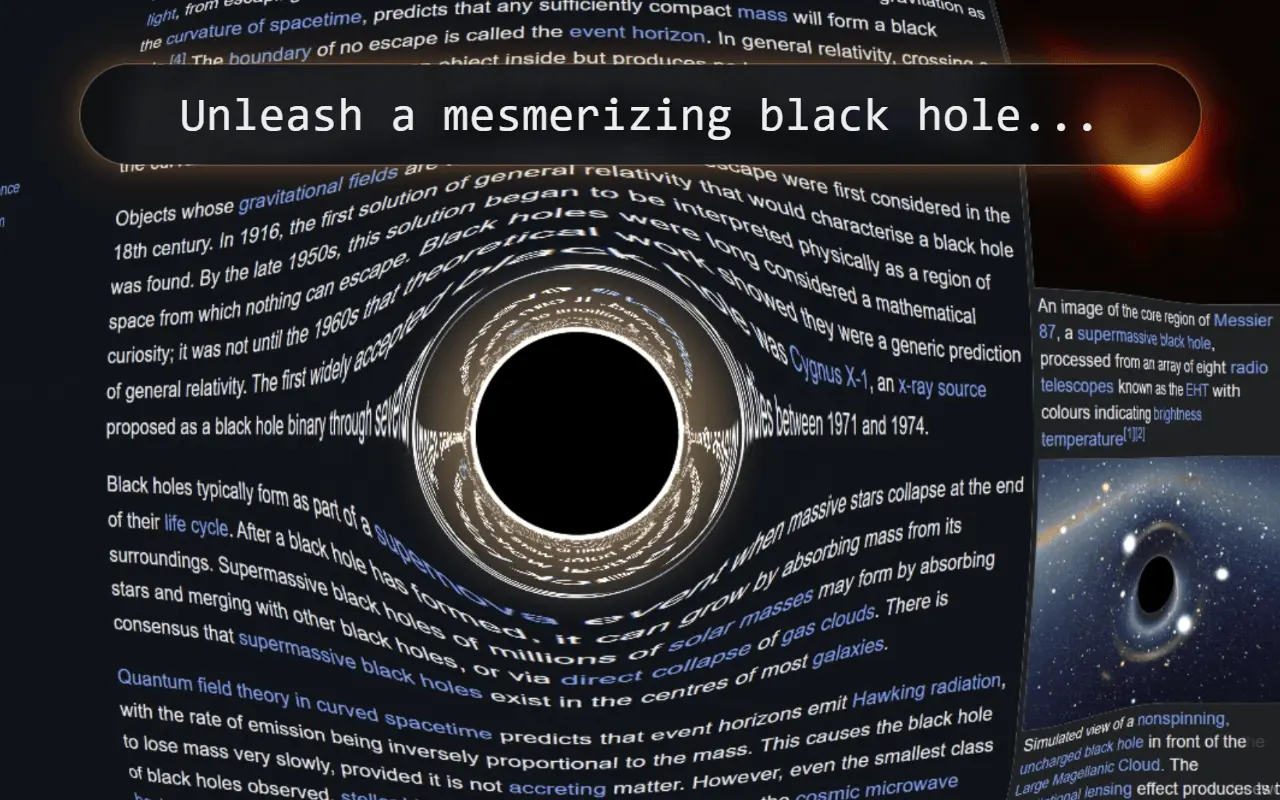
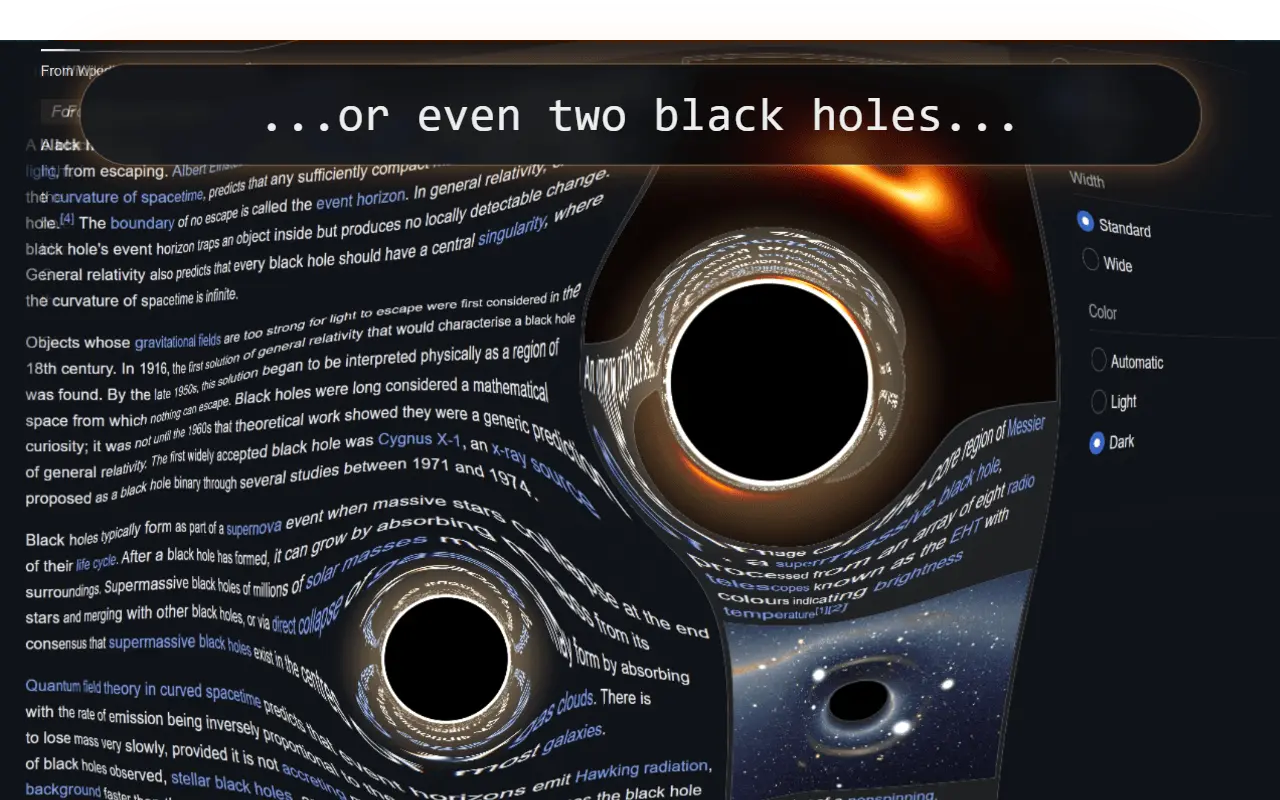
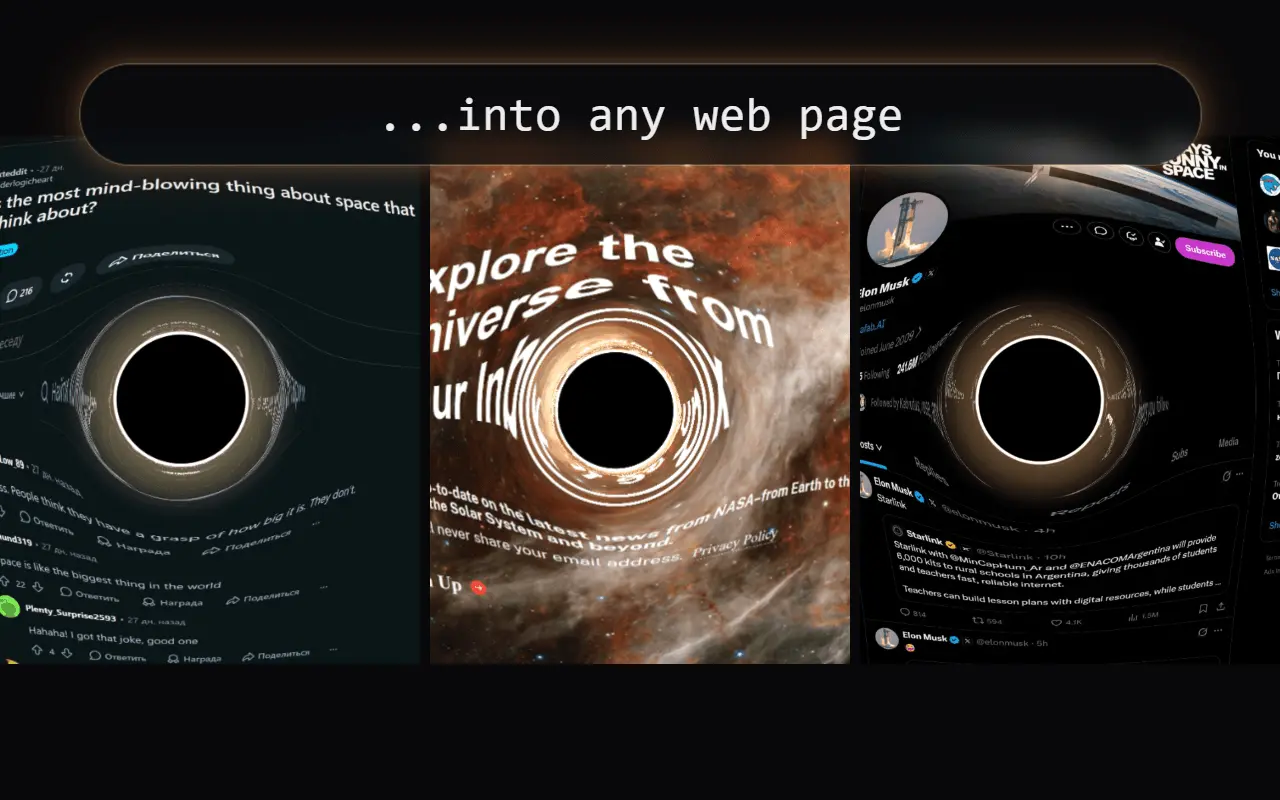
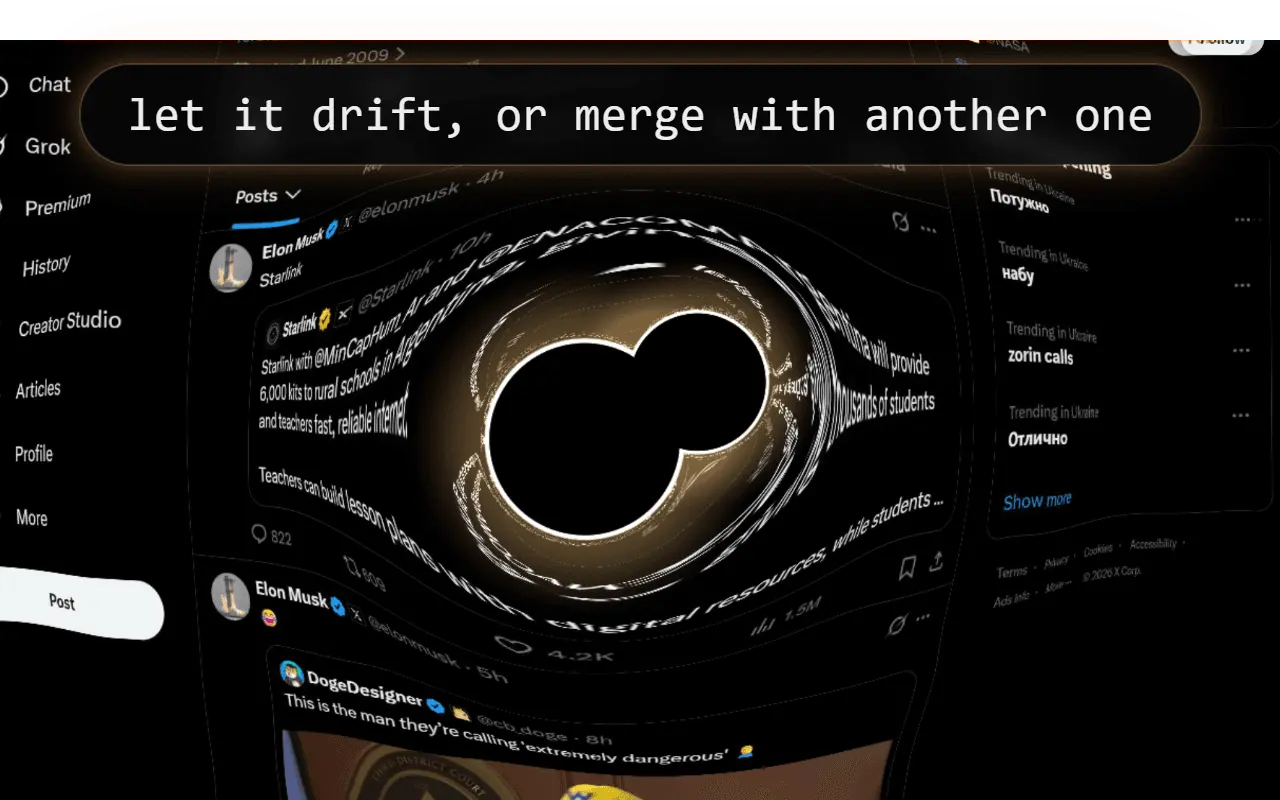
Bring one of the universe's most fascinating phenomena directly into your browser. Personal Black Hole drifts across the page and warps nearby text, images, and interface elements as it passes. Choose Solo mode to unleash a single black hole that drifts freely across the page or smoothly follows your cursor. Watch the light ring breathe with the black hole: brighter and whiter as it expands, softer and more golden as it contracts. Enable Asymmetric Lensing to make the distortion shift gently in a fixed direction, synchronized with the pulse. Enable Content Absorption to take the effect further: watch words, small buttons, and image fragments tear away from the page, spin, and spiral into the black hole. The closer it gets, the faster content breaks away. Escaping fragments drift across the page and can be captured when the black hole returns. Turn the effect off or press Esc to restore the affected content. Switch to Binary mode to create a system of two independently configured black holes. Watch them orbit one another, distort the page together, generate gravitational-wave-inspired pulses, accelerate toward contact, merge, and settle through a mass-dependent ringdown. After the merger, continue with the resulting black hole in Solo mode or watch the remnant evaporate completely. Or let the extension take over on its own: turn on Screensaver and a black hole launches automatically after 1, 5, or 15 minutes without mouse or keyboard activity, then disappears the moment you come back. ✨ Features: - Solo and Binary black hole systems - Two independently configurable black holes in Binary mode - Three sizes: Tiny, Massive, and Supermassive - Smooth Drift and Follow Cursor movement modes in Solo - Three Drift speeds: Slow, Medium, and Fast - Solo auto-off timer: 1, 5, or 15 minutes - Merger timer: 30 seconds, 1 minute, 5 minutes, or 15 minutes - Two after-merger outcomes: Continue in Solo or Evaporate - Screensaver: off, or automatic start after 1, 5, or 15 minutes of inactivity - Solo, Binary, or Surprise Me for every screensaver session - Screensaver sessions run your saved setup or a freshly generated random configuration - Optional Light Ring, Asymmetric Lensing, and Chromatic Aberration visual effects - Asymmetric Lensing works independently of Light Ring - Optional Content Absorption: progressively pull supported page content into the black hole - Restore absorbed content by switching Content Absorption off, or press Esc to stop the effect - Random configuration generator for both Solo and Binary; Content Absorption stays a manual choice - Compact and easy-to-use popup controls - A dismissible performance tip when first enabling Content Absorption 🌀 Physics & visuals - Gravitational lensing, eccentric orbital movement, and final plunge — all physics-inspired - Light-ring brightness and color synchronized with the black hole's size pulse - Smooth transitions from warm golden light during contraction to brighter white light during expansion - Asymmetric distortion that strengthens and relaxes with the pulse, without a spinning ring pattern - Words and small page elements detach, rotate, and spiral toward the black hole - Larger images break apart into smaller fragments - Stronger content absorption closer to the black hole - Escaping fragments drift and can be captured again; older distant fragments gently evaporate when room is needed for new debris - A unique orbital scenario for every Binary launch - Gravitational-wave-inspired pulses during the approach and merger - Mass-dependent merger remnant - Smooth remnant drift after continuing in Solo - Size-dependent evaporation animation - Endless Binary orbits in Screensaver mode — the black holes keep circling instead of merging 🌌 Ways to use Personal Black Hole: - Have fun experimenting with different black hole sizes, movement modes, visual effects, speeds, timers, and Binary configurations - Guide a black hole across a page and watch it gradually pull words and images into a swirling stream of debris - Take a short visual break between focused work sessions — use the Solo auto-off timer or watch the countdown to a Binary merger - Let the Screensaver turn your browser into a living cosmic display whenever you step away from your desk - Turn a web page into a striking dynamic backdrop for your monitor — especially when filming videos with the screen visible in the background - Surprise a friend or colleague by making a familiar web page bend around a black hole - Build an intuitive visual sense of gravitational-lensing-style distortion - Observe Kepler-like Binary motion and compare how different mass combinations affect the system - Capture your audience's attention during a presentation or screen-sharing session by launching a black hole on the page you are showing
Screenshots
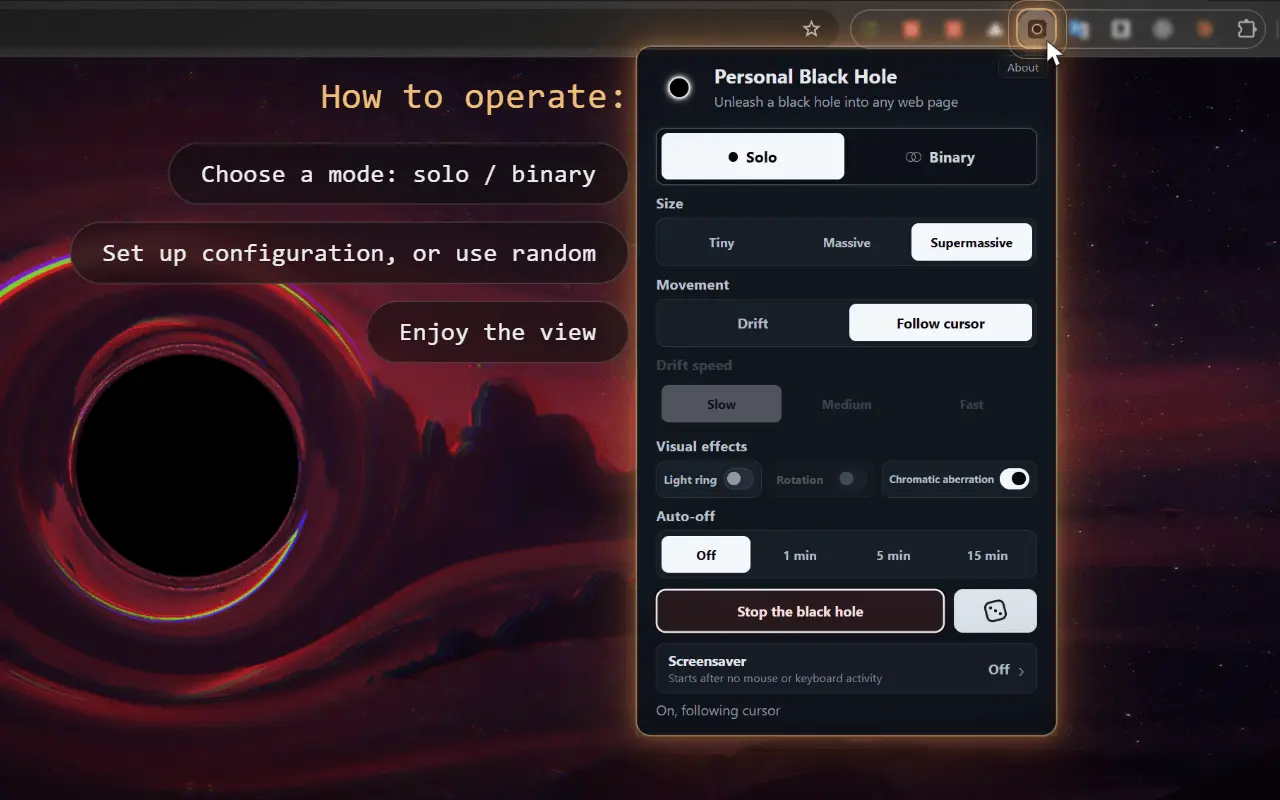
Product Updates (9)
Version 6.4
What's New in Version 6.4 Added expanding gravitational-wave effects that follow the black holes' orbital motion and intensify as they merge. Improved ringdown for a smoother transition from merger to gradually fading oscillations.
Comments (0)
No comments yet. Be the first to share your thoughts!
Version 6.3
What’s New in Version 6.3 Added a Page Compatibility analyzer that checks how well the current page suits the black hole effect. It provides a 0–100 score with clear explanations based on visible content, background, and dynamic elements.
Comments (1)
Version 6.2
What’s new in 6.2 - Smoother gravitational lensing: distortion now fades gradually into the surrounding page, softening the visible boundary in Solo and Binary modes.
Comments (0)
No comments yet. Be the first to share your thoughts!
Version 6.1
- Added Ultramassive in Solo — 34% larger than Supermassive. - Merging two Supermassive black holes now creates an Ultramassive remnant. - Ultramassive is included in random Solo configurations and screensaver sessions.
Comments (0)
No comments yet. Be the first to share your thoughts!
Version 6.0
- Refined popup layout with clearer setting groups and a dedicated Screensaver tab. - Smooth black hole appearance, disappearance, and live size transitions. - Black holes keep moving as they fade out. - Absorbed content smoothly returns when the effect is switched off. - Fixed a brief flicker after content restoration.
Comments (0)
No comments yet. Be the first to share your thoughts!
Version 5.8
- Upgraded the Light Ring with richer glow and smoother, more spectacular Binary mergers. - Added Dynamic brightness and Static mode with manual intensity control. - Redesigned the popup with a wider, more compact layout.
Comments (0)
No comments yet. Be the first to share your thoughts!
Version 5.7
- Added synchronized light-ring breathing: brighter and whiter during expansion, softer and more golden during contraction. - Replaced Rotation with Asymmetric Lensing — distortion shifts gently with the pulse, without the spinning ring pattern. - Asymmetric Lensing now works independently of Light Ring. - Added a dismissible performance tip when first enabling Content Absorption.
Comments (0)
No comments yet. Be the first to share your thoughts!
Version 5.6
Version 5.6 Content Absorption - Added Content Absorption: words, small buttons, and image fragments tear away from the page and spiral into the black hole. - Content breaks away faster as the black hole approaches. Escaping fragments drift and can be captured again. - Older drifting fragments gently evaporate when space is needed for new debris. - Turn Content Absorption off or press Esc to restore the affected content.
Comments (1)

The mass-dependent ringdown after a merger is a strange amount of physics to put in a browser extension. Most screensavers stop at a loop. Binary mode drifting over an actual page is the part I would leave on.

Ha, appreciated. Digging into the physics was half the fun — but yeah, Binary drifting on an actual page is the mode I leave on myself. If you haven’t tried it yet, flip on Content Absorption in Binary — looks pretty wild.
Lensing, Rotation, and UI polish
Lensing • Strengthened secondary images and background ring distortions. • Added extra image repetitions and smoothing at the shadow edge. • Added lensing asymmetry that simulates rotation. • Improved joint lensing in Binary mode. Rotation • Added a new Rotation effect for Solo and Binary. • Added moving highlights, light streaks, and Light ring irregularities. • In Binary, rings rotate in opposite directions. • Rotation works together with Light ring and preserves the selected state. • Effect included in random configurations and Screensaver. UI and stability • Visual effect toggles combined into a single row. • Improved visual effects checks and setup. • Verified settings persistence, Binary mode, and Escape-to-stop. • Created backups for rollback.
Comments (0)
No comments yet. Be the first to share your thoughts!
Reviews (1)
Average 5.0 out of 5
Based on 1 review

Comments (1)
This is awesome! Tons of fun to play with & a neat / novel concept.