
Pluks - Productive Clipboard
Any text you select or screenshot you take are auto-copied

Details
- Follow on
- Target Audience
- QA EngineersResearchersProduct Managers
- Pricing
- Free
- Platforms
- Desktop
 Raycast alternatives
 Paste alternatives
 Maccy alternatives
Discovery signals
How AI and people discover Pluks - Productive Clipboard on PeerPush
- ChatGPT
- Perplexity
- Claude
- +5 other AI crawlers
Reads by these AI engines
Crawlers behind these engines read this listing on PeerPush.About Pluks - Productive Clipboard
Pluks is a free clipboard manager for macOS and Windows (beta) that removes the copy step entirely. The moment you select any text — it's already on your clipboard. The moment you take any screenshot - it's already on your clipboard too. No Ctrl+C, no Cmd+C, no right-click → copy. Long-press to paste it wherever you want, and open a searchable clipboard history of your 200 most recent clips anytime. How it works 1. Select — drag your cursor over text or double-click a word, anywhere OR take a screenshot 2. Copied — Pluks snags it before you even lift your finger 3. Paste — long-press where you want it, or press Cmd+Shift+V (Ctrl+Shift+V on Windows) to open your full clipboard history. Search, click, done. Why people switch • Auto-copy on select — copy on highlight, the select-to-copy behavior Linux users know from PRIMARY selection and middle-click paste, now on Mac and Windows. Traditional clipboard managers only store history after you press copy. Pluks deletes the copy step itself. • 200-clip clipboard history — every selection saved and instantly searchable. That link, OTP code, address, or code snippet from 20 minutes ago? Still there. • Featherweight — Under 10 MB, virtually no CPU or RAM. You'll forget it's running. • Local-first & private — works fully offline. Clips never leave your machine: no cloud sync, no account, no clipboard contents ever sent anywhere. • Password-safe — concealed and password fields are skipped automatically, so secrets never land in your history. • Native — universal Mac binary (Apple Silicon + Intel, macOS 11+) living in your menu bar; system tray on Windows 10/11 (beta). One 10-second permission setup, then you never think about it again. Built for • Developers moving code snippets between editor, terminal, and browser all day • Writers and researchers pulling quotes and references from a dozen tabs • Support, sales, and ops teams pasting the same responses on repeat • Ex-Linux users missing select-to-copy and middle-click paste on Mac or Windows • Students compiling notes, citations, and sources • Anyone tired of the select → Ctrl+C → switch app → Ctrl+V loop How Pluks compares • Paste ($9.99/yr, Mac): gorgeous history with iCloud sync — but you still press Cmd+C for every copy. Pluks is free and copies on select. • Maccy (free, Mac): excellent minimal clipboard history — still requires Cmd+C. Pluks adds auto-copy on select and long-press paste. • Raycast / Alfred (Mac): clipboard history lives inside a launcher; copying is still manual. • Ditto / CopyQ (Windows / cross-platform): powerful and scriptable, but no copy-on-select. The one thing none of them do: with Pluks, copying happens the instant you select. FAQ Q: Is Pluks really free? A: Yes. Free to download and use. Q: Does it work offline? A: Completely. All clipboard history is stored locally on your device — nothing touches a server. Q: Will it capture my passwords? A: No. Password and concealed input fields are automatically excluded from history. Q: Is this the Mac/Windows version of Linux middle-click paste? A: Same spirit, modernized: select to copy like X11 PRIMARY selection, long-press to paste instead of middle-click, plus a 200-item searchable history on top. Q: What doesn't it do (yet)? A: Text only for now — no images or files, no pinned favorites, no cross-device sync. It does one thing obsessively well. Zero keystrokes required. Download free → pluks.app
Product Video
Watch a video demo of Pluks - Productive Clipboard.
Screenshots
Product Updates (3)
Search through your clips now!
Search bar allows you to now search through all your clips and make access even easier
Comments (1)

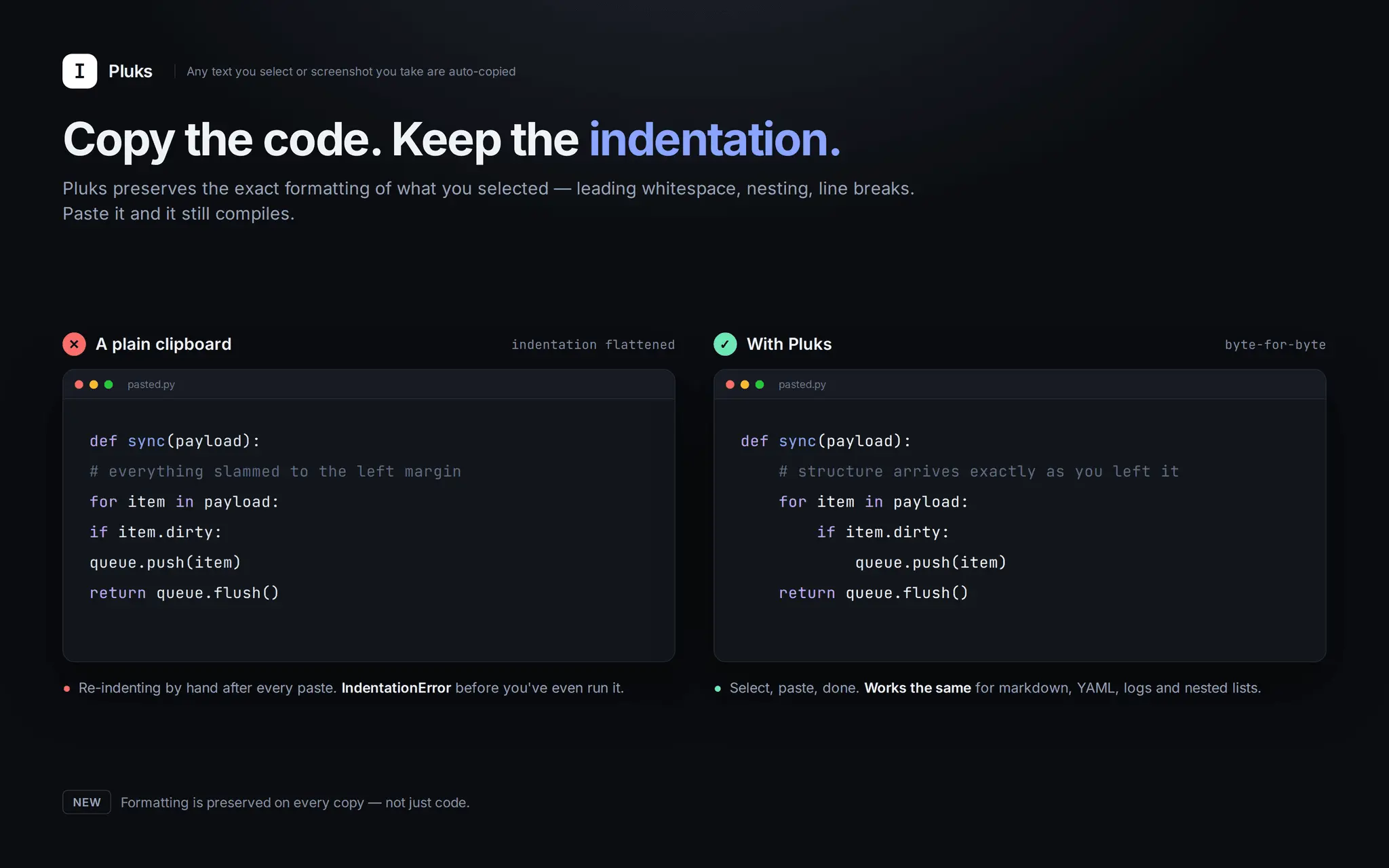
Copy formats preserved!
Pluks now preserves that exact text formatting, including indentation too, for all your copied texts.
Comments (0)
No comments yet. Be the first to share your thoughts!
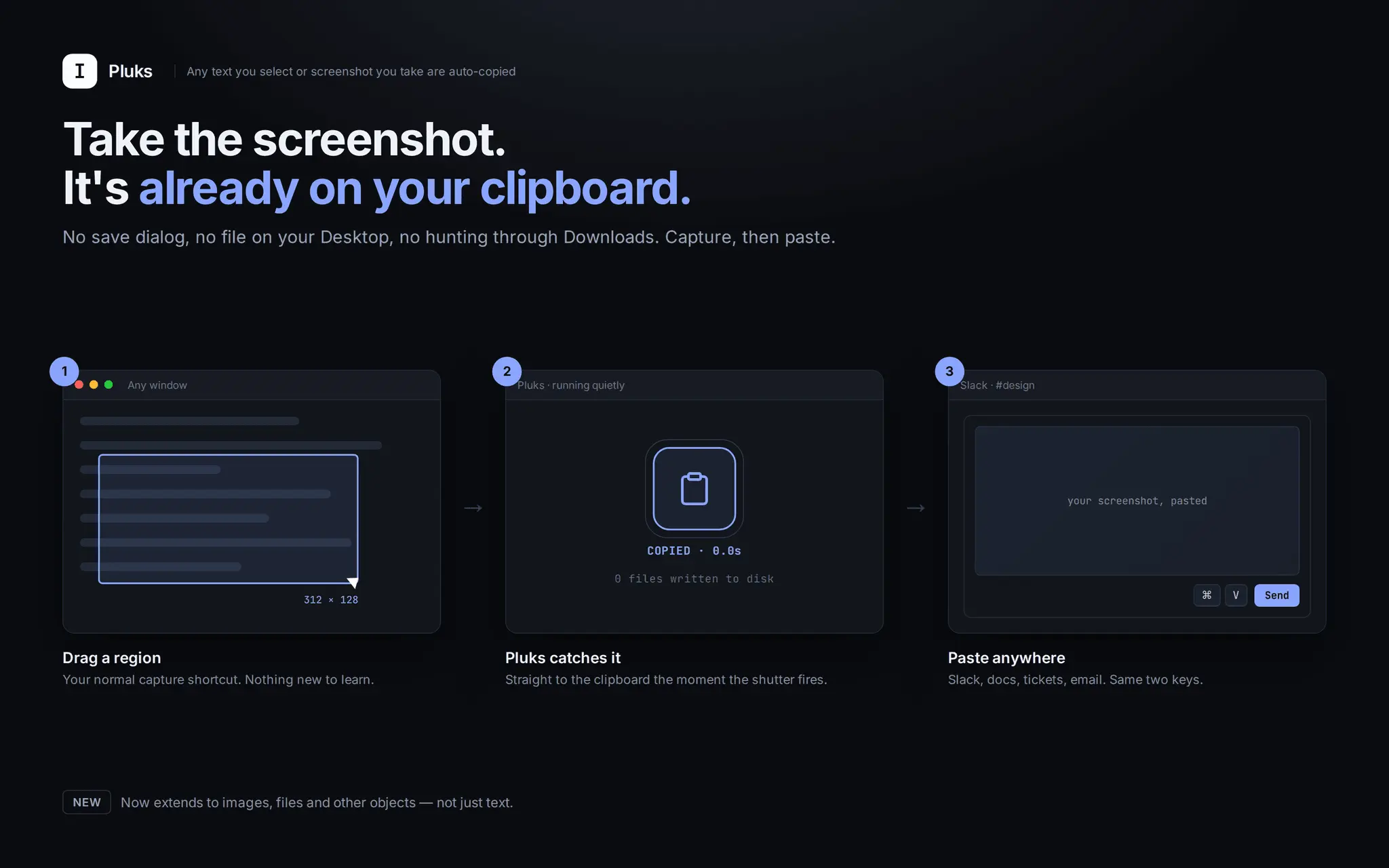
Screenshot & its autocopied!
Just take a screenshot and its auto copied and available to paste anywhere. With this release, we are also extending support to copy images & other objects too.
Comments (0)
No comments yet. Be the first to share your thoughts!
Reviews (23)
Average 4.9 out of 5
Based on 23 reviews

I created what I needed and I am a crazy biased user. Worth a try and you’ll be too.

It's strange why it doesnt exists in other productivity clipboards, kudos!


Really loved the simplicity - most supreme productivity hack ever

It is just the solved I needed.

so cool parth!


nice
Comments (12)
So i have to install this and then just select and it copies?
great
Looks clean and genuinely useful. Nice work 👍
nice
Congrats on the product!
Been using a clunky old clipboard manager for years and this looks way better. Skipping the copy step entirely is such an obvious win once you see it. Also nice that it's local only, no cloud syncing my clips somewhere.
Would love to also see my screenshots in the clipboard history, apart from that - really cool.
@justinasvalatkevicius Voila, its available too now. Just take a screenshot - already on your clipboard.
The select-to-copy flow is clever — exactly the kind of tiny daily tool that sticks. Good luck on the race!
Love the thoughtfulness in the UX - it removes friction beautifully. And if you ever need DDoS protection with a proper firewall for your website, just let us know!
very cool app, but it could also trigger some frustration for users like me who have a habit of selecting text while reading it.
@supahmation I do too but it doesn’t intervene. Its a harmless copy.