
Postmate Client
Privacy-first Postman alternative in VS Code, zero cloud
Details
- Categories
- Use Cases
- Target Audience
- Pricing
- Free
- Platforms
- Alternatives
 Postman alternatives
Discovery signals
How AI and people discover Postmate Client on PeerPush
- ChatGPT
- Perplexity
- Claude
- +4 other AI crawlers
Reads by these AI engines
Crawlers behind these engines read this listing on PeerPush.About Postmate Client
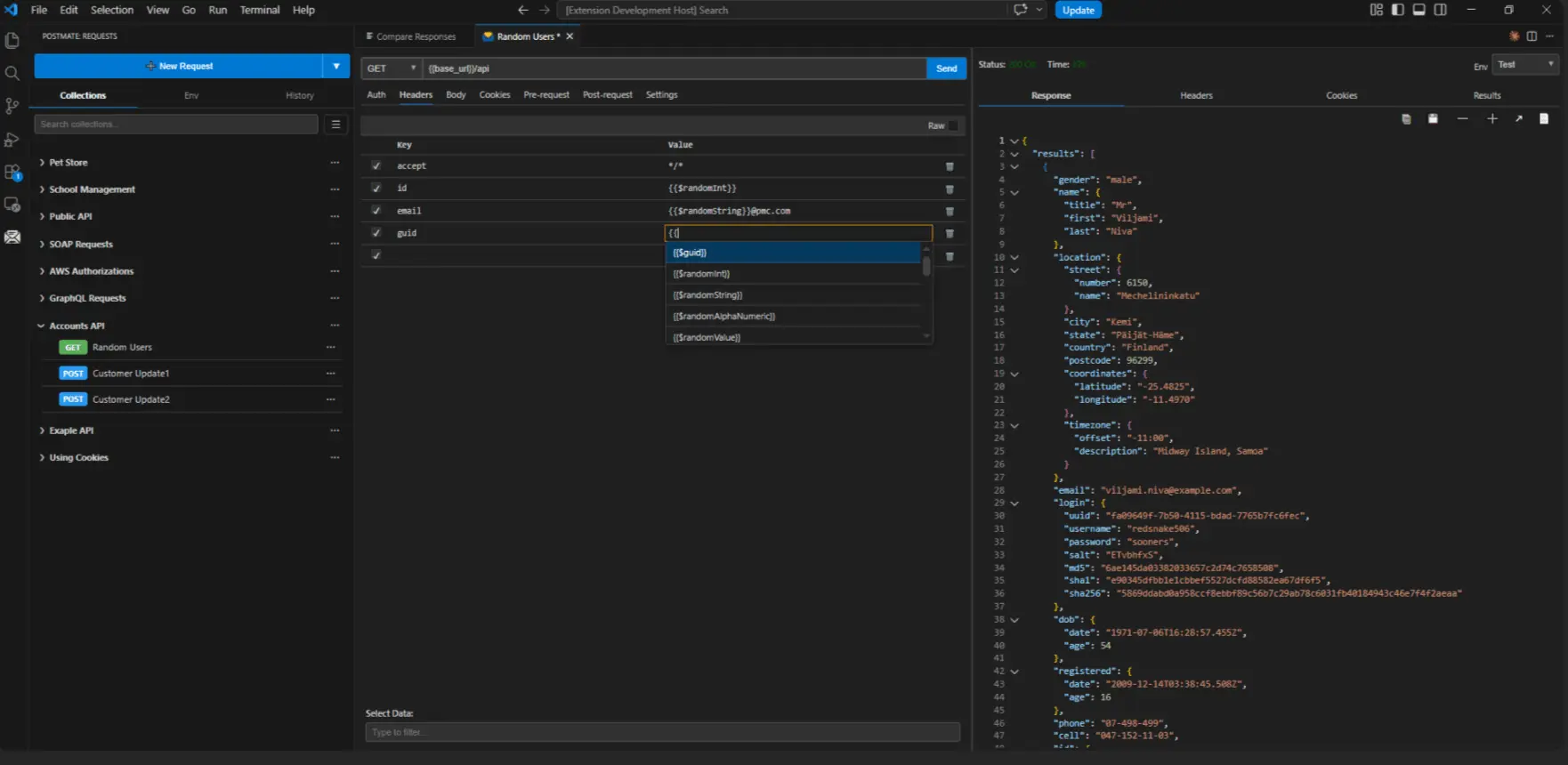
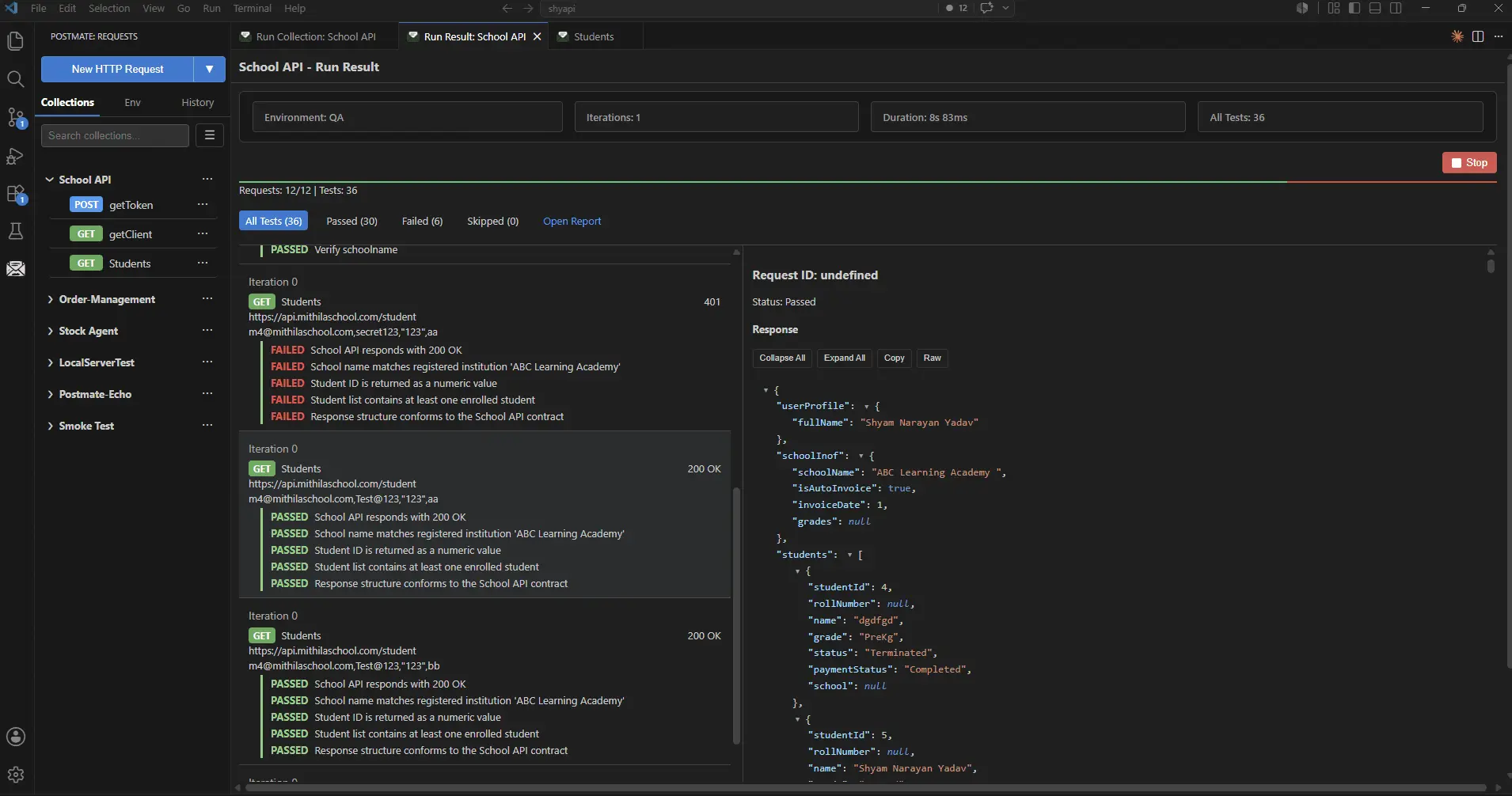
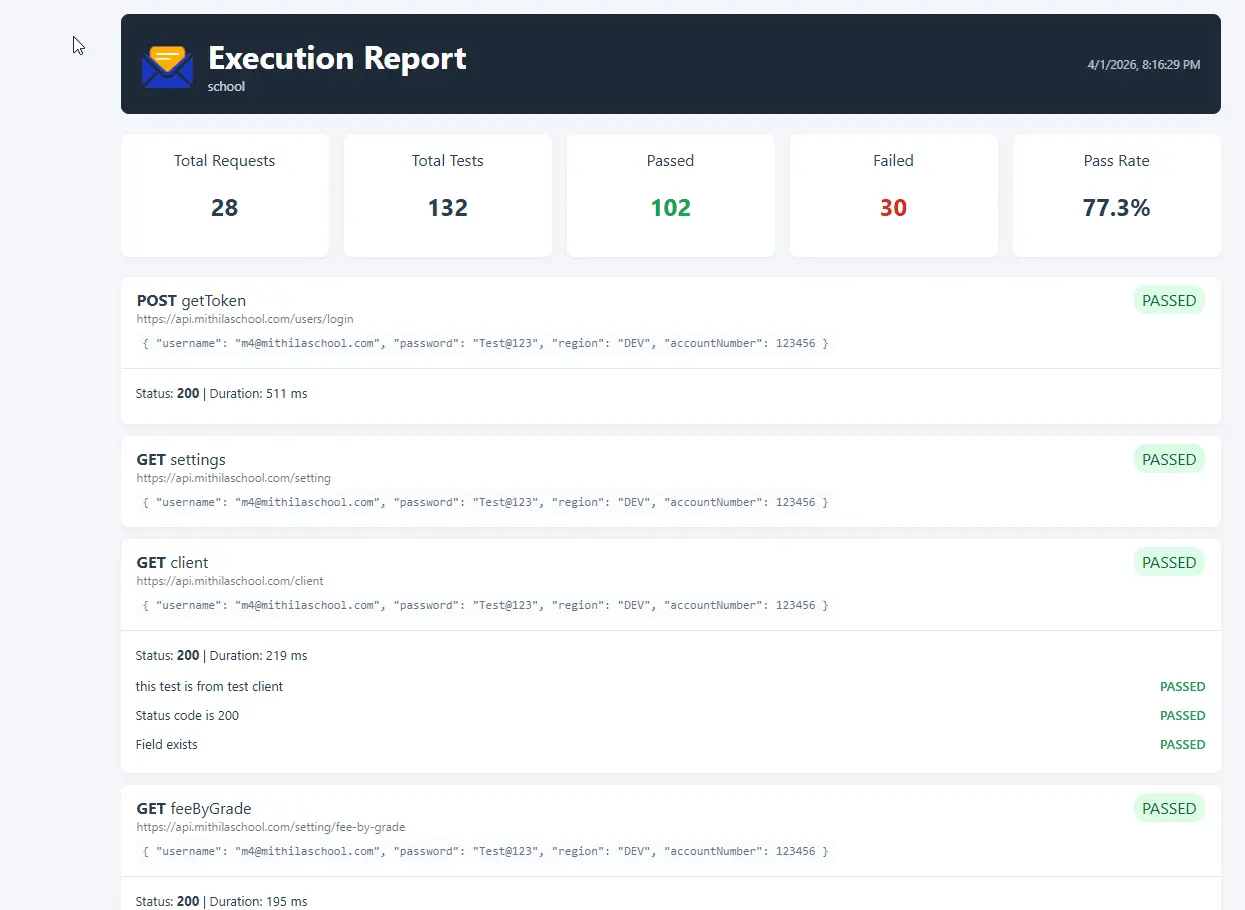
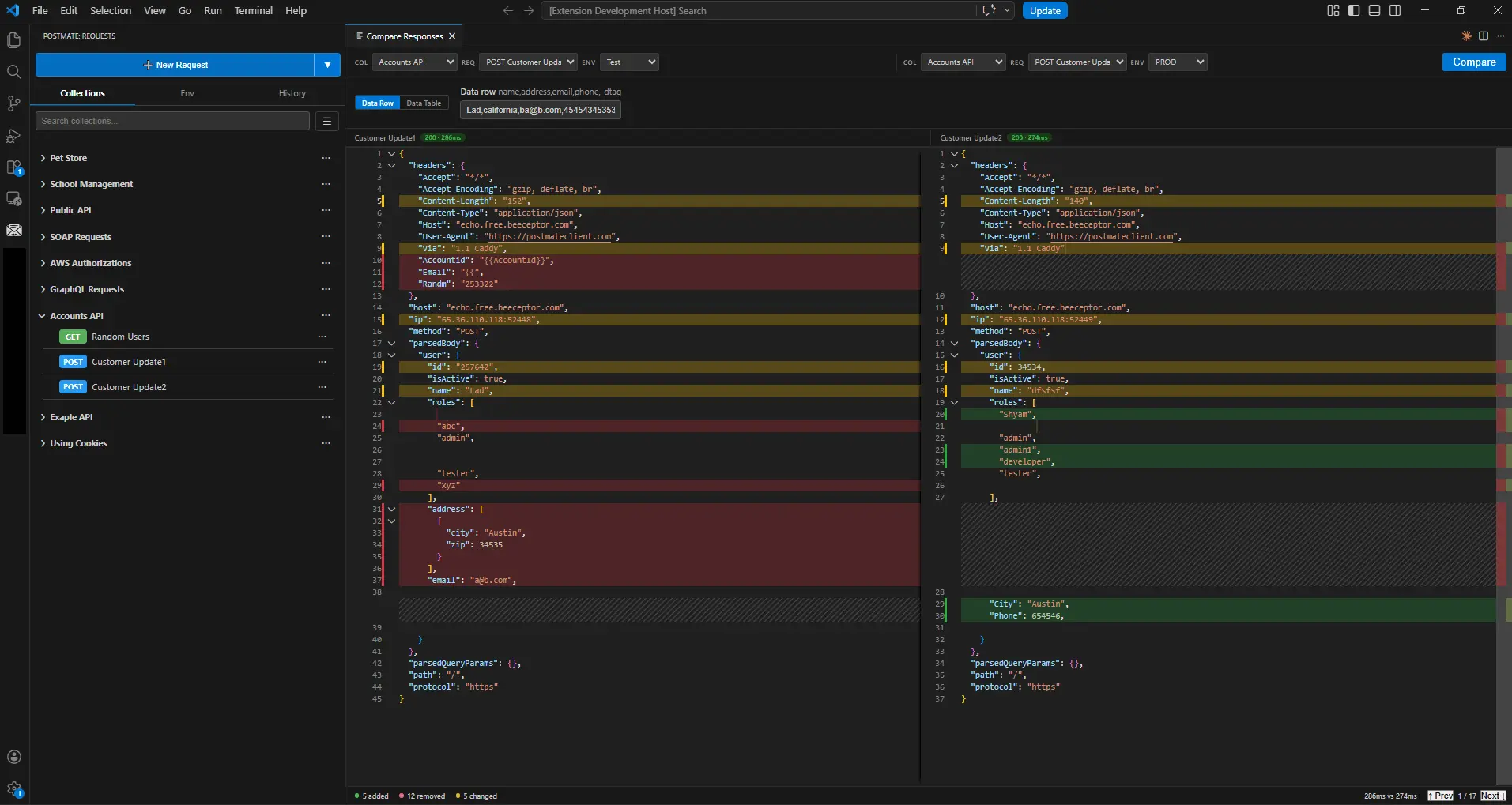
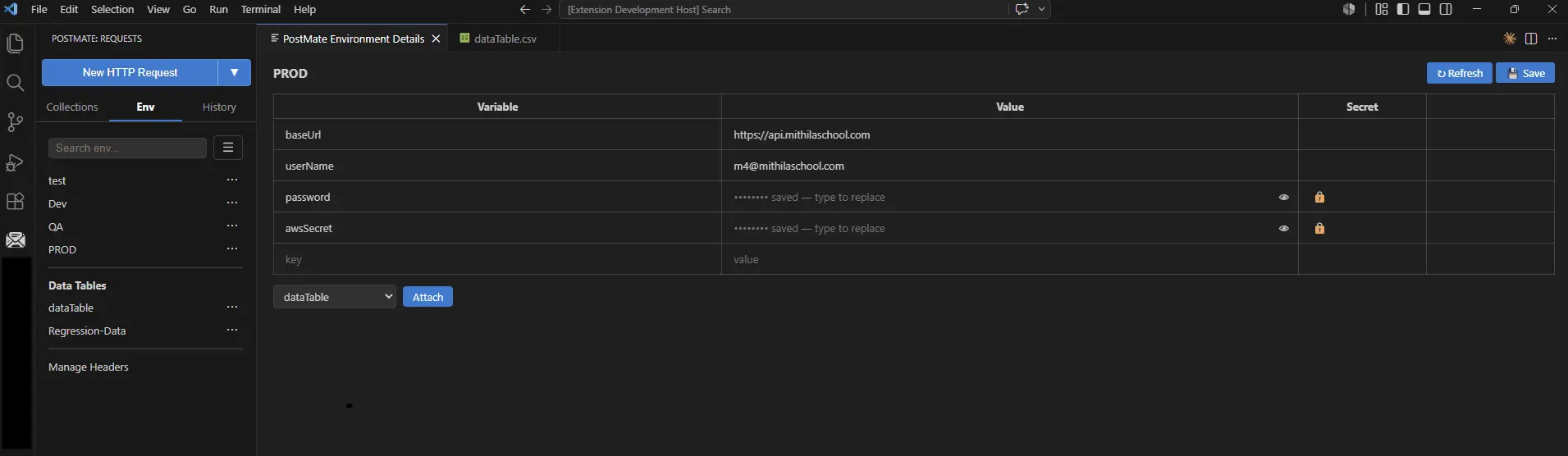
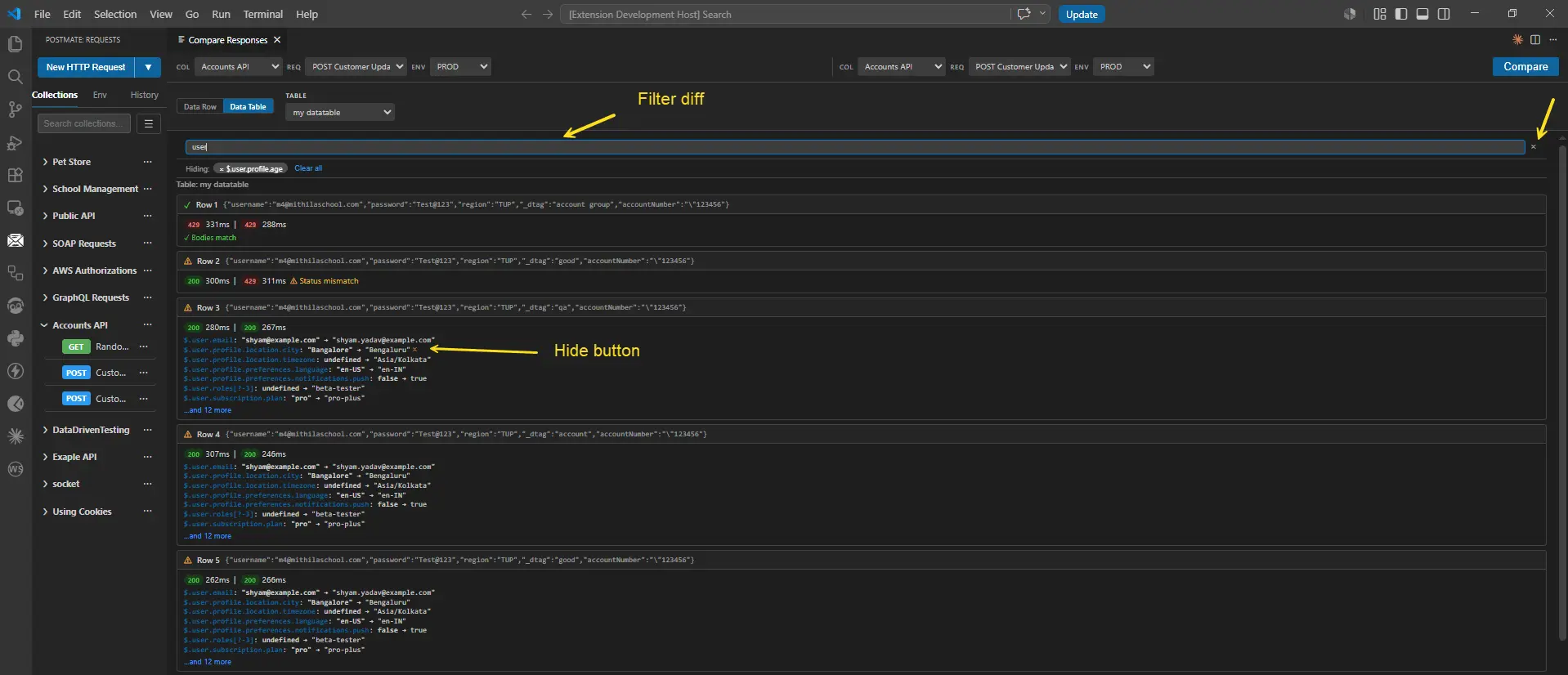
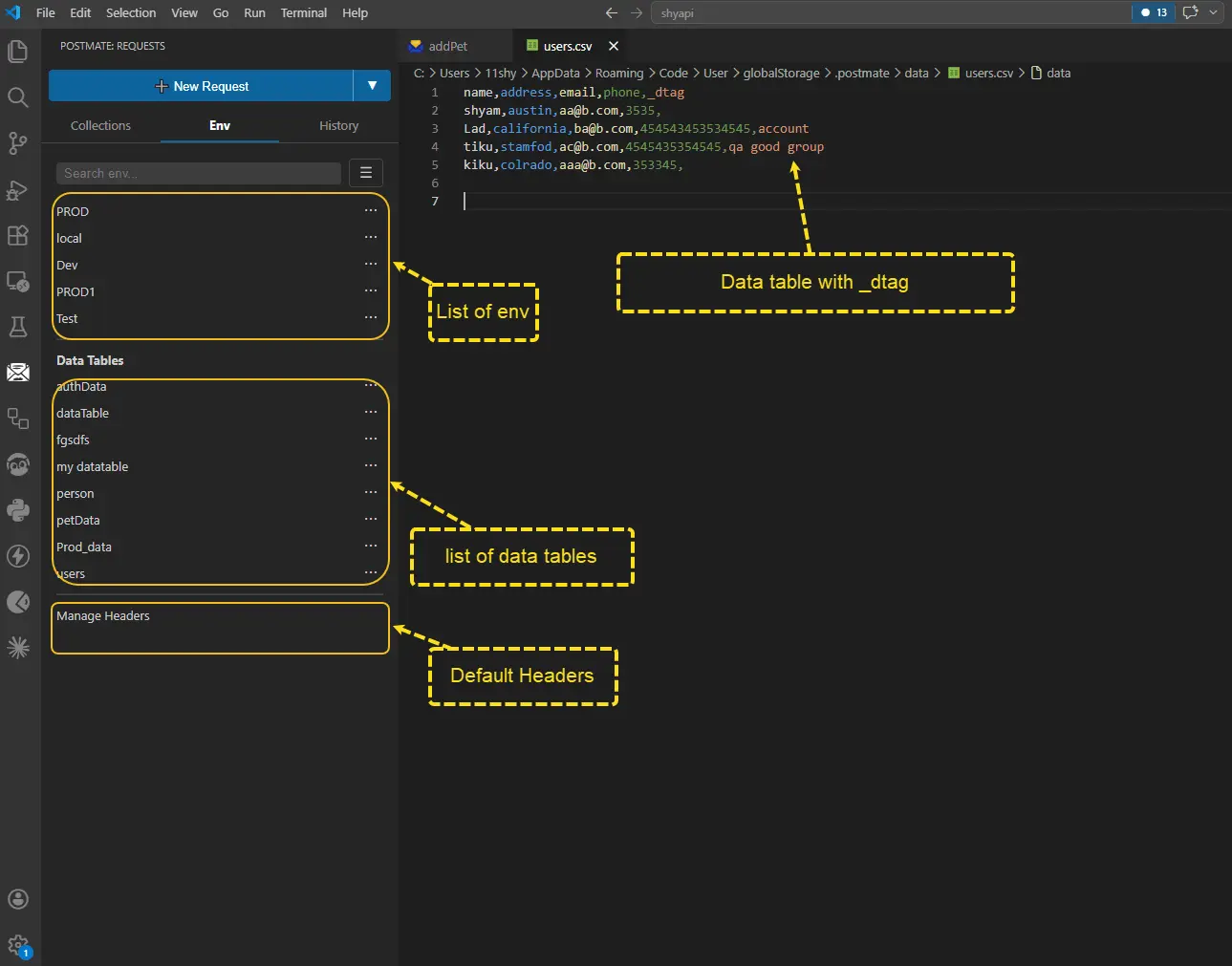
Postmate Client is a free, privacy-first API client that lives entirely inside VS Code — a true Postman alternative for developers who want powerful API testing without cloud sync, forced logins, or telemetry. Everything runs locally. Your collections, environments, and test data are stored as plain files in your workspace, which means they're Git-versionable right alongside your code, reviewable in pull requests, and shareable with your team through the version control workflow you already use. Why it exists Postmate was born out of a real problem: Postman was blocked at my organization over cloud and data privacy concerns, and every alternative either required an account, synced data to someone else's servers, or lacked the features needed for serious API work. So I built the tool I actually needed — one that enterprises and security-conscious teams can adopt without a security review nightmare. Zero telemetry, zero cloud, zero login. Your API requests, tokens, and response data never leave your machine. What it does Test REST, GraphQL, and WebSocket APIs from a clean, native VS Code interface. All standard HTTP methods are supported — plus the new HTTP QUERY method for safe, idempotent requests with a body, which most API clients don't support yet. Organize requests into collections, switch between environments (dev, staging, prod) with variable substitution, and chain requests using scripting. Full authentication support includes Basic, Bearer, API Key, and mTLS client certificates — with certificate management built in for enterprise environments. Corporate proxy support is first-class, not an afterthought: HTTP/HTTPS tunneling, proxy authentication with proper 407 handling, and NO_PROXY rules work reliably behind enterprise network infrastructure — one of the most common reasons other API clients fail inside large organizations. Import from anywhere, start instantly Paste a cURL command and run it — Postmate parses it into a full request automatically, perfect for commands copied from browser DevTools, API docs, or Stack Overflow. Import Swagger/OpenAPI specs to generate ready-to-run collections from your API definition, and import existing Postman collections to migrate without rebuilding anything. No lock-in in either direction, because your data is always just files you own. Data-driven testing and the collection runner Run entire collections with a single click or from the command line. Drive tests from CSV data files or inline data tables, running the same request across hundreds of input combinations with automatic type inference. Use dtag filtering to target exactly the requests you want in a run — smoke tests, regression suites, or a single endpoint — without restructuring your collections. Assertions and test scripts validate responses automatically, and pm.log() writes structured logs for debugging test runs. Reports and CI/CD Every run can produce both HTML and JSON reports: a shareable, human-readable HTML report for your team, and machine-readable JSON for pipelines and dashboards. The companion pmc CLI runs collections headlessly in any pipeline — GitHub Actions, GitLab CI, Jenkins, or plain shell scripts. Because collections are plain files in your repo, your API tests version, branch, and merge exactly like source code. A ready-made GitHub Actions sample project shows the full workflow. Developer experience details that matter A built-in diff/compare panel with intelligent JSON normalization lets you compare two responses side by side and instantly spot what changed — invaluable for regression checks and environment drift. "Open in Code" opens response bodies in a proper editor tab with correct syntax highlighting based on content type. WebSocket support includes live message streaming for testing real-time APIs. Who it's for Developers who live in VS Code and don't want to context-switch to a separate app. QA and automation engineers who need repeatable, versionable, data-driven API tests. Enterprise teams whose security policies block cloud-based tools. Open-source maintainers and indie developers who want a capable, free API client with no upsell. Anyone migrating from Postman, Insomnia, Bruno, Thunder Client, or Hoppscotch who wants local-first storage with a full feature set. Pricing Free. No tiers, no seat licenses, no cloud upsell. Install it from the VS Code Marketplace and start testing in under a minute. Docs, guides, and blog: postmateclient.com
Screenshots
Reviews (0)
No reviews yet. Be the first to rate this product!
Comments (0)
No comments yet. Be the first to share your thoughts!