
Radien: Network Toolbox
Nine honest network tools for iPhone and iPad.


Details
- Target Audience
- Pricing
- Freemium from $9.99
- Platforms
Discovery signals
How AI and people discover Radien: Network Toolbox on PeerPush
By AI reads among Developer Tools tools
1,863 AI reads in the last 30 days, ranked against every Developer Tools tool listed.About Radien: Network Toolbox
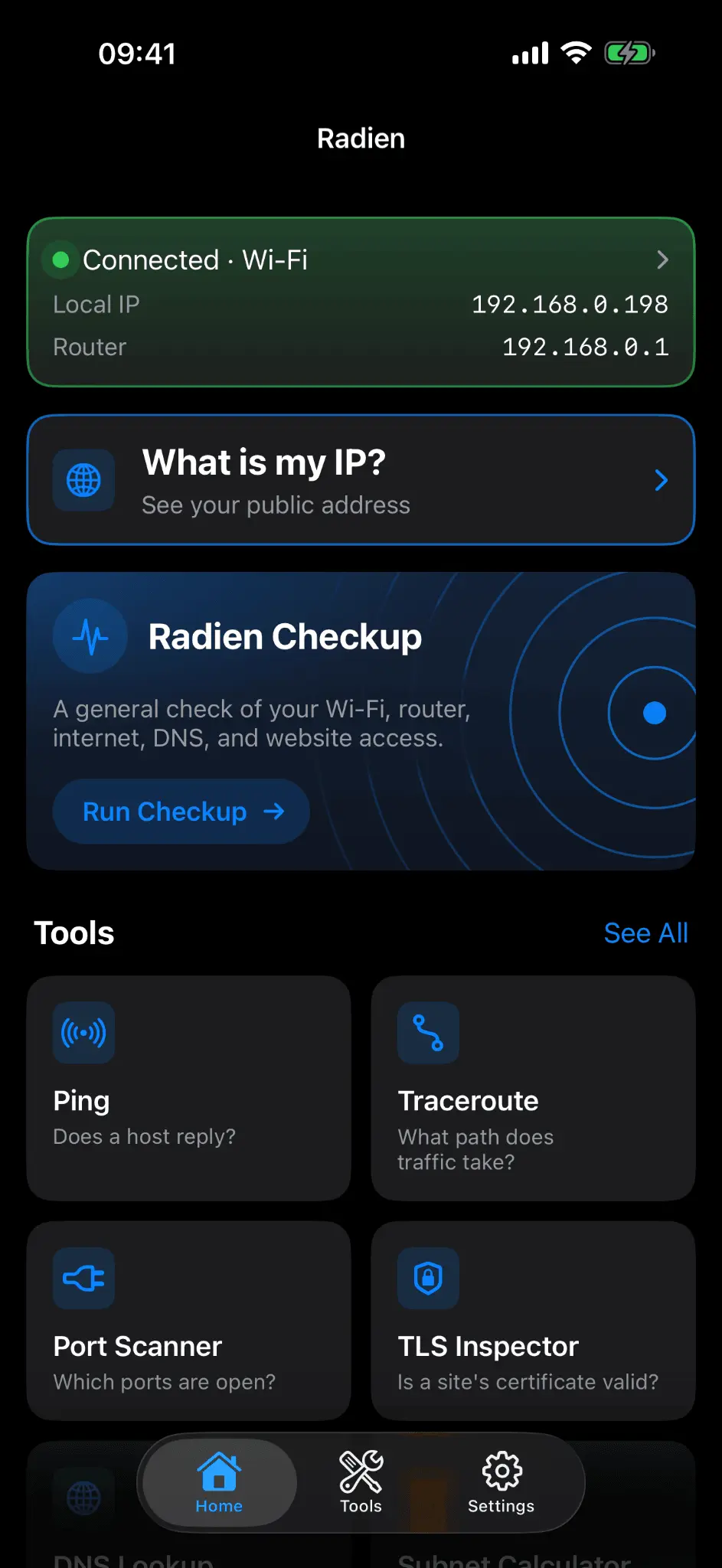
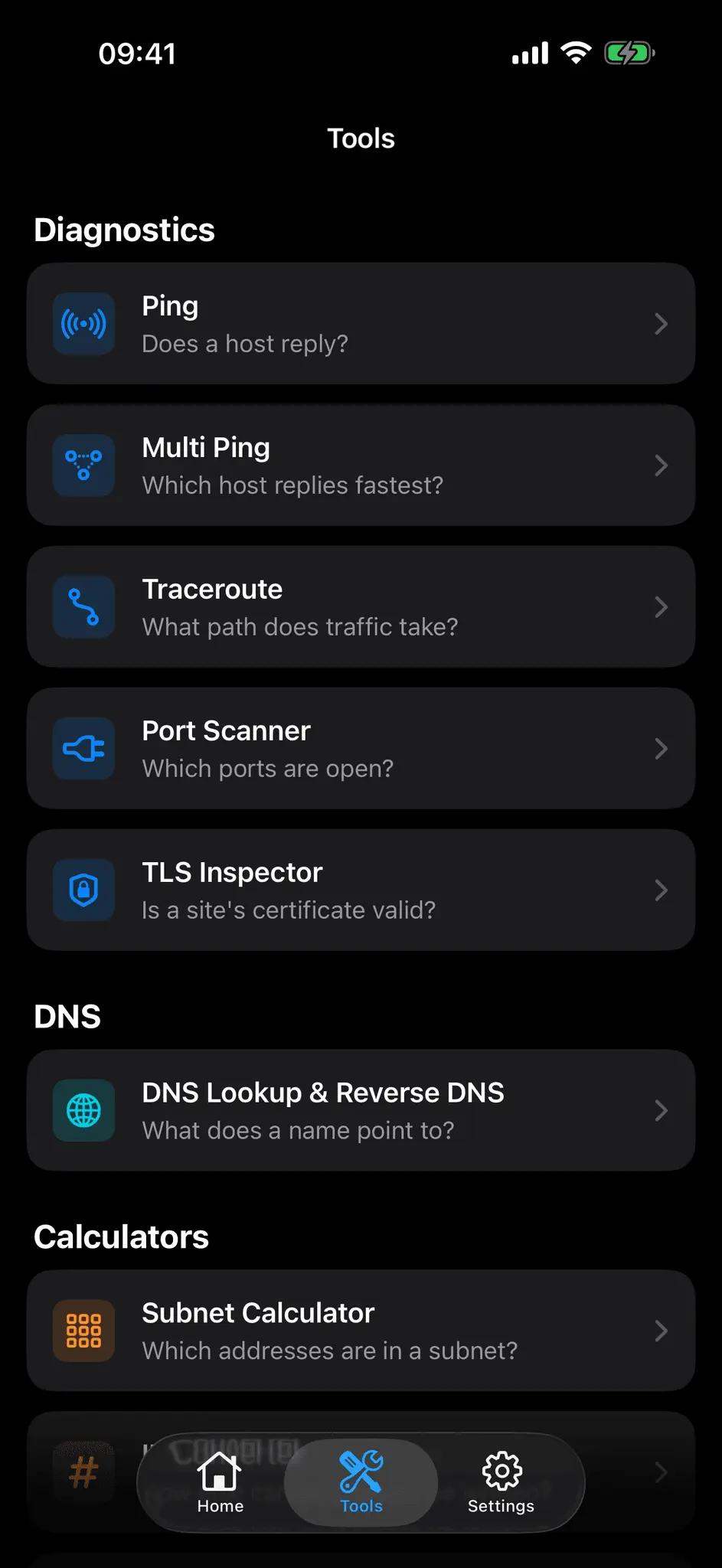
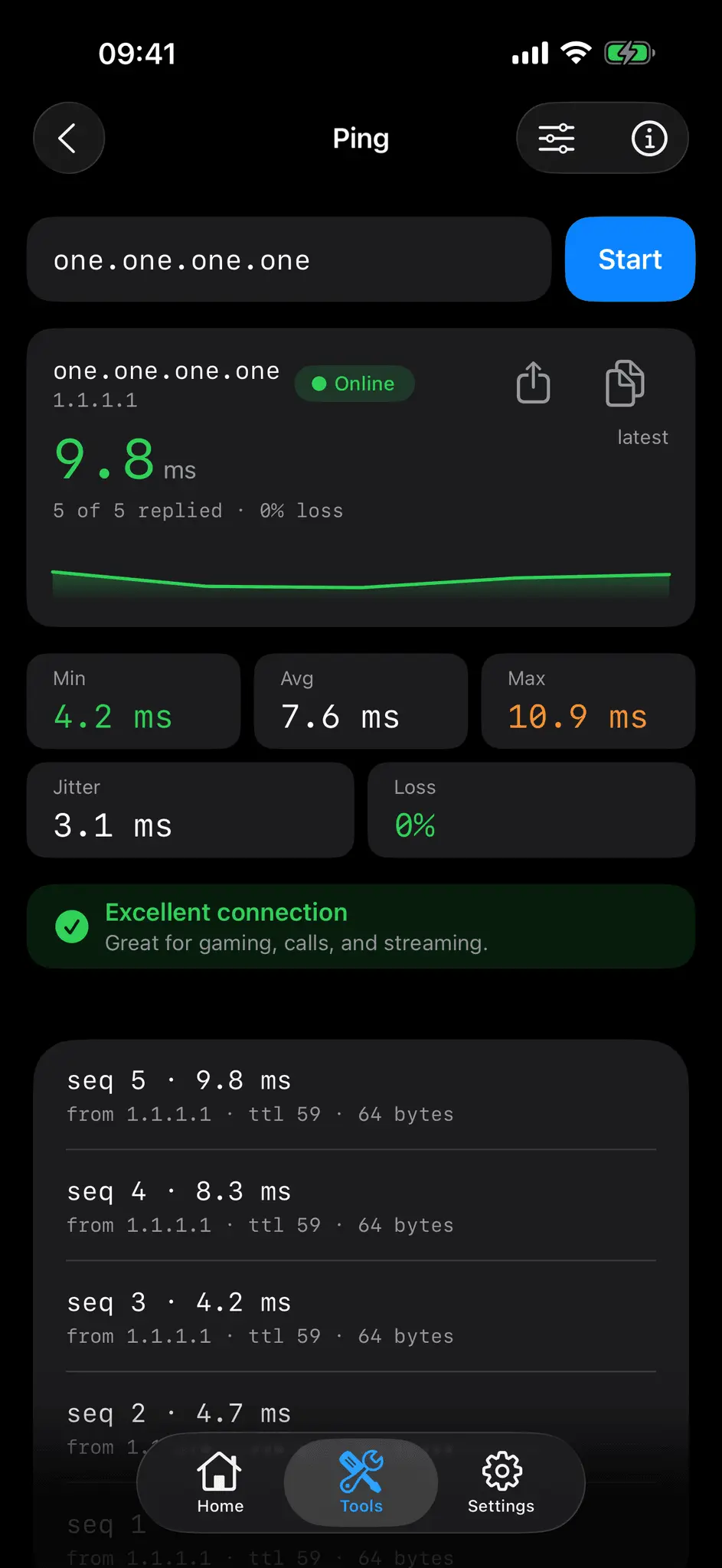
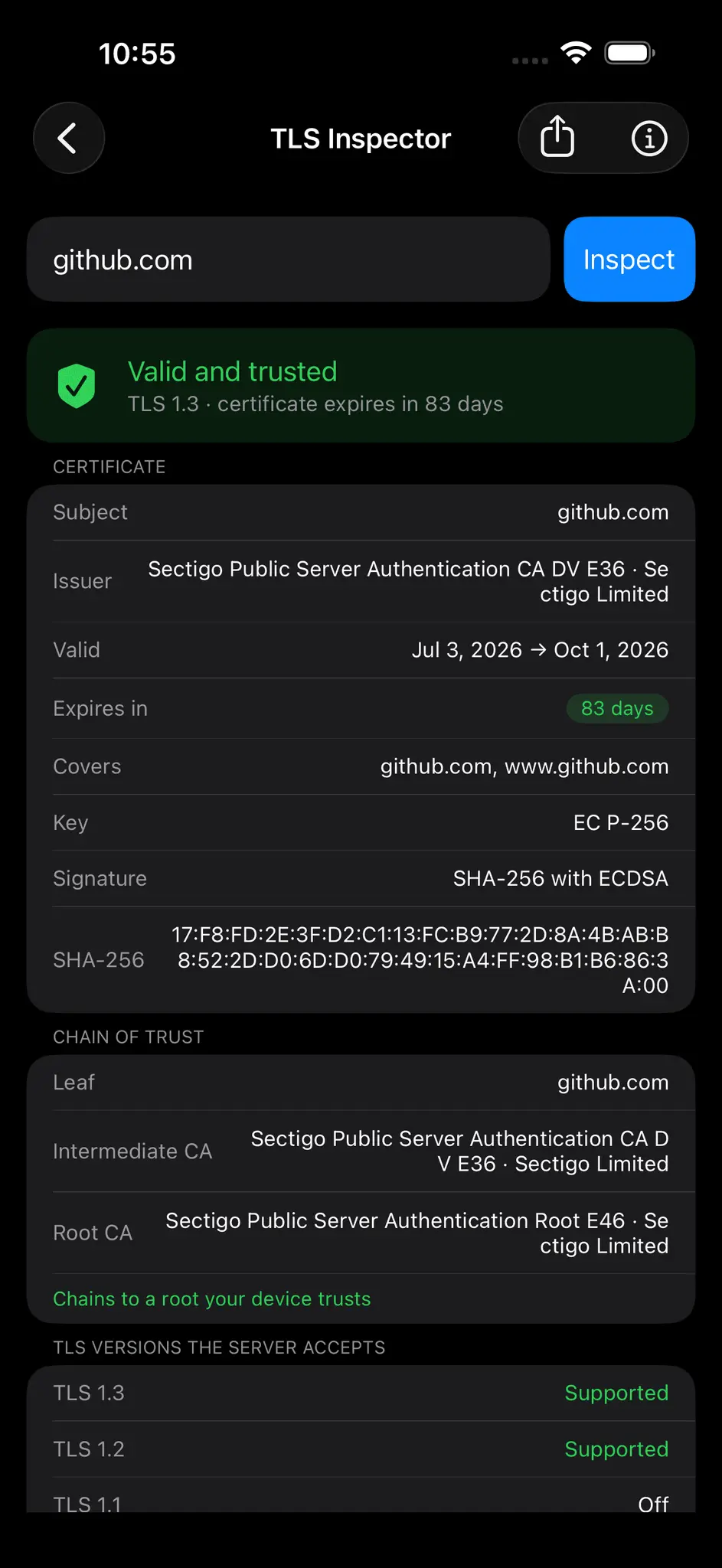
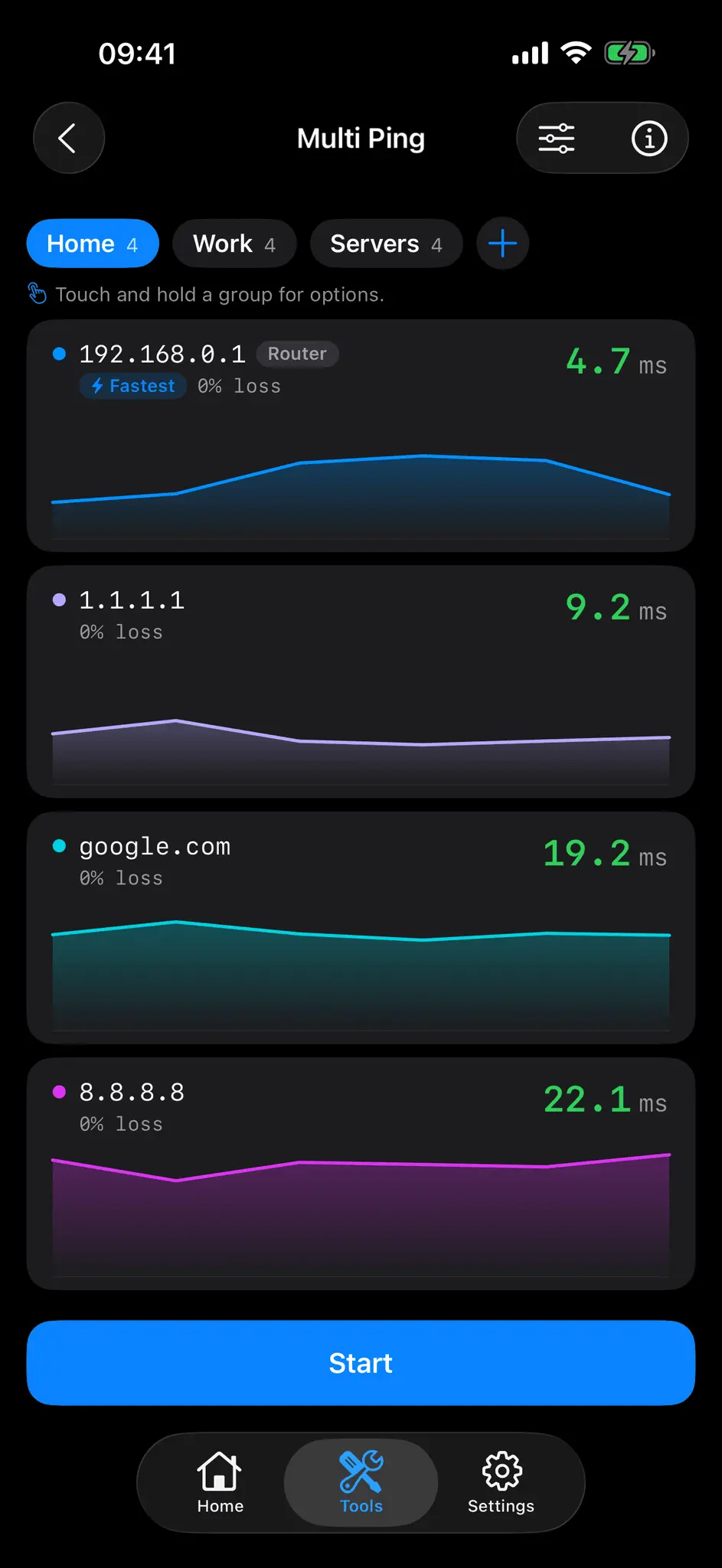
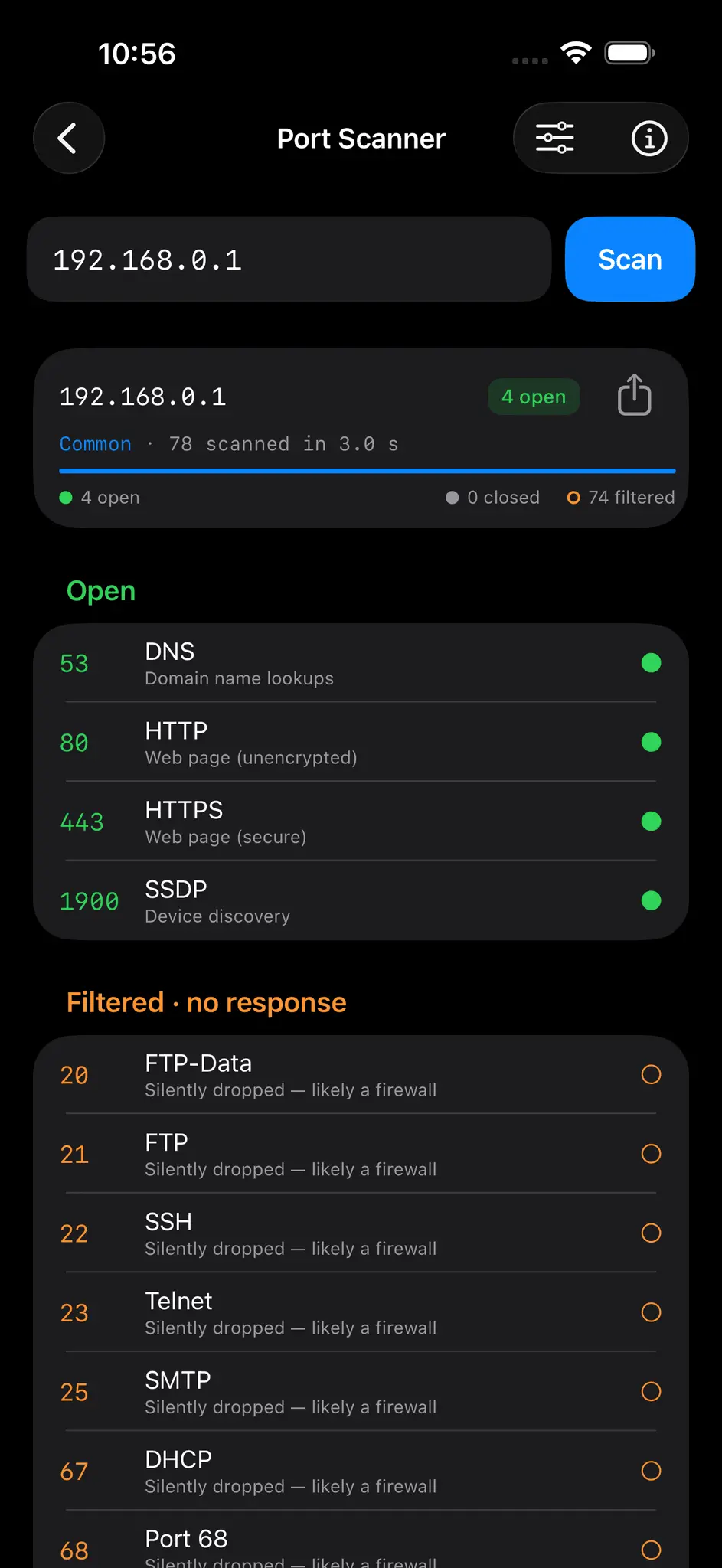
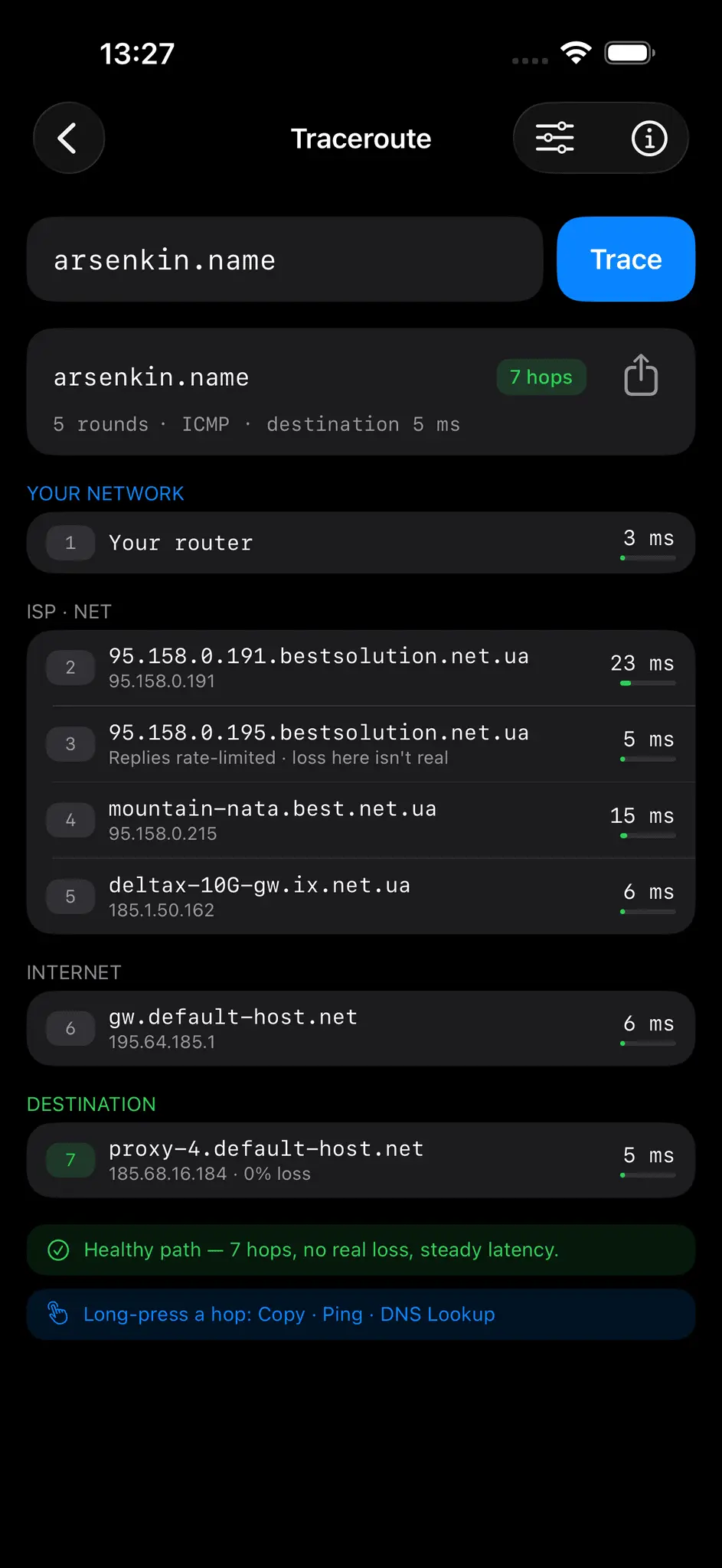
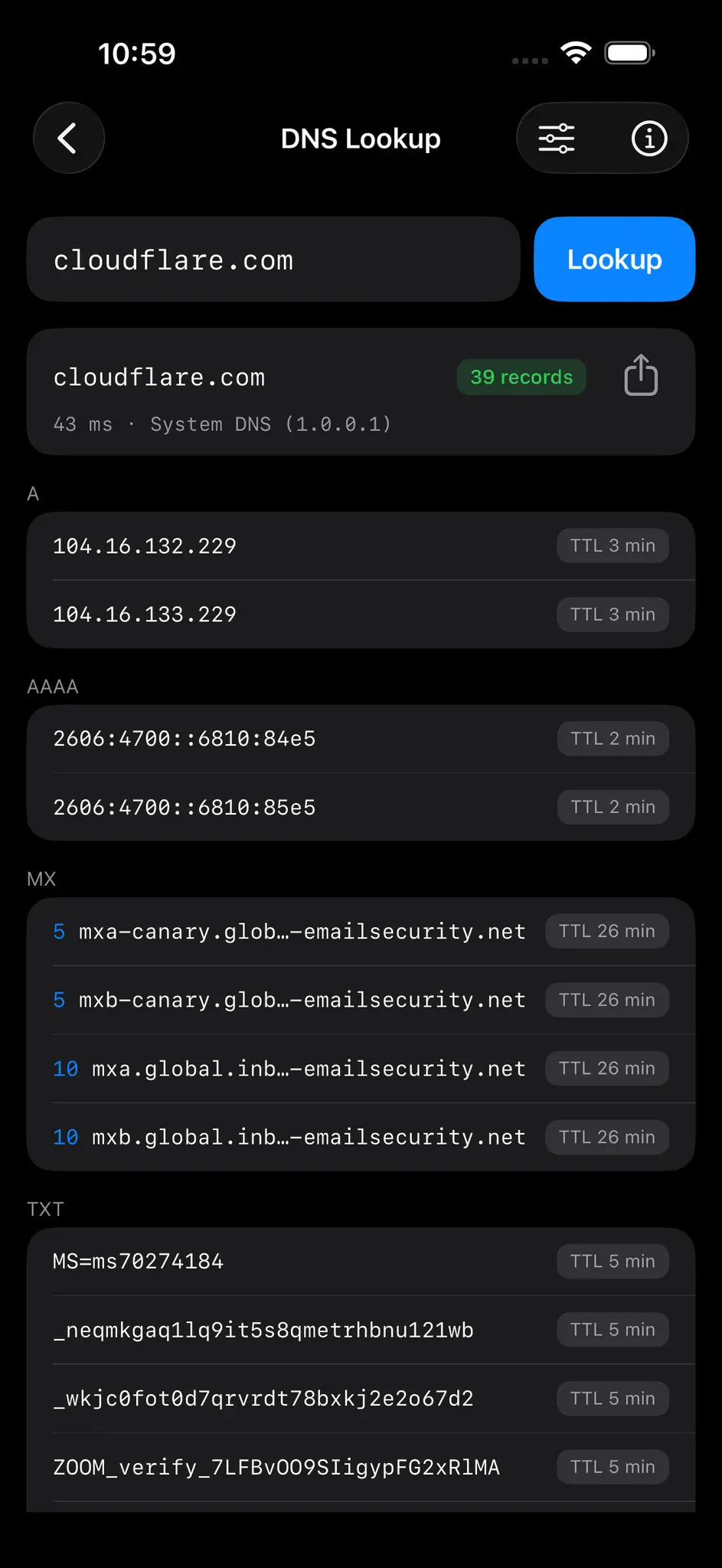
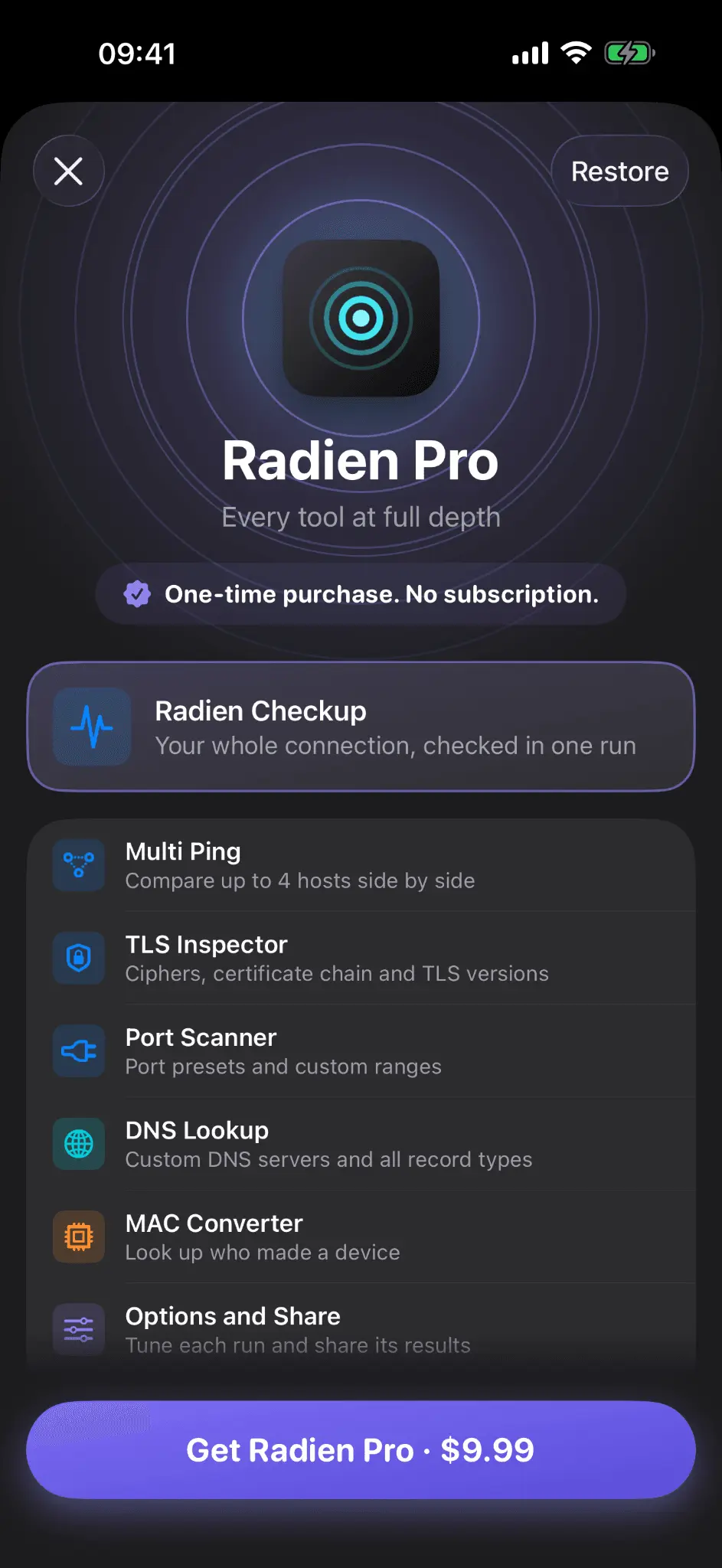
Is it my Wi-Fi, or is the site down? Where does the connection break? Why does Safari distrust this certificate? Radien answers these questions directly on your iPhone or iPad, in plain language, and it is honest about what a phone can and cannot see. No ads, no trackers, no analytics, no accounts. Nothing you type is sent to a server we operate. Nine tools in one native iOS app: Ping, Multi Ping, Traceroute, DNS Lookup & Reverse DNS, Port Scanner, TLS Inspector, Subnet Calculator, IP Converter and MAC Converter, plus a live Network Details view with your local and public IP, router, DNS servers, Wi-Fi access point vendor and real cellular radio. The honesty is the point. The port scanner says open, closed or filtered, never a fake vulnerability claim. The TLS Inspector reads certificates, protocol versions and cipher support from your device instead of sending the hostname to a grading service. Traceroute never blames middle-hop noise when the destination answers cleanly. Randomized phone MACs are flagged as randomized, not given a fake vendor. And one honest limit: there is no LAN device scanner. Radien diagnoses your connection; it does not enumerate your network. ACCESSIBILITY Every screen is tested by hand with VoiceOver. Result rows read as one sentence, every long-press action is also a rotor action, and the ping chart supports Apple's Audio Graphs, so you can hear your connection as rising and falling tones. Larger Text, Reduce Motion and Voice Control are supported. One honest limit: I have no Braille display, so Braille output is untested. RADIEN PRO Radien is free to use, with a one-time Radien Pro unlock for the power features. Buy once, keep forever. No subscription. Built by an independent developer. Nine languages, iOS 18 or later.
Screenshots
Product Updates (8)
Radien 2.1.1: Siri answers at once, even on a new install
Radien 2.1.1 is live on the App Store, three days after 2.1 brought Wake on LAN. Siri and Shortcuts work better on a new install. If you ask Siri to wake a device before you have woken it in the app, Siri now tells you at once to open Radien, where iOS asks for local network access. Before, Siri waited about 25 seconds and said it had stopped, and the first wake in the app could then report the access as off. Also in this version: Siri answers at once when you have no network, the device list shows a result from Siri right away, and the Home Screen widget turns a time into a date at midnight, also on the nights the clocks change. The part worth sharing with other developers: iOS shows its Local Network question only to the app on screen. My 2.1 post here was about that question: on a fresh install, Radien now waits for the person's answer instead of reading a question still on screen as a no, and it waits like that once per install. A code audit found the case I had missed. Siri runs the same wake with Radien in the background, where the question cannot appear. Radien waited for an answer that could not come, Siri stopped at its time limit, and the install's one wait was gone, so the first wake in the app could read the real question as a no. Now a run that Siri or Shortcuts starts never asks and never waits; if iOS has no answer yet, Siri sends you to the app, where iOS can ask. When Siri, a widget or a shortcut can run your code, find every place it waits for a person. And a small one: a day is not always 86,400 seconds. The widget found the next midnight by adding 86,400 seconds to the start of the day, so on the two nights a year the clocks change, it switched from a time to a date at 23:00 or 01:00. Ask the calendar for the next day instead.
Comments (0)
No comments yet. Be the first to share your thoughts!
Radien 2.1: wake a computer, then watch it wake
Radien 2.1 is live on the App Store. Wake on LAN is its tenth tool: save a computer, NAS or server, tap Wake, and Radien checks whether it already answers, sends the Magic Packet, waits for an answer, and tells you in plain words whether it woke and what to check if it did not. One device is free, with the whole wake. Siri and Shortcuts can wake it too, and Radien Pro adds up to 20 devices, groups, waking through your router, and Wake buttons in Control Center, on the Lock Screen and in a Home Screen widget. Also in this version: Radien no longer reports Local Network access as off while iOS or macOS is still asking for it. The part worth sharing with other developers is that last fix. The first wake of a fresh install is when iOS asks for Local Network access, and Radien looked for signs of the question for 5 seconds. On my second iPhone, the first wake from TestFlight said access was off while the question was still on screen. My main iPhone seemed fine, but only because I had answered within those 5 seconds. Screen recordings on both showed what happened: on the TestFlight build the app never went inactive behind the question, so Radien saw no sign of it, while three fresh installs of the development build had gone inactive within about a quarter of a second. Radien now asks iOS for the answer twice a second, for up to 20 seconds. Test a permission question on the build people will install, and answer it slowly, the way a person who reads it does.
Comments (0)
No comments yet. Be the first to share your thoughts!
Radien 2.0.2: VoiceOver keeps its place while a tool runs
Radien 2.0.2 is live on the App Store. It keeps two promises I made to members of the AppleVis community on 5 October. VoiceOver now keeps its place while a tool runs. In Traceroute you can now swipe through the hops while the trace goes on. Before, swipes did nothing until it ended. The Port Scanner keeps its summary in place during a scan, and a run started from a quick target moves VoiceOver to the Stop button instead of Back. Settings now shows your device's name with its model code, such as iPhone 16e (iPhone17,5). The Port Scanner now waits 2 seconds for each port by default, and always at least 2 seconds on your own network, where iOS may need a second try to reach a port. Closed ports there no longer show as filtered. On a Mac, the Send Feedback email now keeps its line breaks. The part worth sharing with other developers: my VoiceOver checklist asked how each Traceroute hop reads, never what a swipe does while the trace is still running. A VoiceOver user on AppleVis found the bug in a weekend of real use. The screen rebuilt its whole list on every answer, several times a second, so the element VoiceOver was on kept disappearing, and a swipe had nowhere to go from. Now the rows stay and only their words change, and a test checks that the views VoiceOver may be on are the same objects after an update. My own check of the fix found a second way to lose the place: hiding the quick targets when a run starts sent VoiceOver to the Back button. If a screen changes while people use it, test it with VoiceOver while it changes.
Comments (0)
No comments yet. Be the first to share your thoughts!
Radien 2.0.1: three fixes from the AppleVis community, live in two days
Radien 2.0.1 is live on the App Store. It fixes three things that members of the AppleVis community reported the day after 2.0 came out. The Checkup now recognizes a VPN that handles only your DNS, such as the web protection in a security app or Cloudflare's 1.1.1.1 app. It asks your DNS server the way your other apps do, its report says that a VPN is on, and its advice fits. Before, it could say your DNS server was not answering while websites opened normally. Settings now names your device, such as iPhone 16e, instead of showing an internal model code, and the Languages row is now called Language. The part worth sharing with other developers: I could not test with the reporter's own VPN, so I looked for another app that builds the same kind of tunnel. Cloudflare's 1.1.1.1 app in its DNS-only mode did. Its tunnel carried only the two DNS servers and came third in the network path's list of interfaces, so the Checkup, which keeps its tests on the Wi-Fi, asked a DNS server that exists only inside the tunnel. The fix was to stop reading that list and ask for each destination's own route, as iOS does for every other app. When you cannot get a user's exact setup, find another app that builds the same shape.
Comments (0)
No comments yet. Be the first to share your thoughts!
Radien 2.0: your whole connection, checked in one run
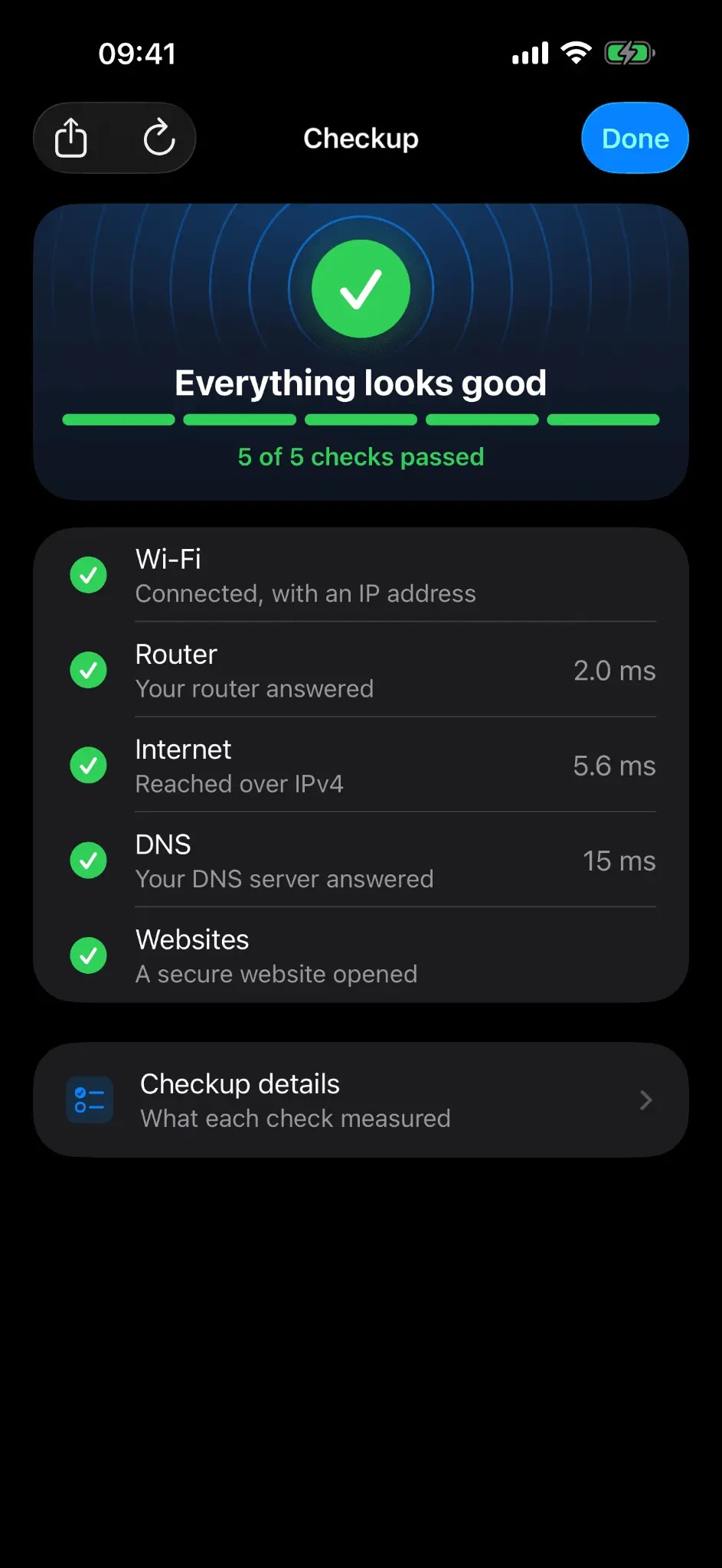
Radien 2.0 is live on the App Store. Its headline is Radien Checkup, new in Radien Pro: one run checks your Wi-Fi, router, internet, DNS and website access, then tells you in plain words what works, what does not, and what to try. The report can be shared with or without your IP addresses. There is a new Home as well. It opens on your connection, the Checkup, six tools and a free "What is my IP?" screen with your public IPv4 and IPv6 addresses, and Tools and Settings now have tabs of their own. Every Options sheet now opens for free users, with a lock only on the values that need Pro. The rest is accuracy: Ping and Traceroute say when the iPhone could not send a probe instead of showing timeouts, DNS Lookup keeps its records when a retry fails, and VoiceOver reads the Port Scanner's start screen, Network Details and every locked value as it should. The part worth sharing with other developers: when the first DNS server says a name does not exist, does iOS ask the second one? Apple's published resolver code says no. A test on my iPhone said yes, because Safari still opened the site, so I changed the Checkup to match the test. The next build passed the DNS check while its own website check failed. Safari had quietly used cellular data. With cellular off, iOS did exactly what Apple's code said. When a device test contradicts the platform's own source code, suspect the test first.
Comments (1)

A port scanner that says open, closed or filtered and never invents a vulnerability earns trust fast. One Checkup run over Wi-Fi, router, DNS and site access, shareable without your IPs, makes helping family with their internet easier.

Thank you! Helping family is exactly what Share is for: they run the Checkup on their iPhone and send you the report, without their IP addresses unless they include them. An open port only means something answered, so Radien says that.
Radien 1.11: four code audits in three days, every finding reproduced first
Radien 1.11 is live on the App Store. It is a correctness release. Between the 1.10 launch and this one, an independent code audit ran against the app four times in three days, and every finding was reproduced before it was fixed. A DNS reply is now accepted only when it answers the question that was asked. The TLS inspector tells apart on, off, declined by the server, and could not check. Every tool stops its network work the moment you clear it, not only what is on the screen. The visible changes are small: your public IP now sits first in Network Details, and the Router shortcut disappears on cellular, where there is no router to name. The part worth sharing with other developers: three of the regression tests I wrote after the fixes passed with the fix reverted. Two had never run at all, and the third measured a label that UIKit had quietly laid out again. Since then a test counts only after it has been run against the bug, and a test that cannot be made to fail is deleted. The other lesson came from the audits themselves. On the second day, four of the five findings were the first day's fixes, one layer deeper. After a fix, ask what else has that shape, and fix it in the same sitting.
Comments (0)
No comments yet. Be the first to share your thoughts!
Radien 1.10: every screen now works at the largest text sizes
Radien 1.10 is live on the App Store. It is an accessibility release: at the largest Dynamic Type sizes every screen now changes its shape instead of shrinking or cutting text. Input fields grow to fit their font, values move under their titles instead of being squeezed into a narrow column, and the 32 bits of an IP address take one octet per row so each bit stays big enough to tap. Nothing changes at the default text size, which is why it is a point release rather than a 2.0. The part worth sharing with other developers: I wrote about ninety layout tests that measure these screens at the largest size, and they were still not enough. Three bugs turned up only when I ran the app on a real device, including text with the first letter of every line sliced off by a rounded corner. A test that measures where things are cannot see what is painted over them.
Comments (0)
No comments yet. Be the first to share your thoughts!
Radien 1.9: clearer answers across every tool
Radien 1.9 is live on the App Store. The theme of this release is honesty in the results: every tool now tells you what it could not check, instead of showing an empty result that looks like "nothing there". What changed: - DNS Lookup lists any record type that did not answer, so a missing section is never mistaken for "no records". - Port Scanner separates a probe that could not be sent from a filtered port, and its verdict says how much of the scan it rests on: complete, stopped at 40 of 78, or no answer at all. - TLS Inspector keeps the port in your recent targets, accepts IPv6 addresses in brackets, and reports HSTS only when it could actually be checked. - Network Details finds your public IP even behind VPNs that filter by name. - Subnet Calculator accepts /0 and tells you when a prefix is out of range. - A run ends as soon as you leave its screen, saving battery and traffic. The first probe to a device on your own network explains the local network permission, and if that permission is off, Radien says so. Everything still runs on your device, in nine languages, with no ads, trackers or accounts. Free to use, one-time Pro upgrade. App Store: https://apps.apple.com/us/app/radien-network-toolbox/id6789207545
Comments (0)
No comments yet. Be the first to share your thoughts!
Reviews (0)
Comments (0)
No comments yet. Be the first to share your thoughts!