
Simple Video Converter
Convert, edit, and compress videos and audio offline


Details
- Categories
- Target Audience
- Pricing
- Free
 Online Convert alternatives
 CloudConvert alternatives
 Freeconvert alternatives
 handbrake alternatives
About Simple Video Converter
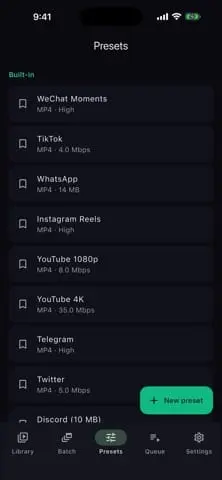
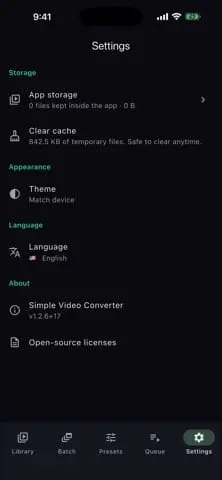
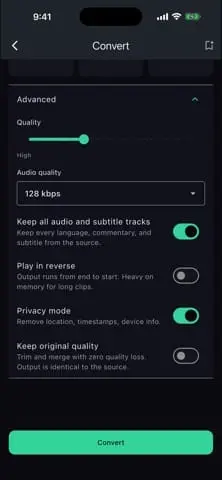
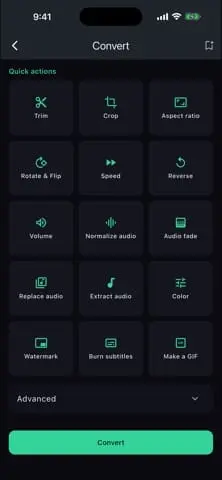
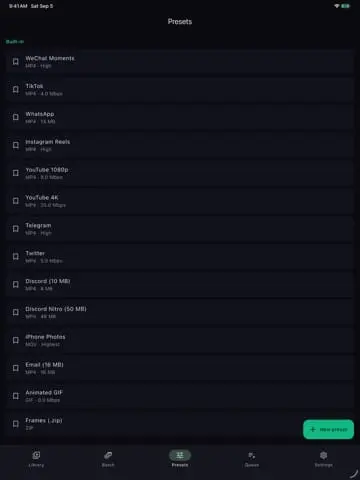
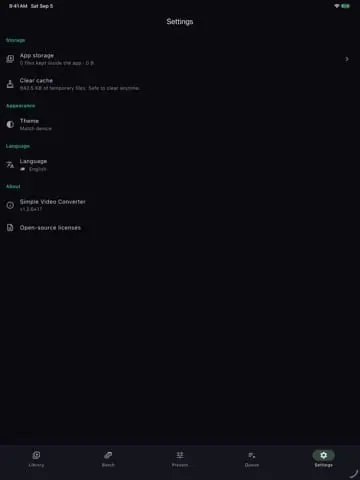
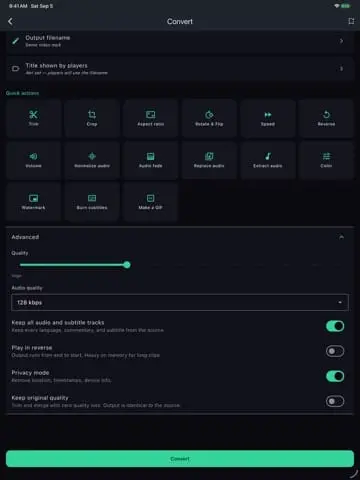
Simple Video Converter is a completely free video and audio converter for Android, iPhone, and iPad. Convert clips, extract audio, edit footage, and prepare files for sharing directly on your device. No ads. No registration. No data collection. No BS. If you have ever installed a “free” converter only to find a watermark, a subscription screen, or an ad between you and your own video, this is the app we wanted too. Every feature is available from the start, with no premium tier, in-app purchases, or paid upgrades. CONVERT VIDEO AND AUDIO Work with common video formats including MP4, MKV, MOV, WebM, AVI, FLV, and 3GP. Convert audio into MP3, AAC, OPUS, FLAC, or WAV, or extract a video's audio track to keep the sound without carrying the whole video. Turn an inconvenient file into something you can actually play, send, or use in your next project. EDIT BEFORE YOU EXPORT Trim unwanted sections, crop the frame, rotate sideways footage, flip the picture, and change playback speed. Adjust brightness, contrast, and saturation when a clip needs a correction before sharing. Use lossless trimming for compatible cuts to preserve the original quality without re-encoding; safe cuts can snap to nearby keyframes. HDR tone mapping helps make bright phone footage look right on devices that do not display HDR correctly. READY-MADE SETTINGS FOR REAL DESTINATIONS Choose output presets for Telegram, Discord, WhatsApp, YouTube, iPhone, Twitter, or email. Start with settings made for the destination instead of repeatedly working out a format from scratch. Prepare a clip for a group chat, make footage easier to share with family, or convert a recording for your video workflow. BATCH CONVERSION WITHOUT ONE-SIZE-FITS-ALL SETTINGS Add multiple files to a batch and give each file its own output settings. Mix video and audio in the same workflow: one clip can use a sharing preset while another keeps settings suited to a different purpose. Start the batch and follow the conversion queue rather than reopening the converter for every file. YOUR FILES STAY YOURS Conversion runs locally on your device. Your footage is not uploaded to a conversion server, and the app does not require an internet connection. Use it on a flight, with unreliable reception, or in airplane mode. There are no analytics, advertising networks, tracking, or accounts. Privacy mode removes inherited location, timestamps, and device information from exported videos and is enabled by default. FREE MEANS FREE No ads interrupting your workflow. No app watermark added to the result. No registration before you can begin. No subscription to unlock the basics. No artificial output-duration cap. The app exists because a straightforward utility should be straightforward to use. WHO IT IS FOR Creators preparing clips for social platforms; students converting recordings; anyone extracting audio, correcting a sideways video, reducing sharing friction, or processing a collection of files; and people who prefer keeping personal media on their own device. GET STARTED Install from Google Play or the App Store, choose your file, pick an output preset, make any edits, and convert. Android users can also download the APK directly from the official website without a store account. Simple Video Converter: convert your files, keep your privacy, and get on with your day.
Screenshots
Reviews (0)
No reviews yet. Be the first to rate this product!
Comments (0)
No comments yet. Be the first to share your thoughts!