SpacePeek
See folder sizes instantly with Finder Quick Look

@wangfu91
Details
- Follow on
- @wangfu91
- Categories
- Productivity & Notes
- Use Cases
- File Management
- Target Audience
- Mac Users
- Pricing
- Freemium from $1.99
- Platforms
- Desktop
Discovery signals
How AI and people discover SpacePeek on PeerPush
Read by AI engines 30dEngines readingHow many times AI crawlers read this listing, and which engines those crawlers belong to.
82
- ChatGPT
- Perplexity
- +2 other AI crawlers
Reads by these AI engines
Crawlers behind these engines read this listing on PeerPush.About SpacePeek
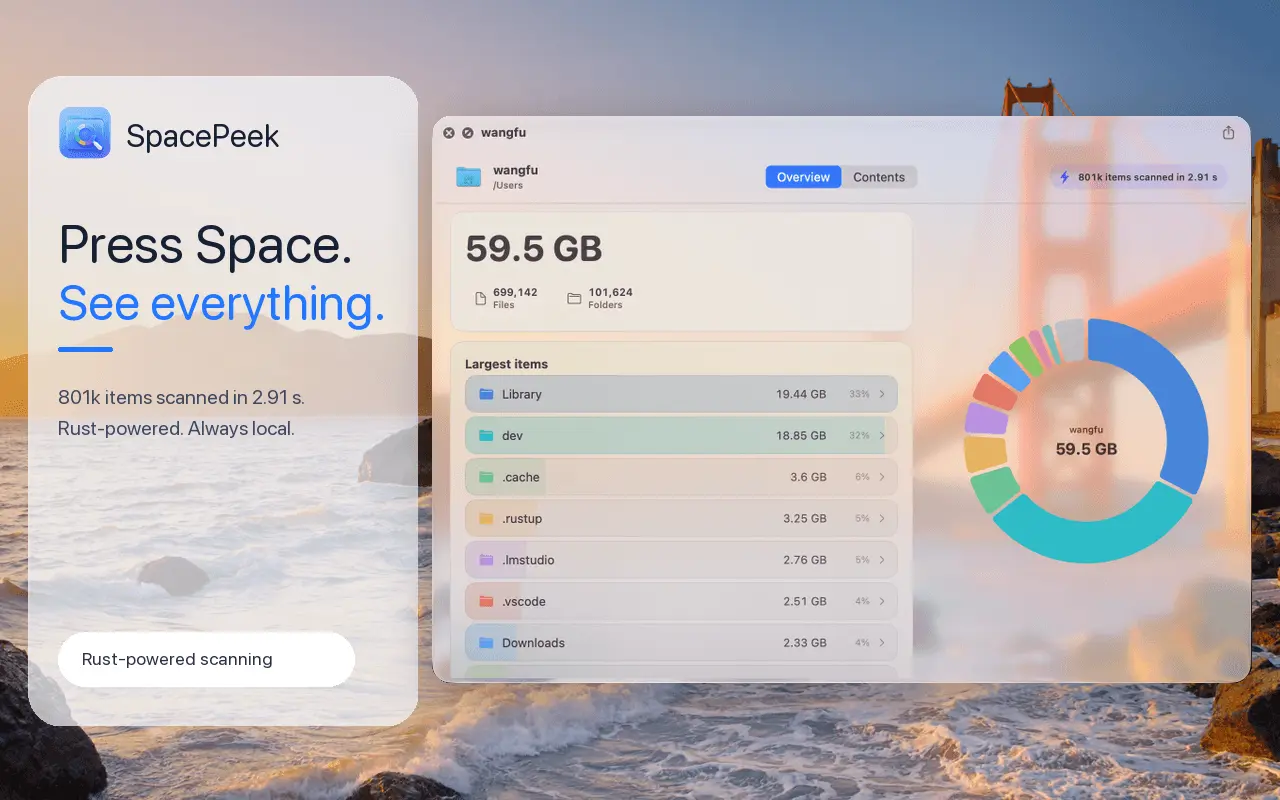
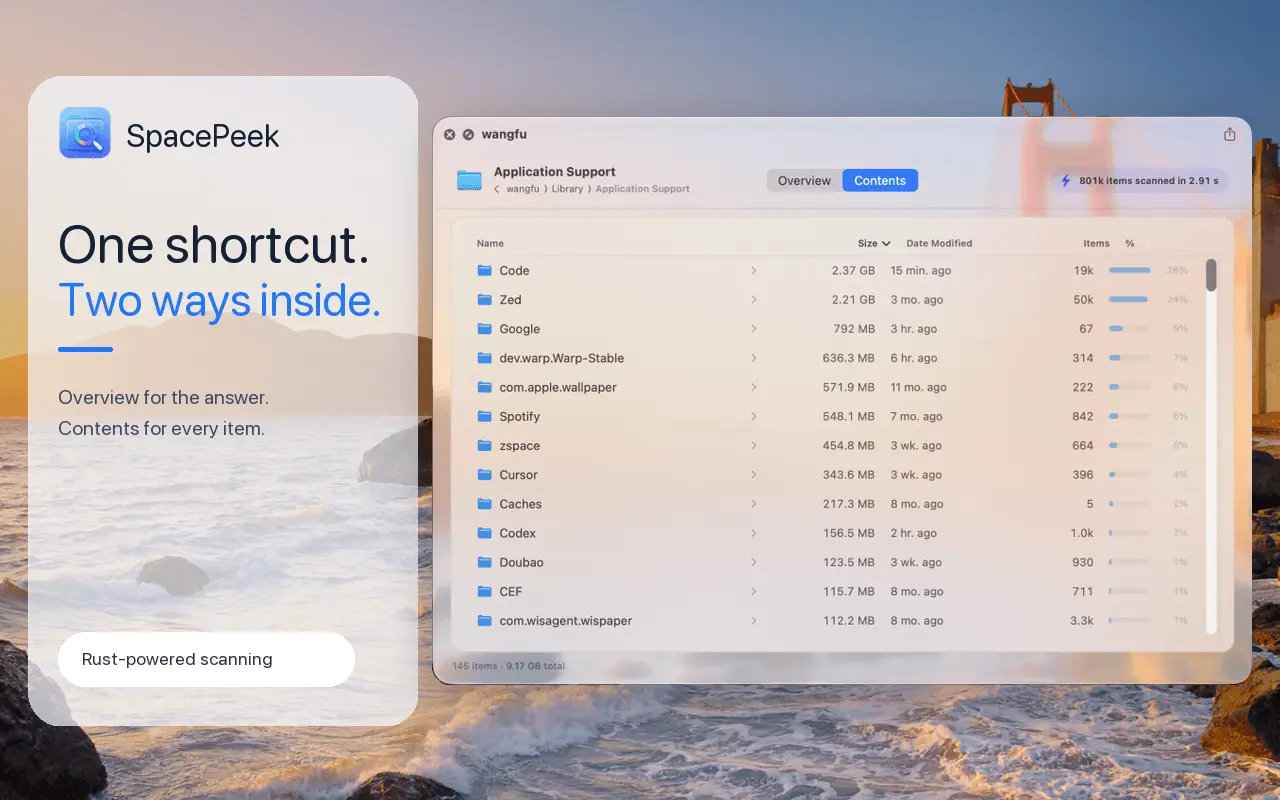
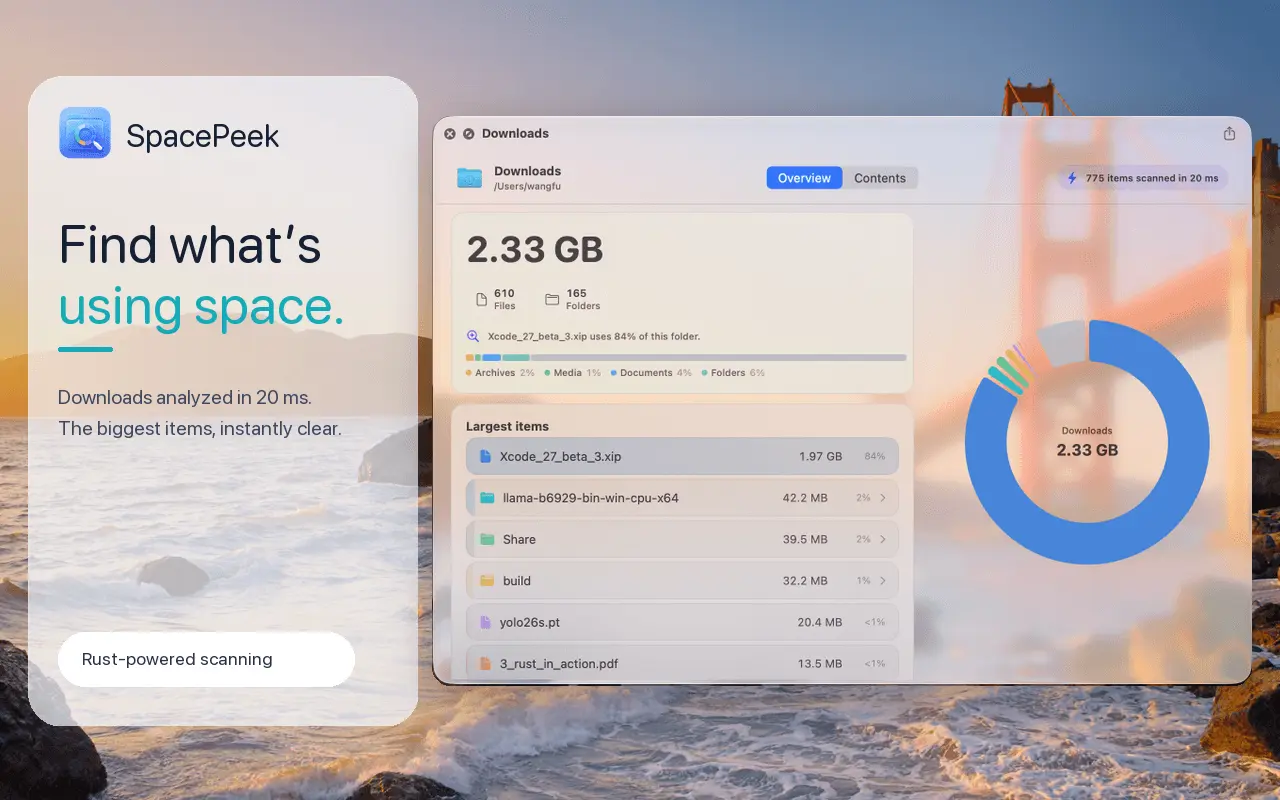
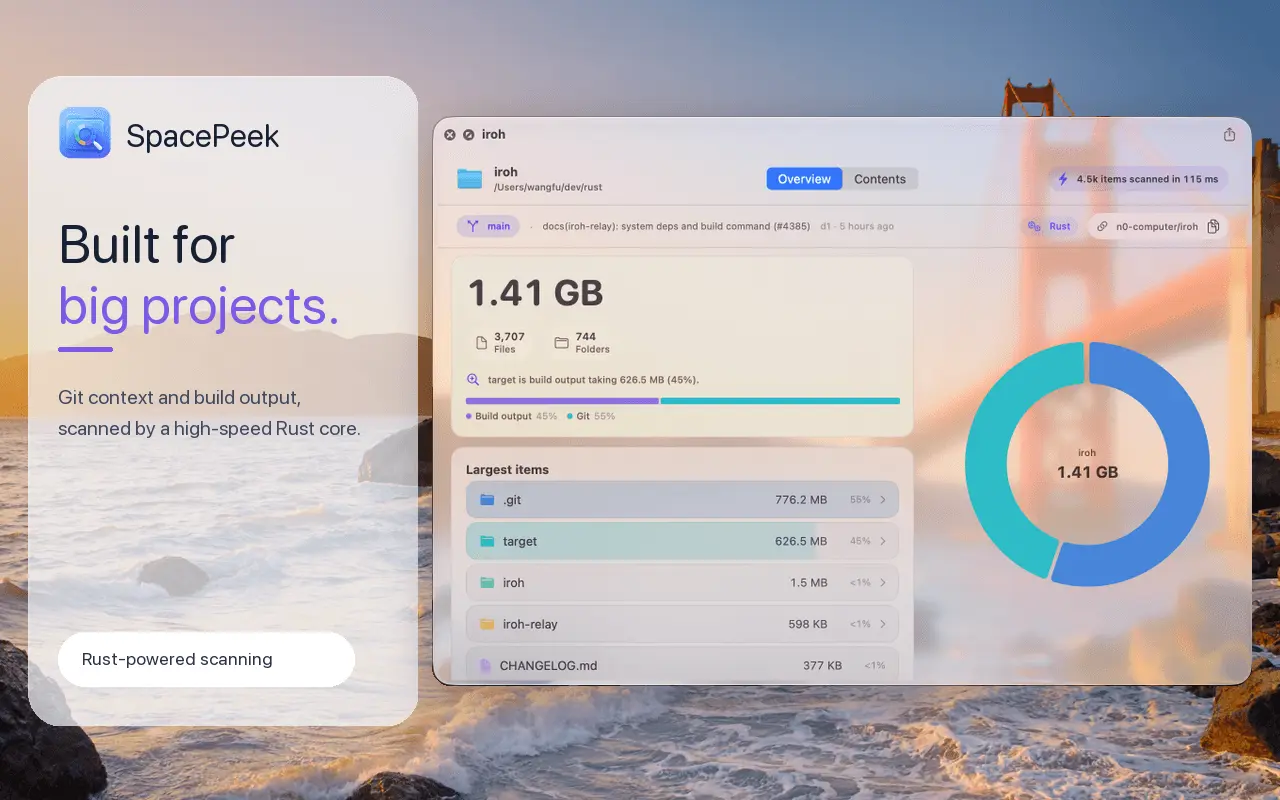
SpacePeek is a native macOS Quick Look extension that shows what’s taking up space inside any folder—without opening a separate disk analyzer. Select a folder in Finder and press Space to see its total size, largest items, item counts, and storage breakdown. SpacePeek scans on demand with a high-performance Rust core, keeps folder data on your Mac, and never builds a background index. The free version includes first-level inspection. A one-time $1.99 Pro upgrade unlocks unlimited folder drill-in. Requires macOS 14 or later.
Screenshots
Reviews (0)
No reviews yet. Be the first to rate this product!
Comments (1)
I built SpacePeek because macOS makes it surprisingly hard to see what’s taking up space inside a folder. Select a folder, press Space, and get the answer instantly—privately and without indexing.