
Spectro
Detect fake lossless audio files in your music library
Details
- Categories
- Use Cases
- Target Audience
- Pricing
- Paid from $39
- Platforms
Discovery signals
How AI and people discover Spectro on PeerPush
- ChatGPT
- Perplexity
- Claude
- +4 other AI crawlers
Reads by these AI engines
Crawlers behind these engines read this listing on PeerPush.About Spectro
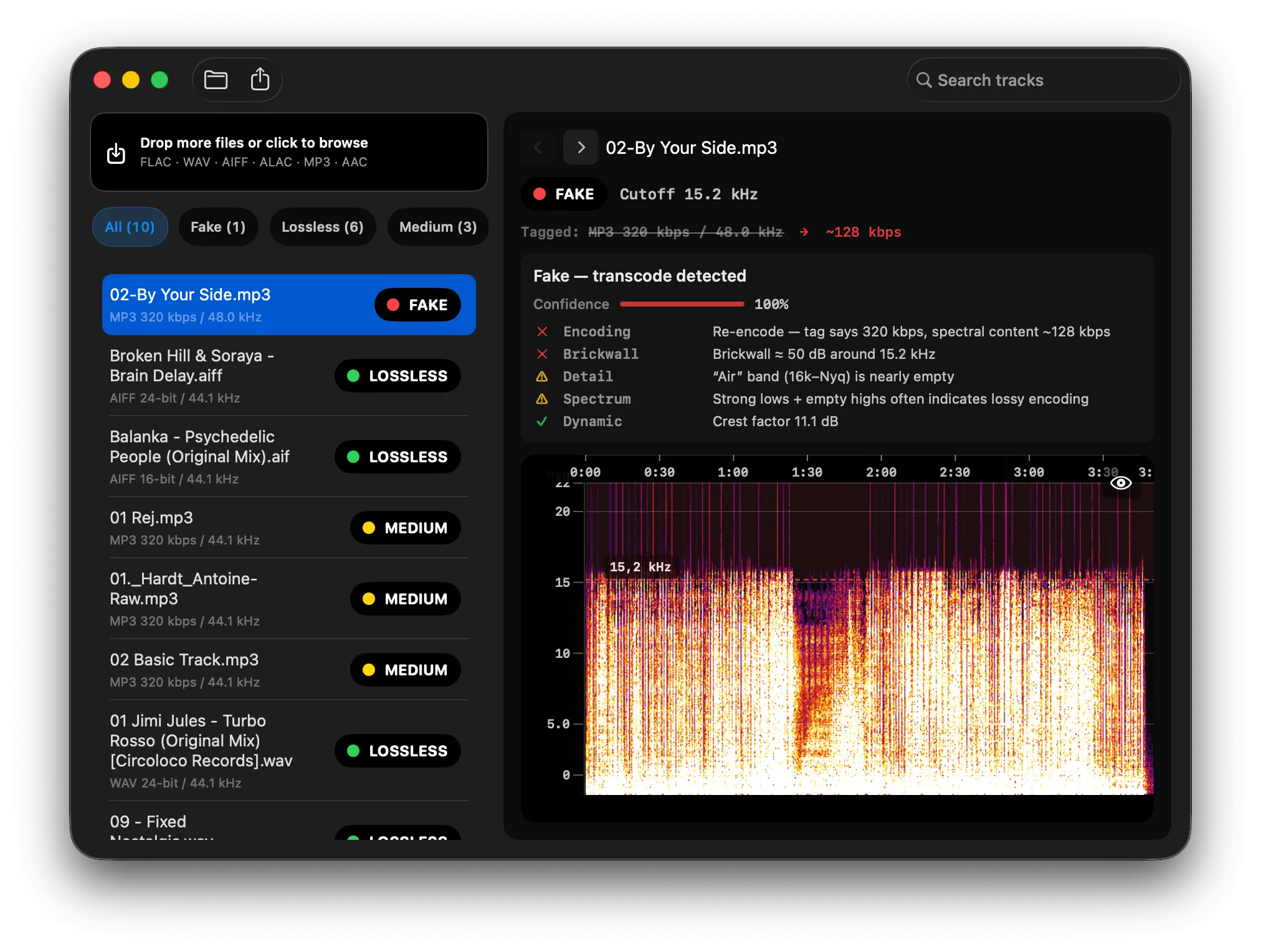
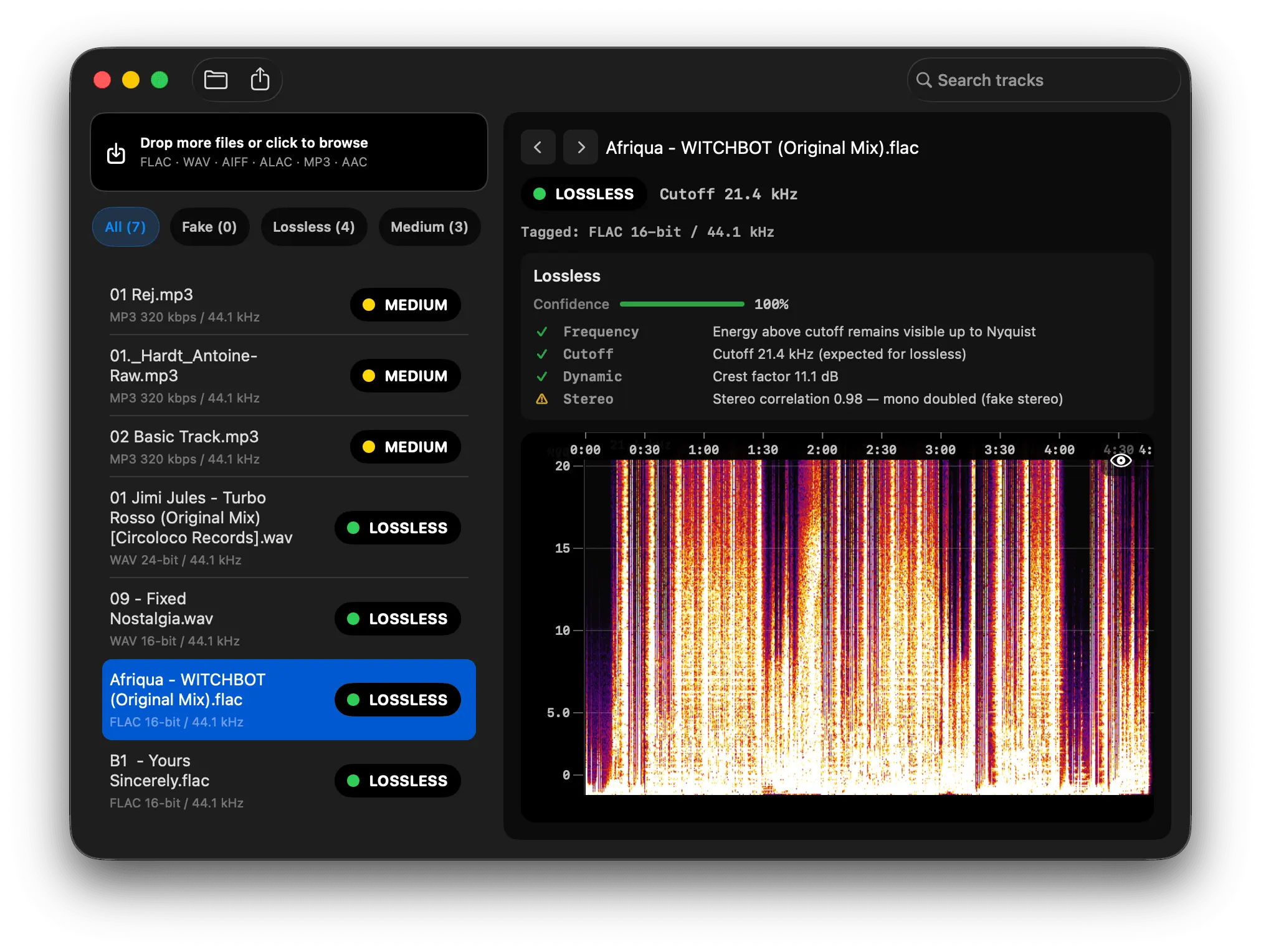
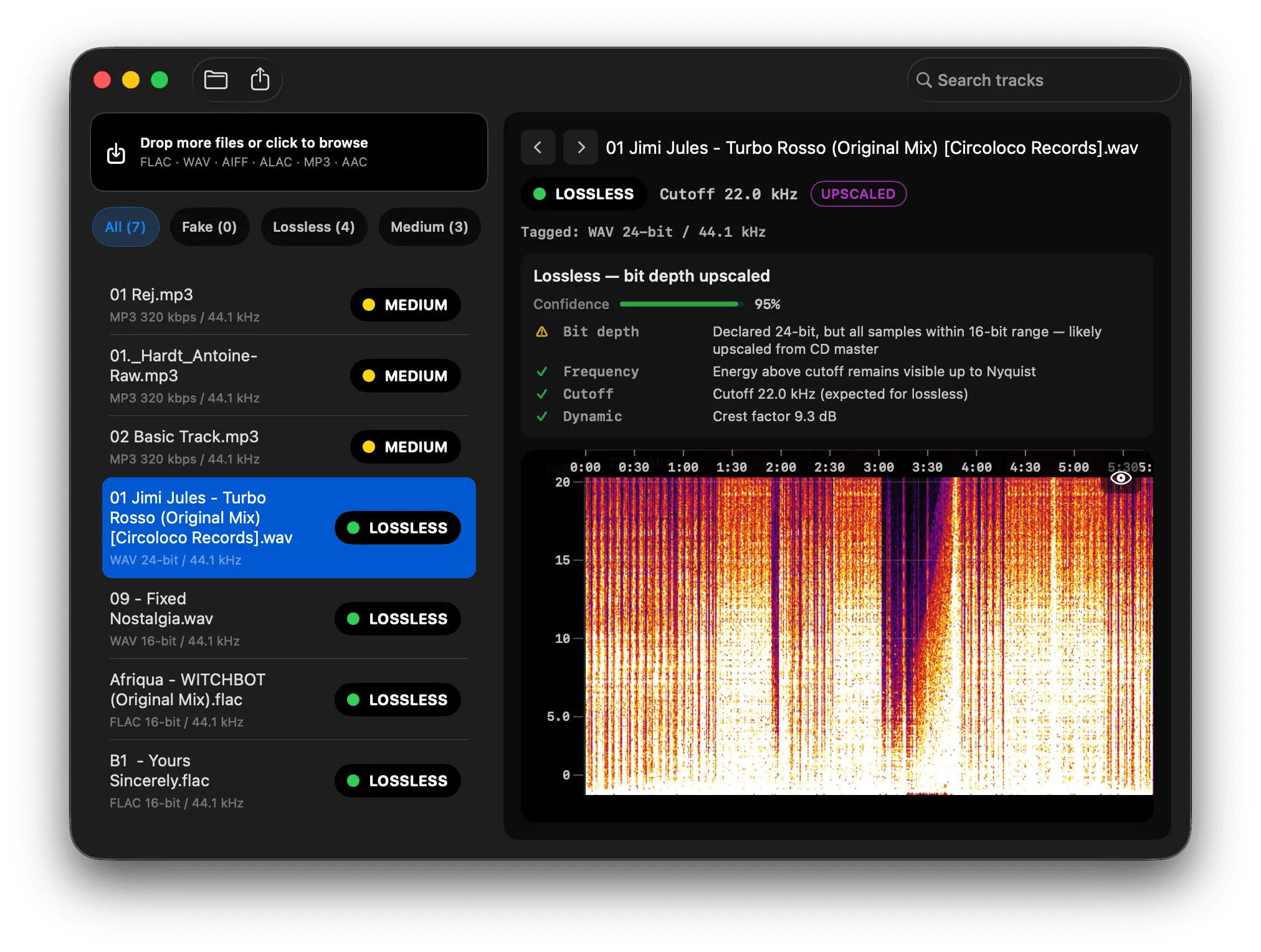
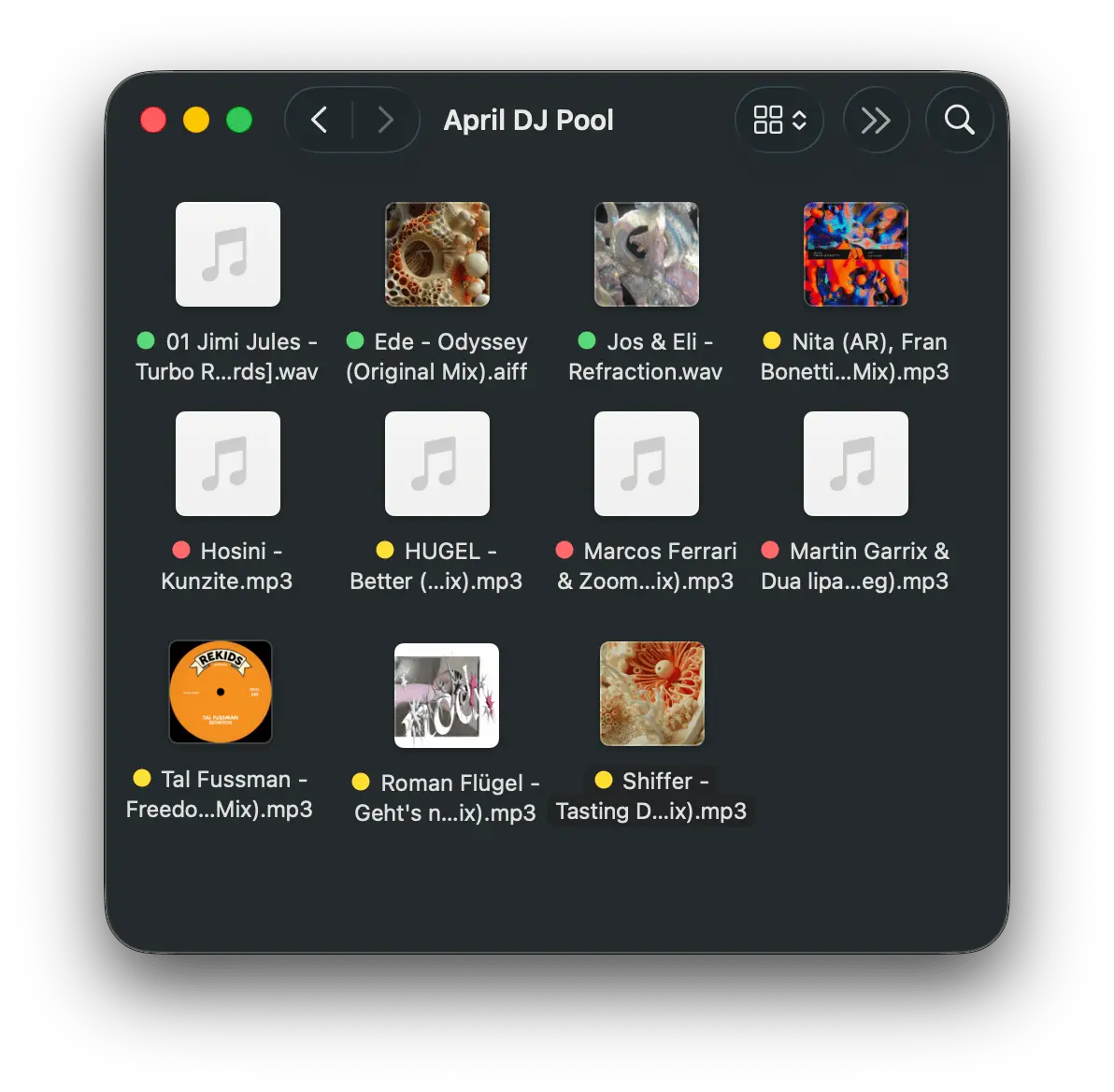
Many files in a DJ or audiophile library labeled WAV, AIFF, or FLAC are not actually lossless. They are MP3 or AAC sources re-encoded into a lossless container: same extension, larger file, permanently degraded audio. Spectro is a native macOS app that finds them before they reach a club PA, a USB export, or a curated archive. What Spectro does Spectro is a native macOS application (v1.4) that batch-analyzes WAV, AIFF, FLAC, ALAC (.m4a), MP3, and AAC using full FFT spectral analysis. Each file gets an automatic verdict: - LOSSLESS — frequency content consistent with a genuine lossless source - FAKE — hard spectral cutoff typical of MP3/AAC transcoding in a lossless container - MEDIUM — gray zone (often 256–320 kbps lossy in a lossless wrapper, or ambiguous high-bitrate encodes) Detection measures where audio energy actually ends. Genuine lossless material reaches near Nyquist (about 20–22 kHz at 44.1 kHz). Fake lossless shows a brickwall cutoff, usually between roughly 16 and 20 kHz depending on the original encoder. Users do not need to read spectrograms by hand. Results can be written to macOS Finder color tags (green / red / yellow), so a scanned folder shows quality at a glance without keeping the app open or renaming files. Core features (v1.4) - Multi-segment spectral analysis with adaptive threshold (fewer false positives on classical, acoustic, and sparse mixes) - 44.1 → 48 kHz upsampling detection (common in DJ libraries) - Bit-depth upscaling detection (e.g. 16-bit audio in a 24-bit container) - Per-file diagnostics: crest factor, clipping detection, stereo correlation - Confidence %, estimated cutoff, and plain-language diagnosis per track Workflow - Batch folder scanning (drop a folder or thousands of files) - Watch folder: auto-analyze new files dropped into a monitored directory - Rekordbox XML and M3U/M3U8 playlist import - Filter by verdict, search within session, export CSV - Spectrogram view and PNG export per file - Finder integration: color tags and “Analyze with Spectro” from the right-click menu - Batch notifications when large scans finish Privacy & platform - 100% offline on your Mac: no upload, no account to install, no internet required for analysis - Universal Binary: Apple Silicon and Intel, macOS 13 Ventura or later - Sparkle auto-updates, notarized macOS app Who it is built for - DJs auditing Beatport, Bandcamp, DJ pools, and promo downloads before Rekordbox, Serato, or USB prep - Audiophiles verifying Qobuz, HDtracks, Bandcamp, or archive rips (including fake hi-res / upsampled CD masters) - Producers checking sample packs, stems, or third-party WAV/FLAC deliveries - Collectors building libraries they intend to keep for years Problem solved: A lossless container does not guarantee lossless audio. Cloud exports, pool pipelines, and reissues often hide MP3/AAC transcodes or upsampled masters. On a professional system, the missing highs and encoder artifacts become obvious. Technical details Spectro applies FFT (Fast Fourier Transform) spectral analysis to the decoded audio stream. Verdict Engine v1.4 estimates the spectral cutoff, analyzes high-band density in the 19–20 kHz gray zone, and applies format-specific rules for MP3, AAC, ALAC, and upsampled 48 kHz files. Methodology is grounded in peer-reviewed work on transcoding detection (D'Alessandro & Shi, ACM Multimedia & Security 2009: 99% accuracy on transcoding detection across 2,512 songs). Spectro marks genuinely ambiguous 256 kbps CBR vs. high-quality VBR cases as MEDIUM rather than forcing a false LOSSLESS verdict. Spectro is not affiliated with Spectro B.V. or other unrelated products named “Spectro.” Pricing and availability Website: https://www.getspectro.app Download: Spectro-1.4.0.dmg (free trial: first 100 tracks, no account, no time limit) Platform: macOS 13 Ventura or later (Apple Silicon + Intel) Pricing: $29 launch (code LAUNCH29 at checkout) · $39 regular · one-time purchase License: 2 Macs per purchase, lifetime v1 updates, no subscription Current version: 1.4.0 (build 115)
Screenshots
Reviews (2)
Average 5.0 out of 5
Based on 2 reviews


Comments (0)
No comments yet. Be the first to share your thoughts!