
Transcribe Audio to Text
Transcribe audio and video to text with speaker labels.

Details
- Follow on
- Target Audience
- Pricing
- Freemium from $5
- Featured in
 descript alternatives
 TurboScribe alternatives
Discovery signals
How AI and people discover Transcribe Audio to Text on PeerPush
By AI reads among AI tools
320 AI reads in the last 30 days, ranked against every AI tool listed.About Transcribe Audio to Text
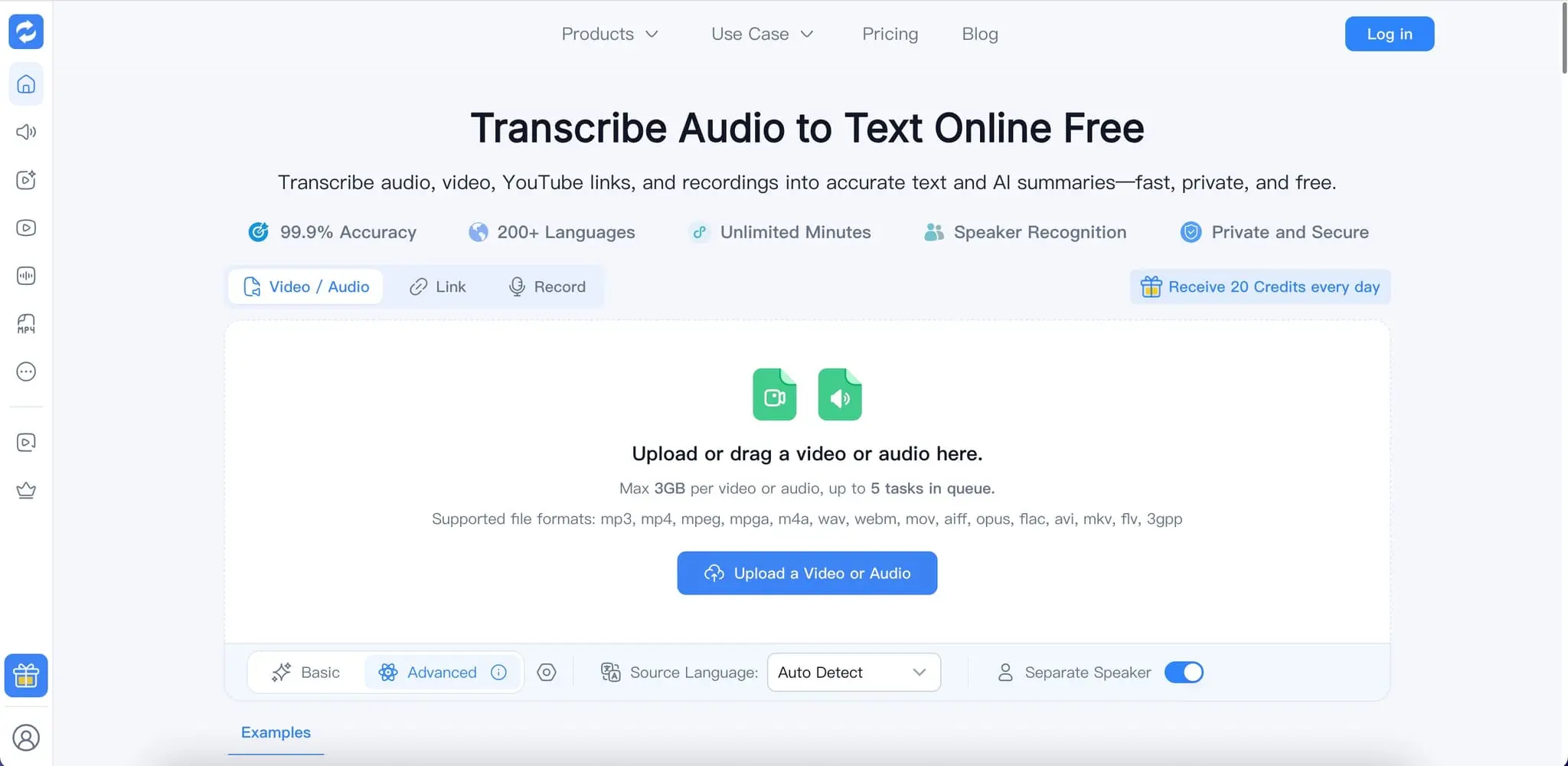
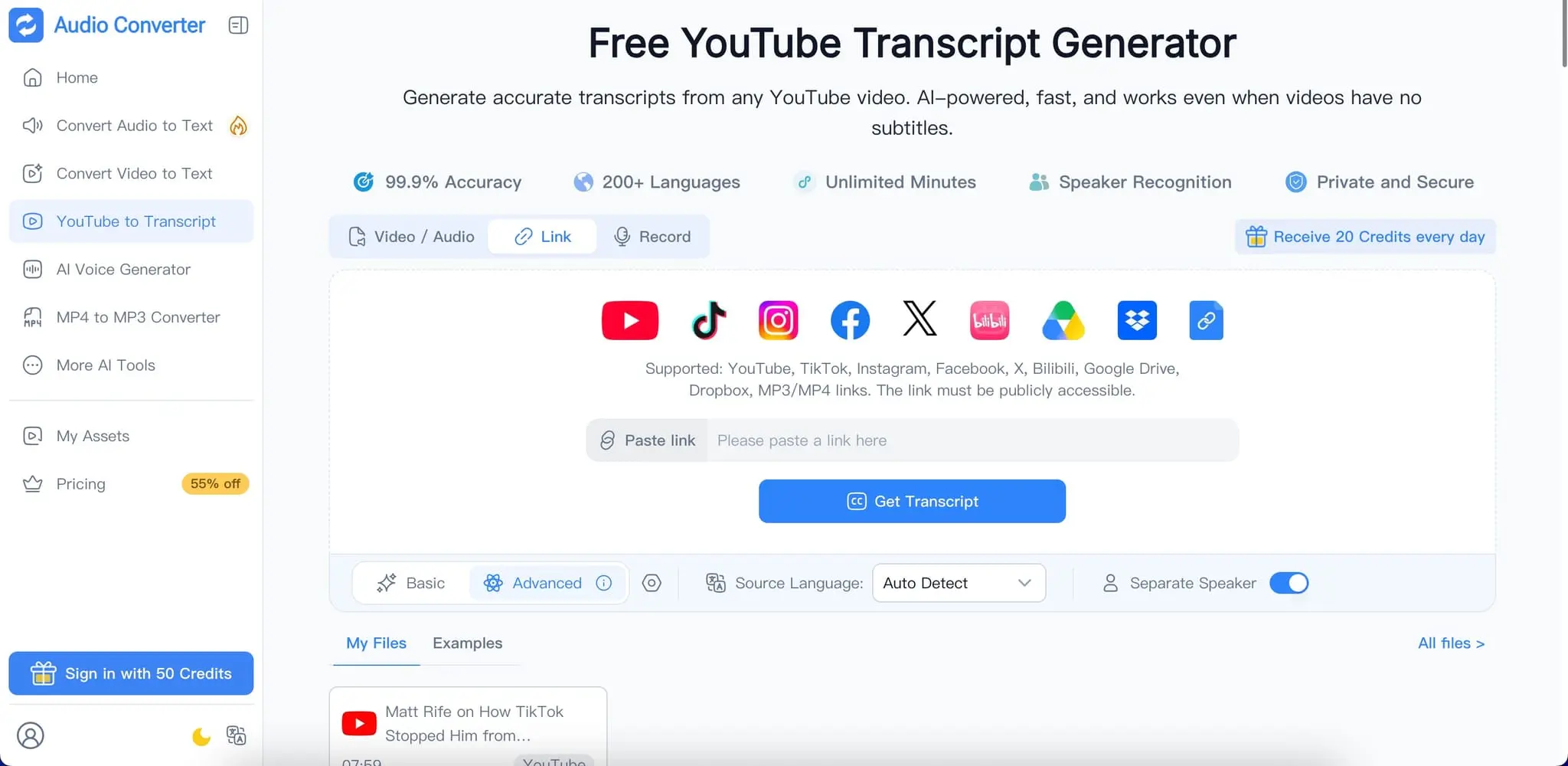
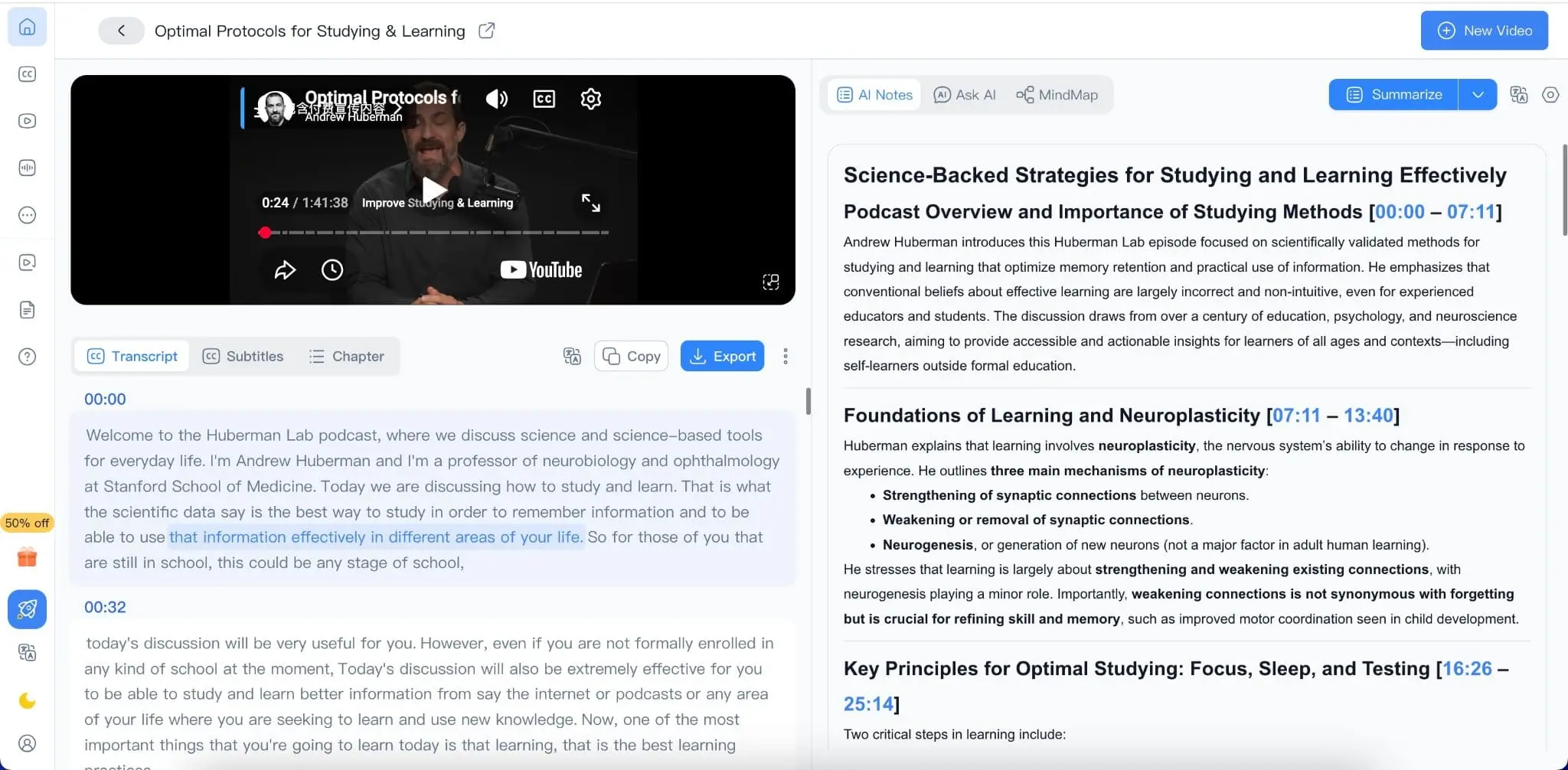
Transcribe Audio to Text is an AI-powered transcription tool that converts audio, video, and online content into accurate, editable text. Upload a recording, paste a supported link, or record directly to generate searchable transcripts with timestamps, speaker recognition, and AI summaries. With support for 200+ languages, unlimited transcription minutes, and a wide range of audio and video formats, it is built for anyone who needs to turn spoken content into useful written information quickly. What It Does Transcribe Audio to Text uses AI speech recognition to automatically convert spoken words into written text. Instead of manually listening to a recording and typing everything out, you can upload your content and receive a structured transcript in minutes. It works with podcasts, interviews, meetings, lectures, webinars, calls, videos, voice recordings, and other speech-based content. You can also use dedicated transcription workflows for different types of content: Audio to Text Converter: Convert audio recordings into editable text. Video to Text Converter: Extract spoken content from videos and create searchable transcripts. YouTube Transcript Generator: Generate transcripts from supported YouTube videos. Speech to Text: Convert spoken words into written content automatically. Key Features High-Accuracy AI Transcription Generate highly accurate transcripts from audio and video using advanced AI speech recognition. The system is designed to handle long recordings and different types of spoken content. 200+ Languages Transcribe content in more than 200 languages, making it suitable for multilingual users, international teams, educational content, and global media. Unlimited Transcription Minutes Transcribe long recordings without worrying about strict minute limits. It is suitable for lectures, podcasts, interviews, meetings, webinars, and other long-form content. Speaker Recognition Automatically identify and label different speakers in supported recordings. This makes conversations, interviews, meetings, and group discussions easier to read and review. Timestamps Add timestamps throughout the transcript so you can quickly locate a specific sentence or discussion in the original recording. AI Summaries Turn lengthy transcripts into concise summaries and key points. Quickly understand the main ideas of a meeting, lecture, interview, podcast, or video without reading the entire transcript. Editable Transcripts Review and edit generated transcripts directly. Correct words, refine formatting, adjust speaker labels, and prepare the transcript for further use. Multiple Input Options Upload audio or video files, paste supported online links, or record directly to start transcription. Wide Format Support Supports popular audio and video formats including MP3, MP4, MPEG, MPGA, M4A, WAV, WEBM, MOV, AIFF, OPUS, FLAC, AVI, MKV, FLV, and 3GPP. Private and Secure Files are securely processed and protected during transmission and processing. Uploaded content is automatically removed after processing according to the platform's data retention policy. What Makes It Different Transcribe Audio to Text is designed around the complete transcription workflow rather than transcription alone. You can transcribe, review, understand, and reuse your content in one workflow. Speaker recognition helps organize conversations, timestamps make long recordings easier to navigate, and AI summaries help you understand important information faster. The combination of 200+ languages, unlimited transcription minutes, long-form transcription, speaker recognition, timestamps, editable transcripts, and AI summaries makes it suitable for both individual users and professional workflows. What You Can Achieve Turn hours of spoken content into useful written information without manually transcribing every word. Use generated transcripts to: Create searchable text from audio and video Create subtitles and captions Summarize meetings and interviews Turn lectures into study notes Review podcasts and webinars Extract quotes and important moments Repurpose videos into articles and social media content Create written records of meetings and calls Make long recordings easier to search and review Prepare transcripts for editing, translation, and content repurposing Who Is It For? Students can transcribe lectures, classes, interviews, and study recordings to create searchable notes and review important information more efficiently. Educators can convert lectures, training sessions, and educational videos into transcripts that can be edited, shared, and reused as course materials. Content Creators can turn podcasts, interviews, YouTube videos, and other recordings into editable text for captions, articles, scripts, social posts, and other content.
Product Video
Watch a video demo of Transcribe Audio to Text.
Screenshots
Reviews (1)
Average 5.0 out of 5
Based on 1 review

A nice tool for transcribeing hours of audio to text. Worth trying!
Comments (1)
Transcribe Audio to Text: AI-powered audio and video transcription that turns speech into accurate, editable text. Supports 200+ languages, speaker recognition, timestamps, AI summaries, and long