
WorkloadWall
A self-hosted ticketing system with the pile in plain sight

Details
- Categories
- Target Audience
- Pricing
- One-time from $149
Discovery signals
How AI and people discover WorkloadWall on PeerPush
- Perplexity
- ChatGPT
- Claude
- +4 other AI crawlers
Reads by these AI engines
Crawlers behind these engines read this listing on PeerPush.About WorkloadWall
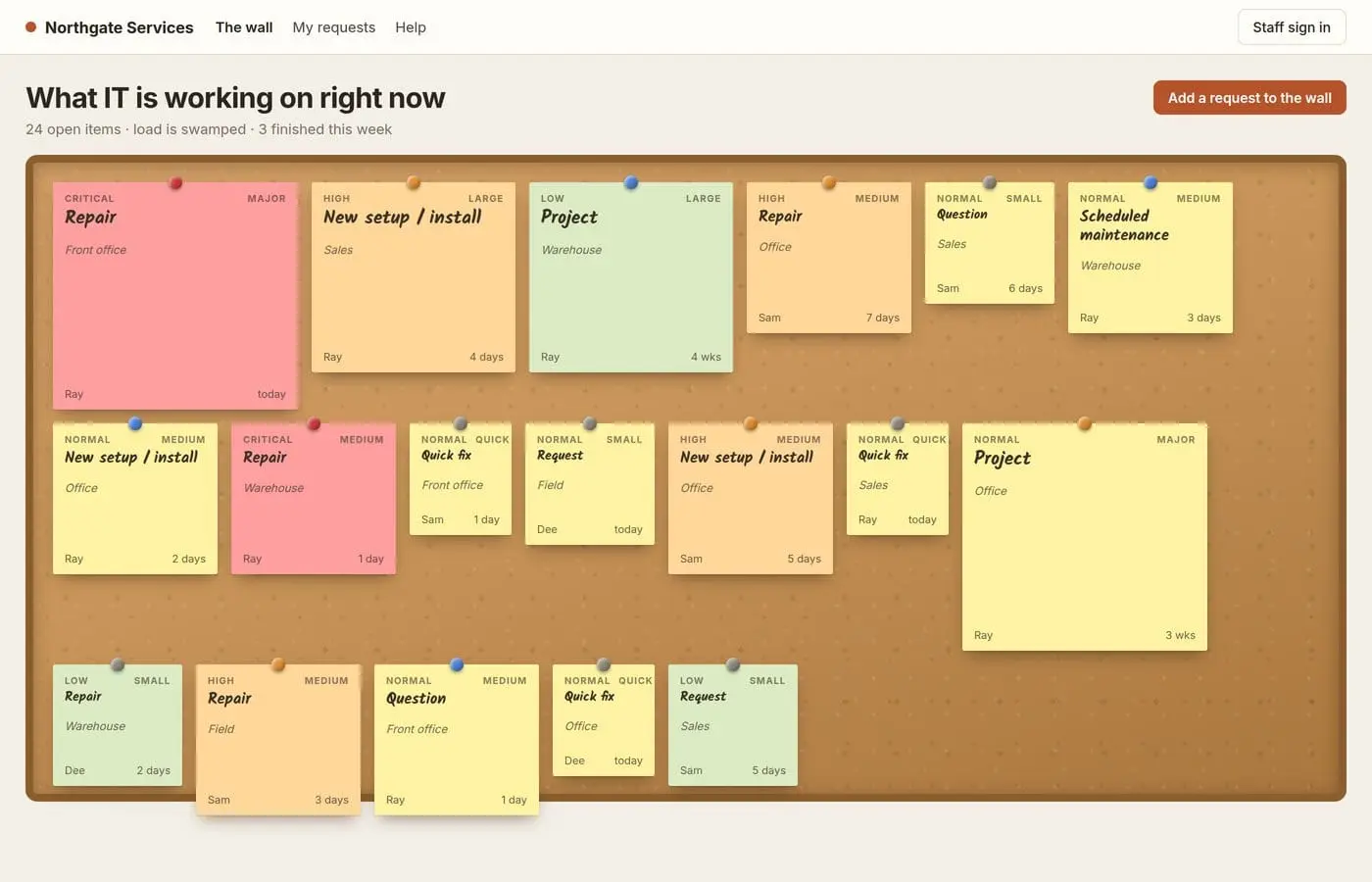
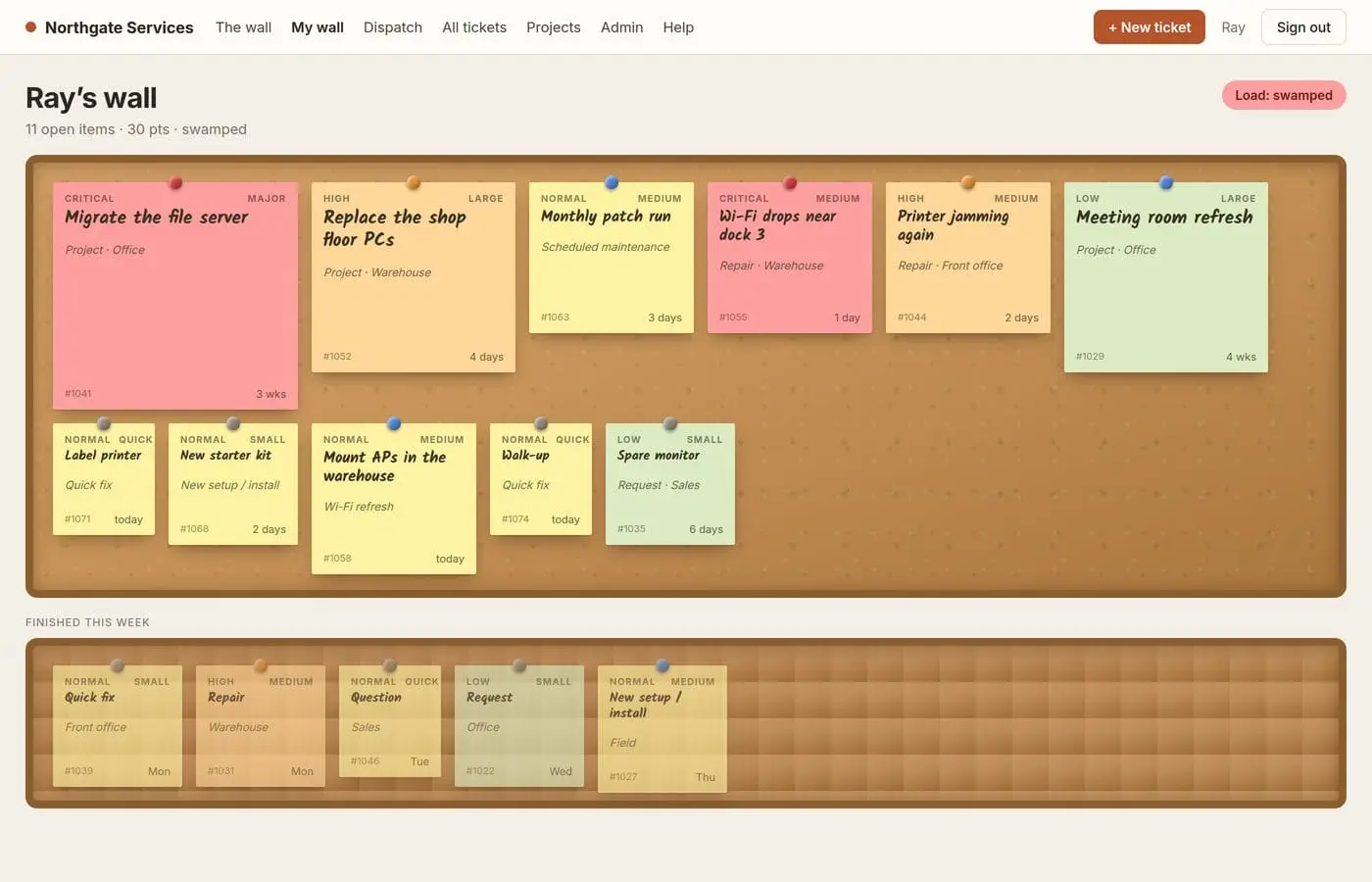
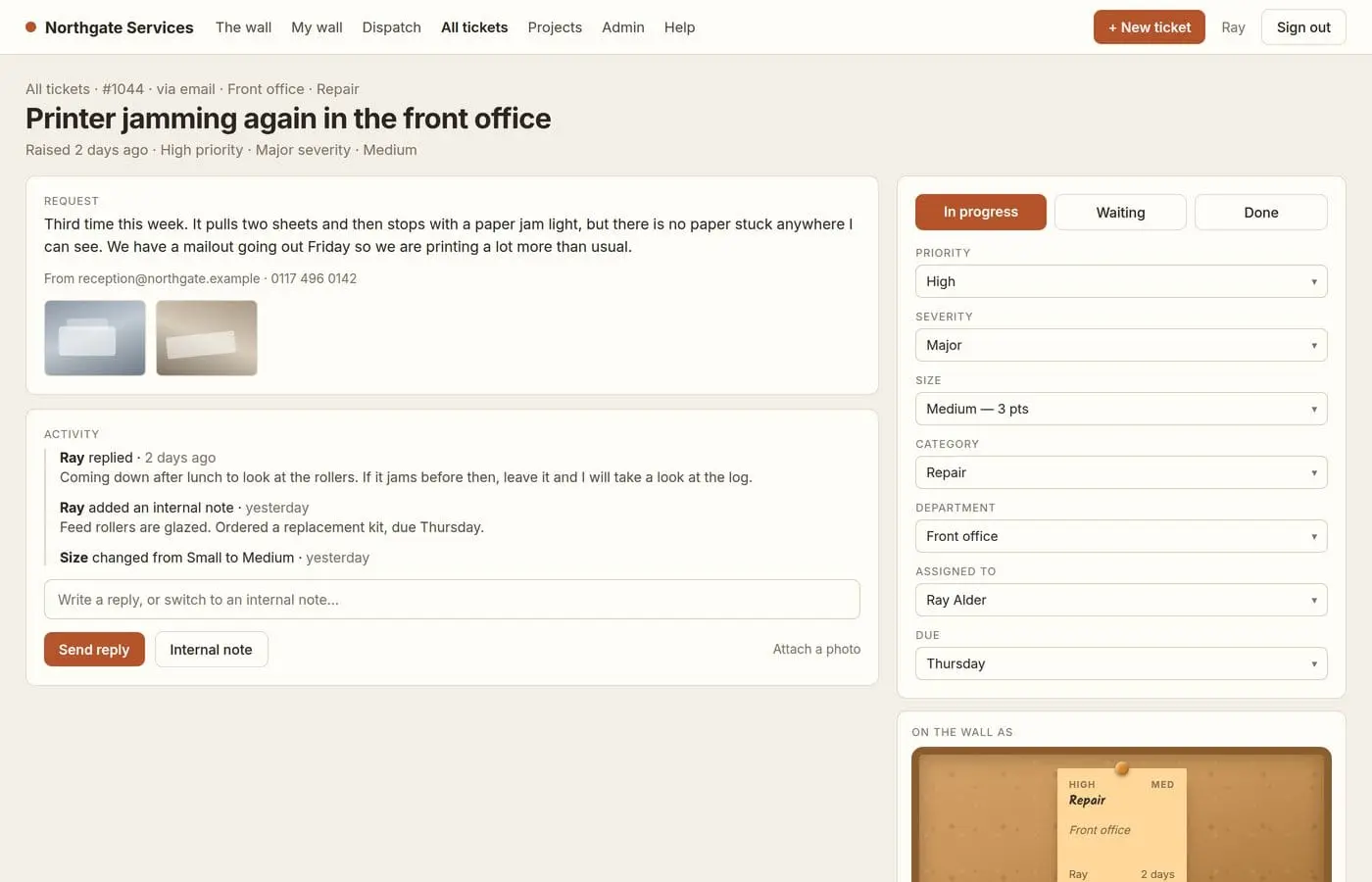
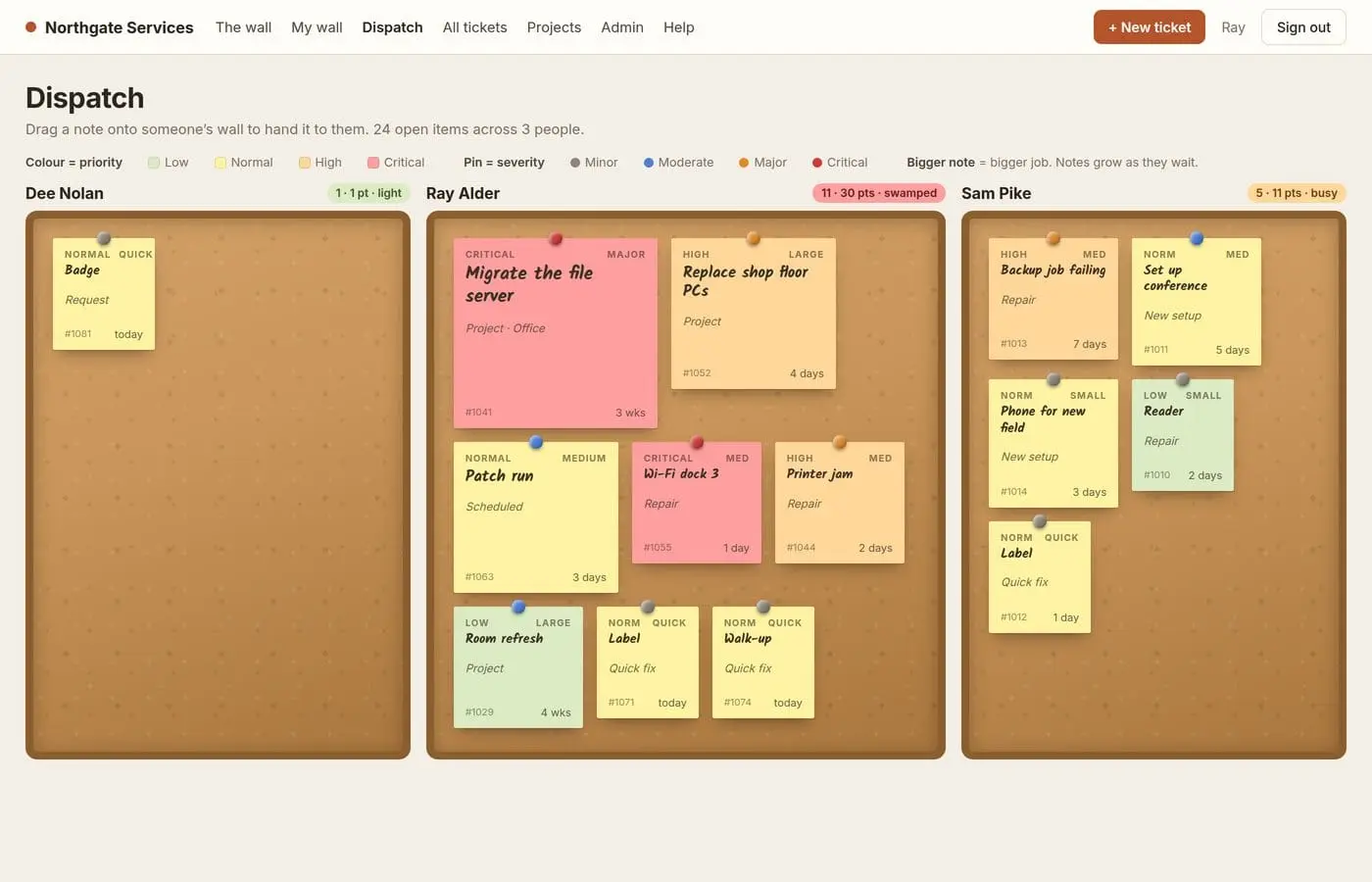
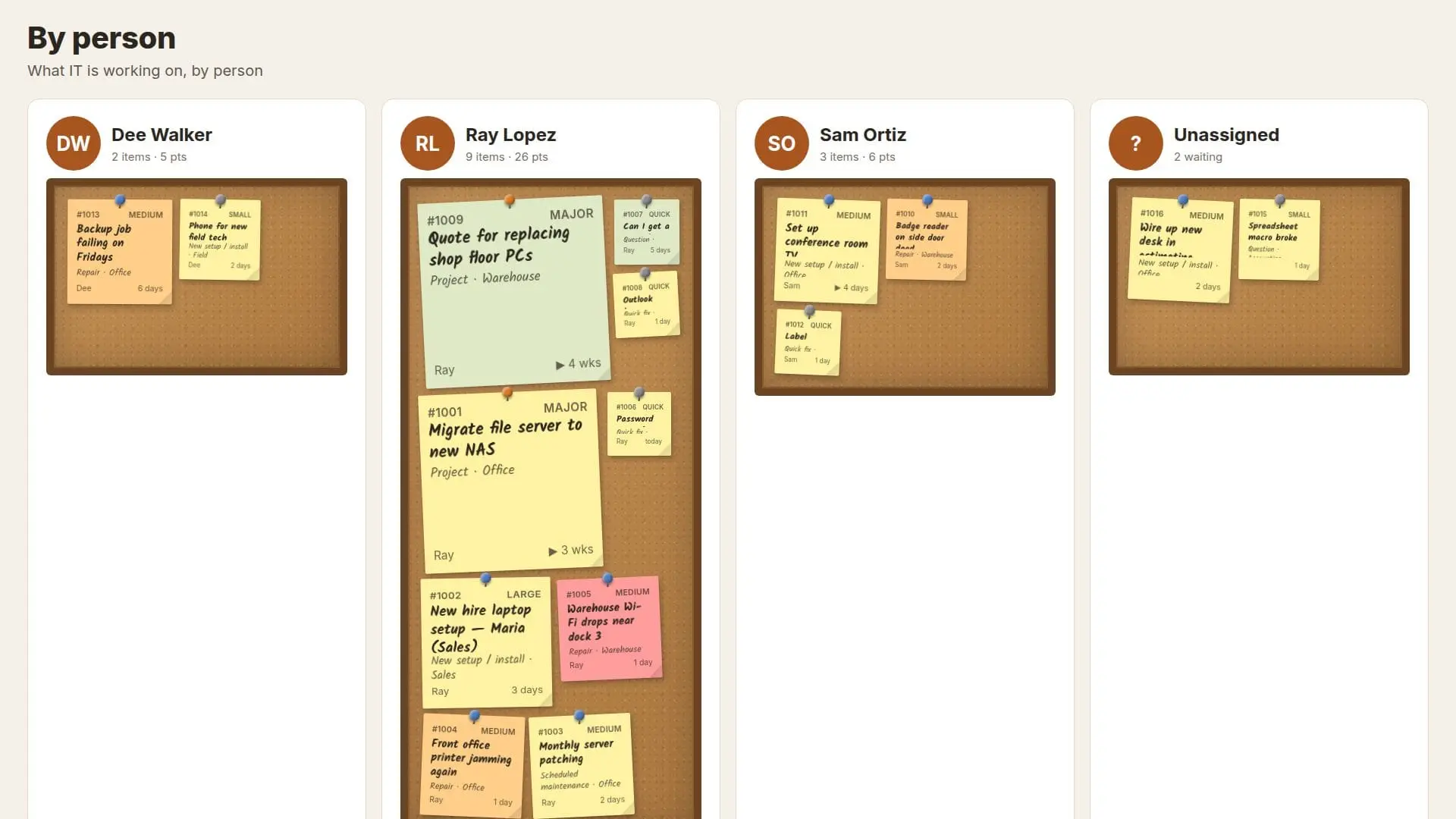
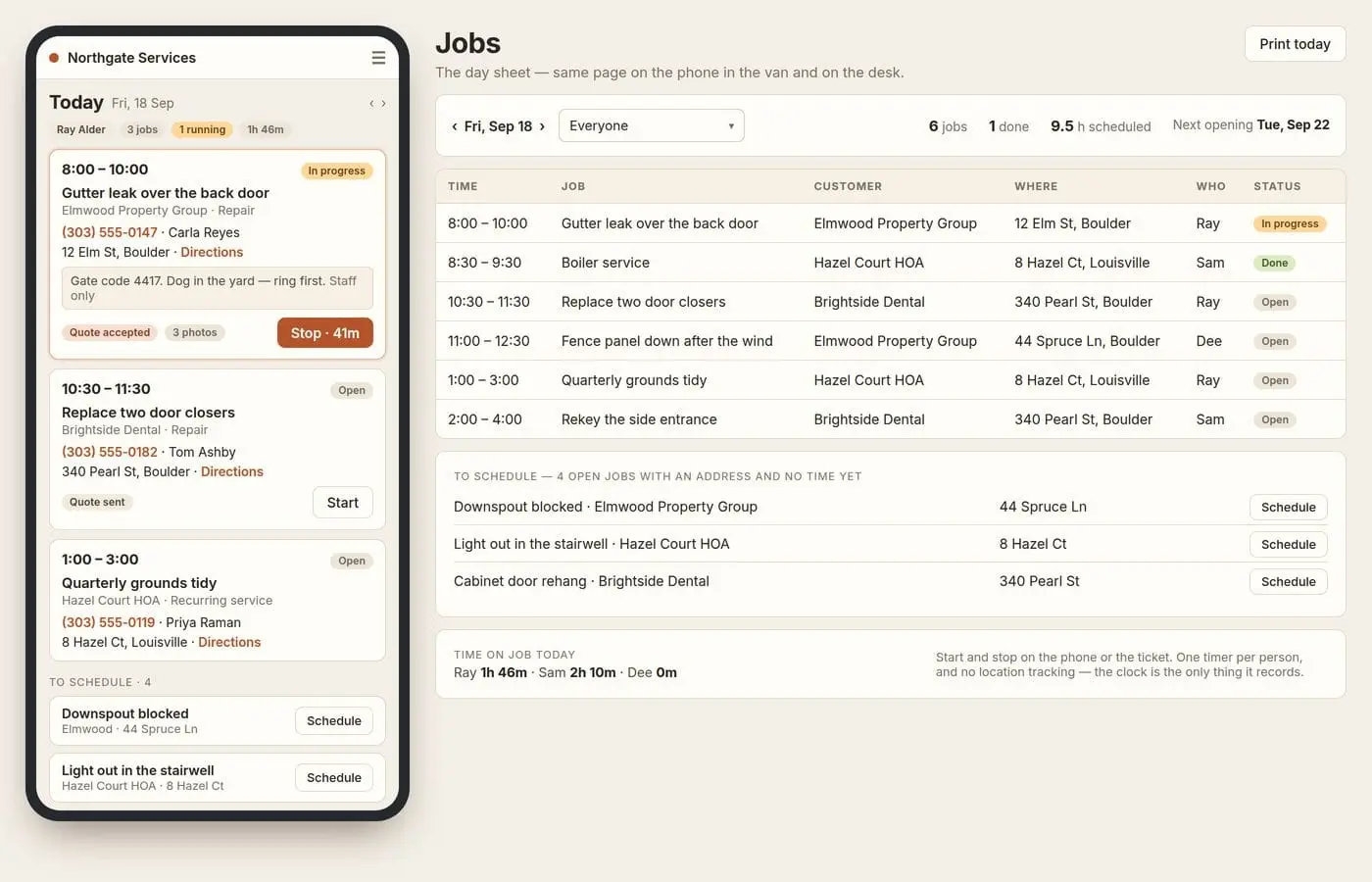
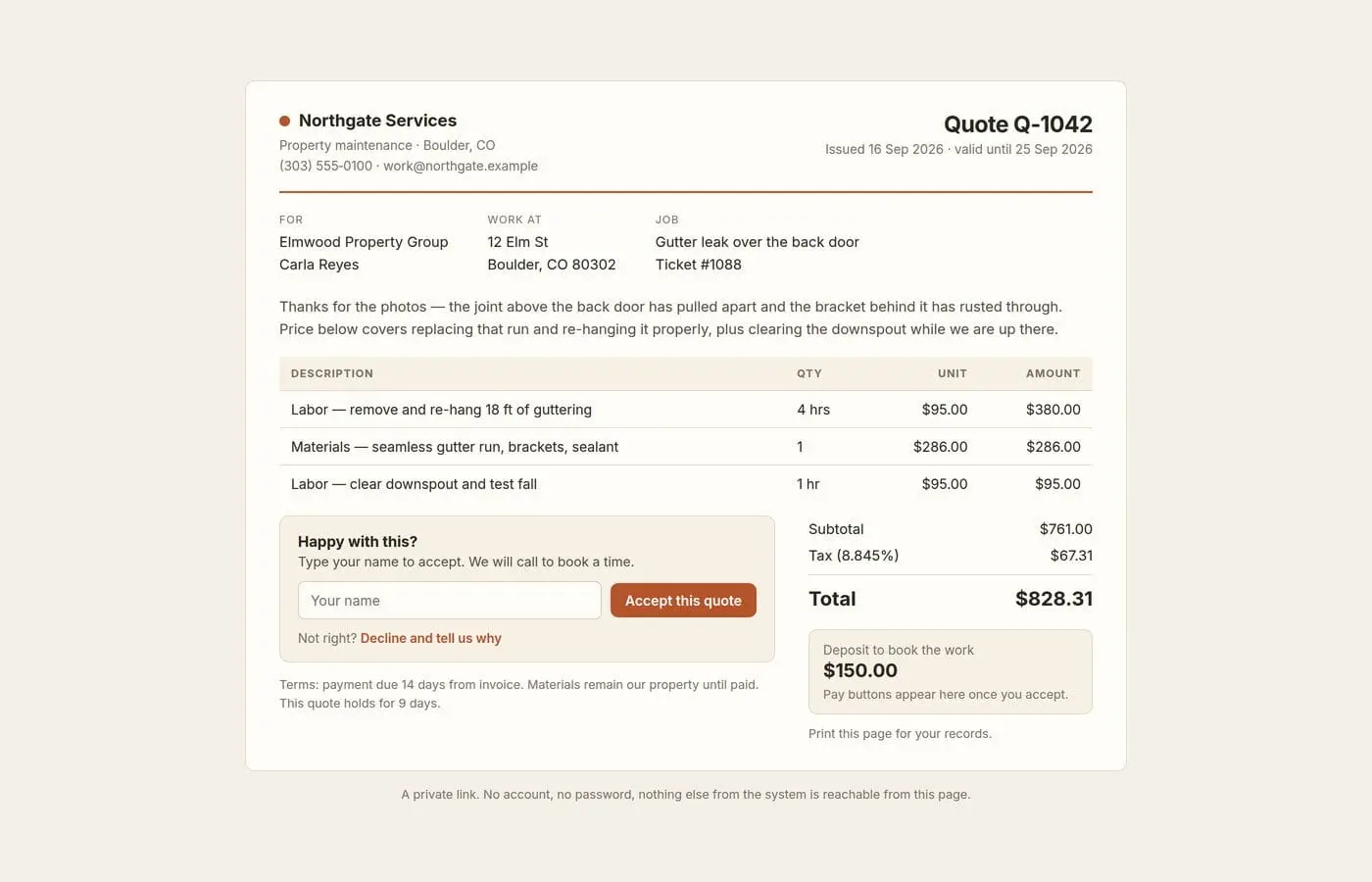
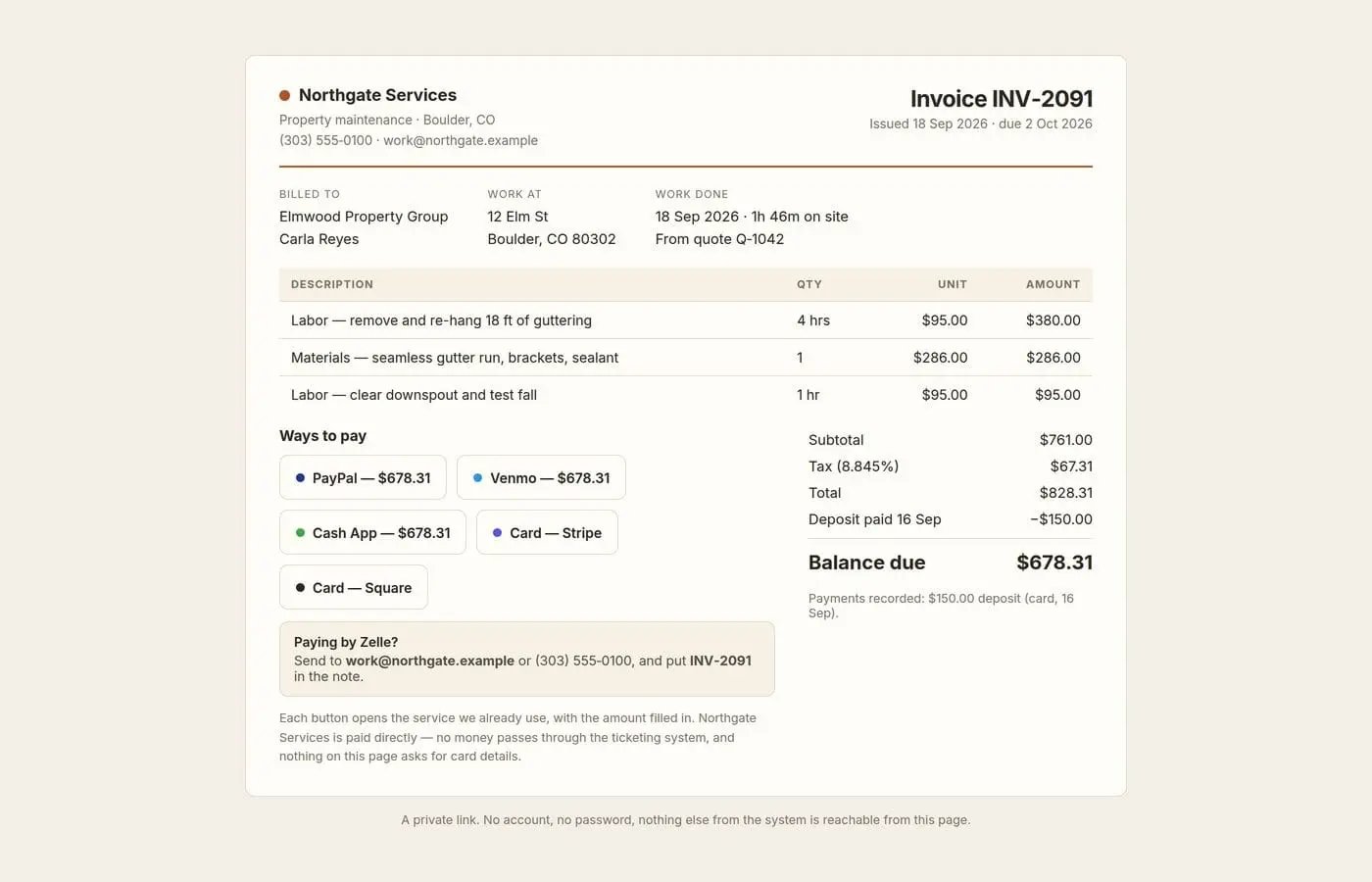
WorkloadWall is a ticketing system for small teams that runs on a machine in your own building: a Windows PC, a Linux box, a Raspberry Pi or Docker. It's one download, with no database or web server to set up, and your records live on your own machine. Its signature is the wall. The people raising a request see an anonymized corkboard of everything already waiting, with notes colored by priority and sized by effort, before they add to the pile. Requesters need no account. That one view cuts down the "any update?" messages and makes it obvious when a team is swamped. What staff get: - The wall, a wall per person, and Dispatch: drag a note onto someone's wall to hand it over - Email intake: new mail becomes a ticket - Display boards for a TV in the office - Projects and recurring tasks - Optional AI intake that suggests category, priority and size, using your own model or a paid service - An Android app for staff - Remote access with a permanent address, set up from inside the app The Jobs add-on is for work at an address, like landscaping, HVAC, plumbing, electrical and handyman work: - Customers and properties, with access notes - Quotes the customer accepts by link, with deposits - Invoices with pay buttons for the payment service you already use (PayPal, Venmo, Cash App, Square or Stripe links, or Zelle details). The money goes straight to you. - Recurring visits that draft their own invoice, a day sheet for the crew, and job reports with photos Pricing: the license is a one-time purchase per major version, priced by staff limit: Solo $149, Lite $299 (up to 10 staff), Standard $599 (up to 25) and Pro $799 (unlimited). Updates within that version are included. Jobs is $129 a year. Every feature can be tried free for 30 days, with no card and no account. WorkloadWall is new (first release September 2026) and is made by DAGAZ LLC.
Product Video
Watch a video demo of WorkloadWall.
Screenshots
Reviews (0)
No reviews yet. Be the first to rate this product!
Comments (2)
Deposits via the shop's own PayPal/Venmo/Zelle links, money straight to them, is a nice call. How does a quote flip to "deposit paid" then: does staff mark it by hand, or can it read Stripe/Square payment events?
@domenicogarruzzo By hand, on purpose. The deposit buttons open your own PayPal/Venmo/Zelle page; when the money lands, staff record it on the invoice. It reads no payment events: it runs on a PC in your building, with no payment accounts.
We built WorkloadWall so the people asking for help can see the queue before adding to it. There's a 30-day trial with every feature and no card needed. Questions welcome here.