
Smart Home Cinema – Voice Control
Voice control for VLC/PotPlayer on Windows, Jellyfin on TV

Details
- Use Cases
- Target Audience
- Pricing
- One-time
- Platforms
Discovery signals
How AI and people discover Smart Home Cinema – Voice Control on PeerPush
By AI reads among Automation & Workflow tools
1,478 AI reads in the last 30 days, ranked against every Automation & Workflow tool listed.About Smart Home Cinema – Voice Control
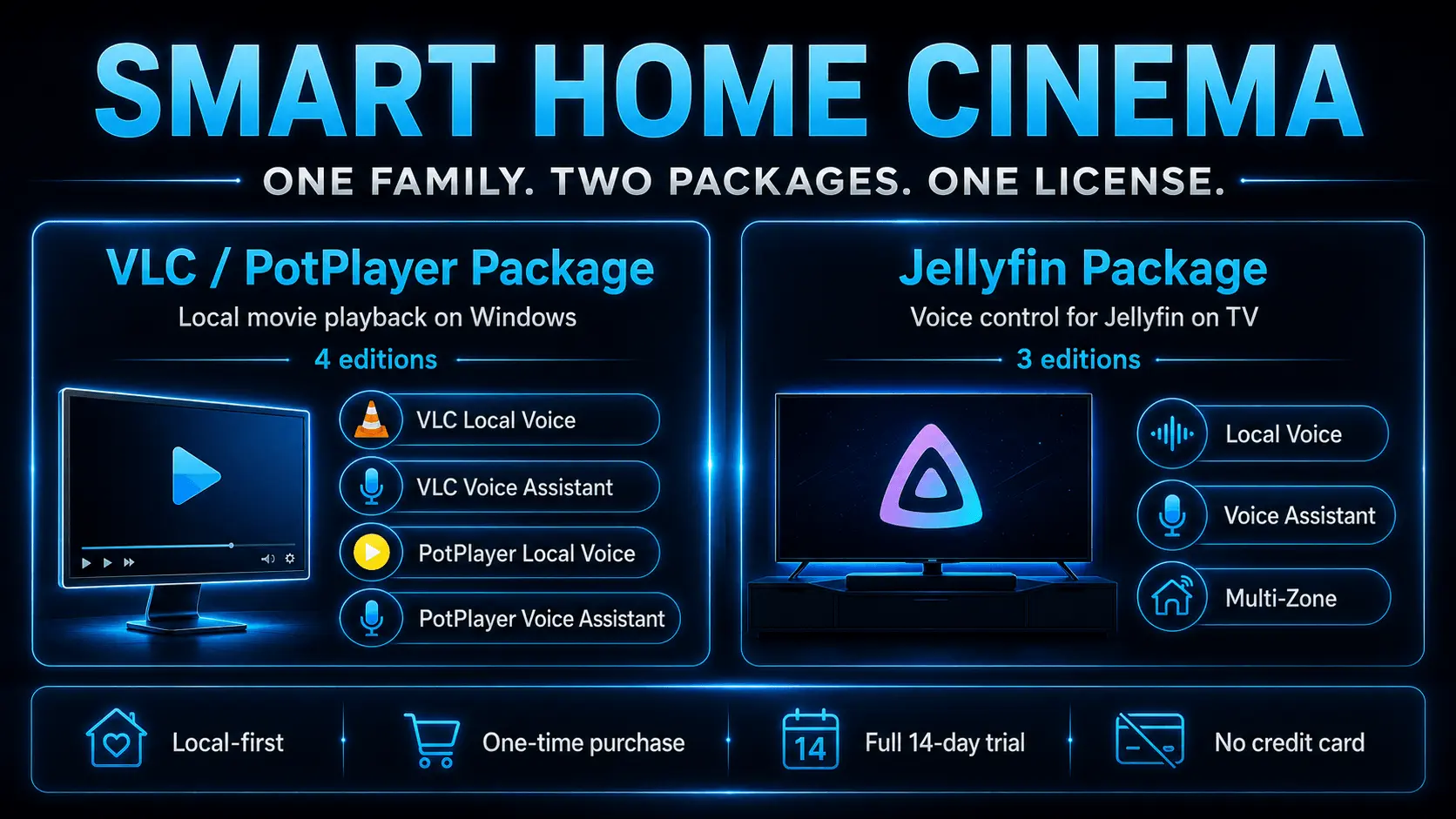
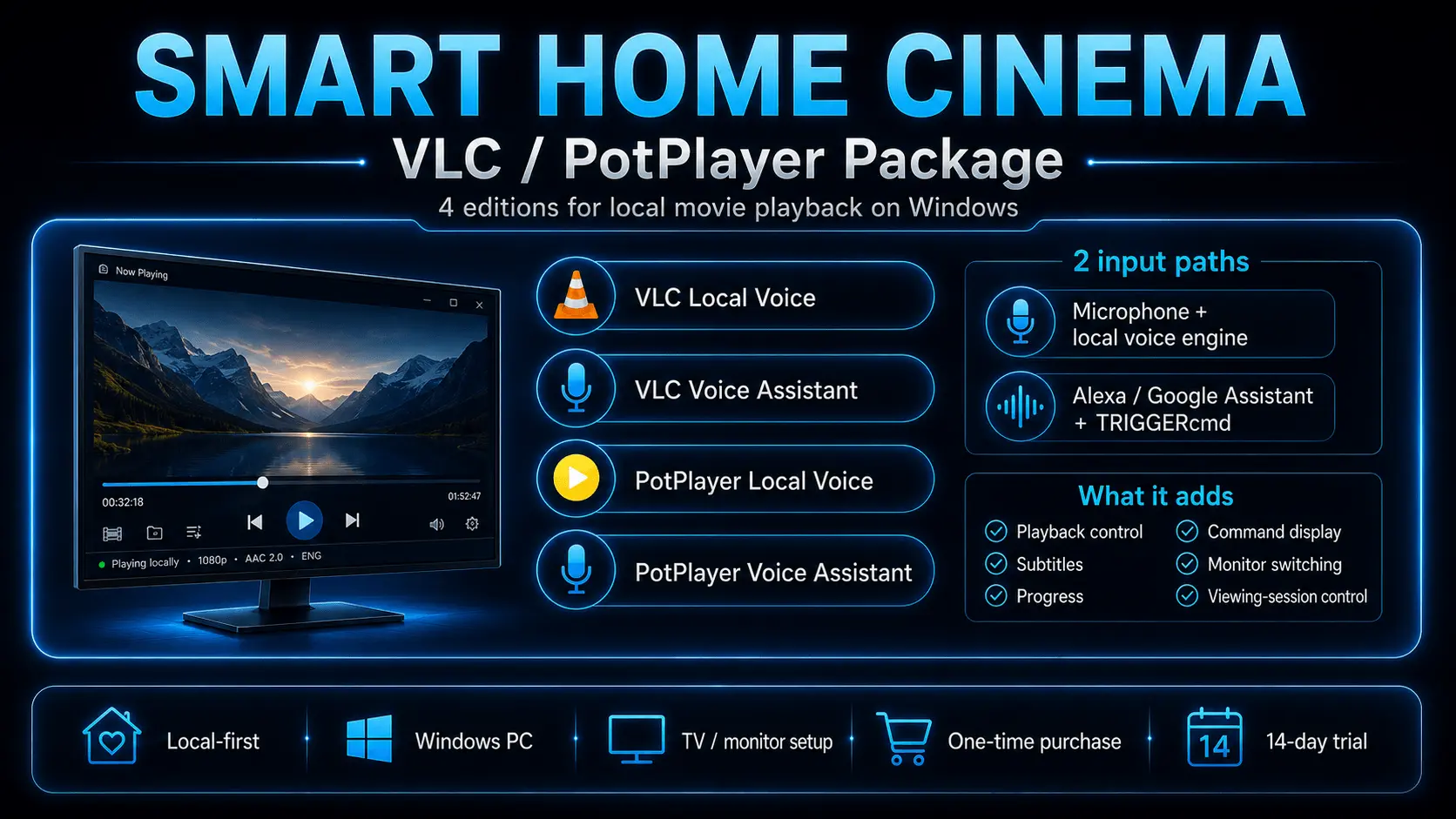
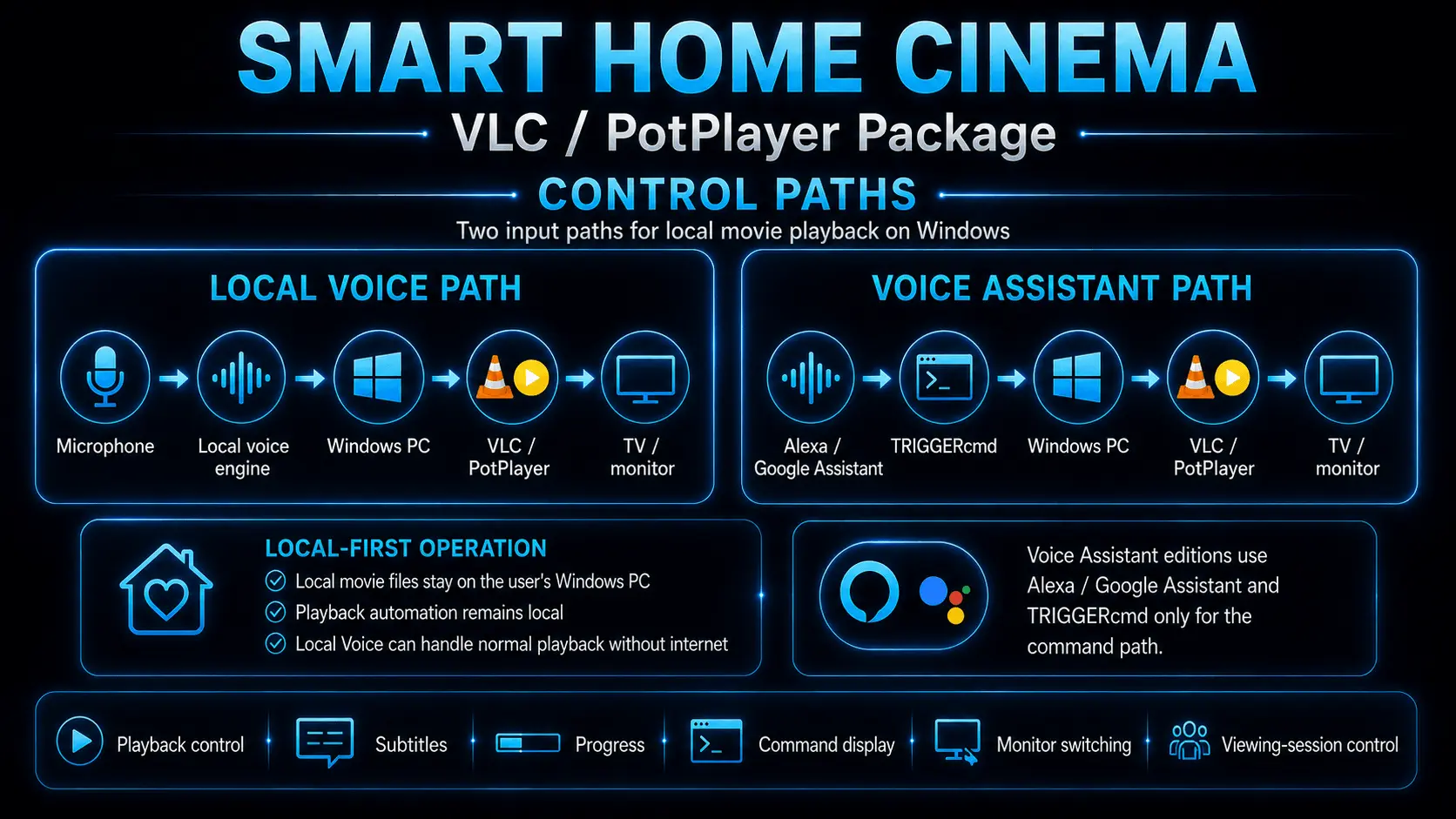
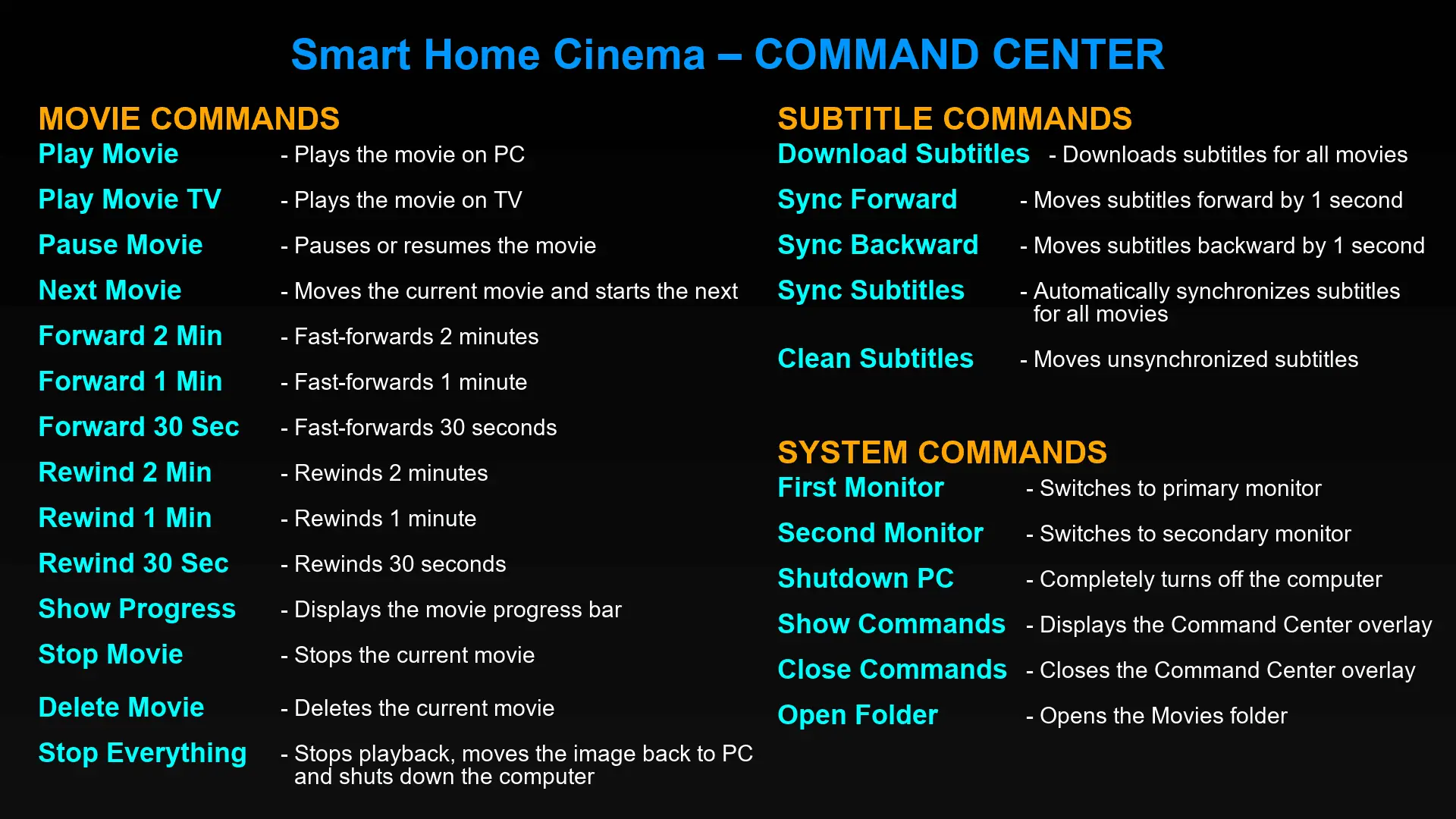
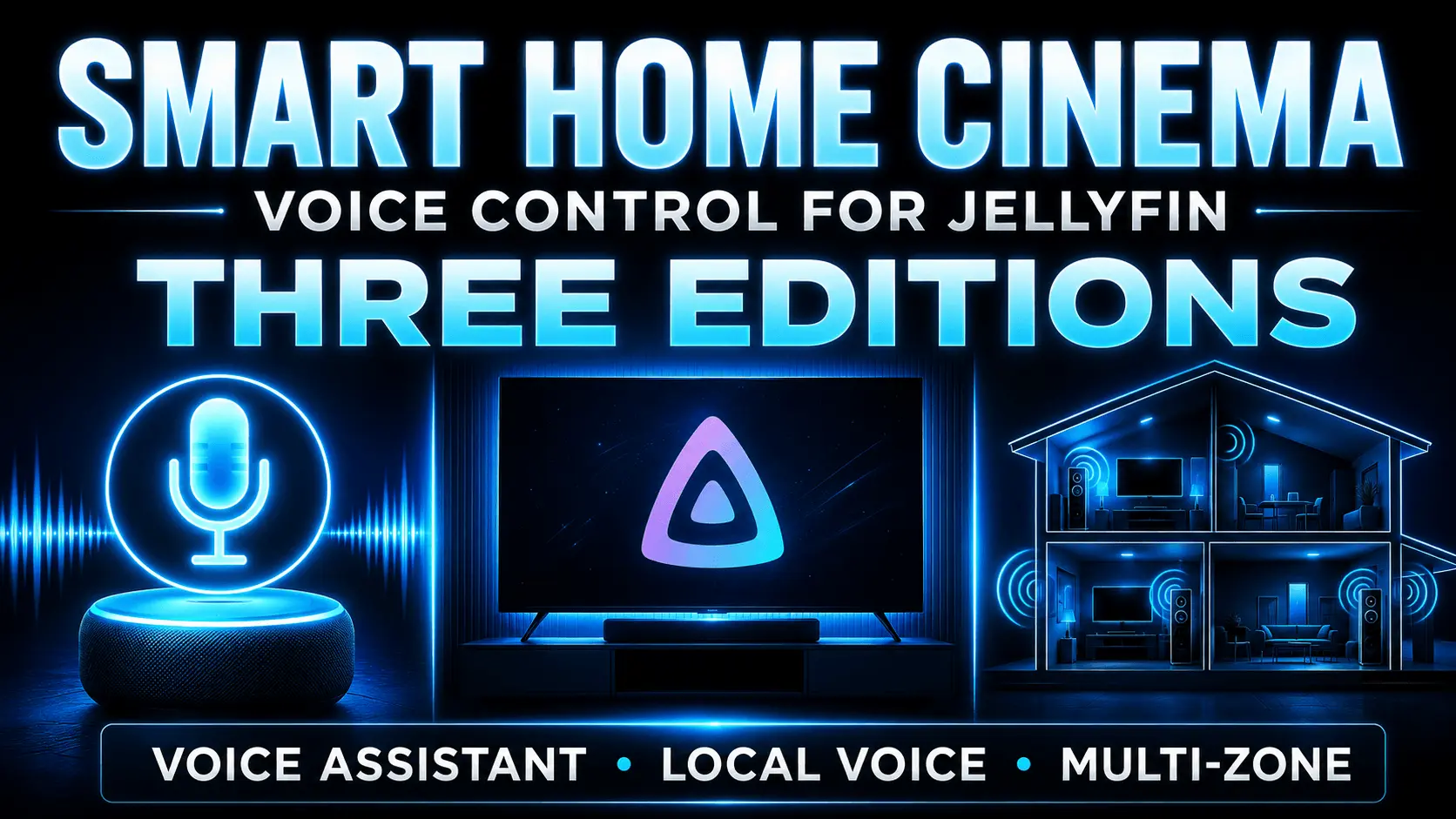
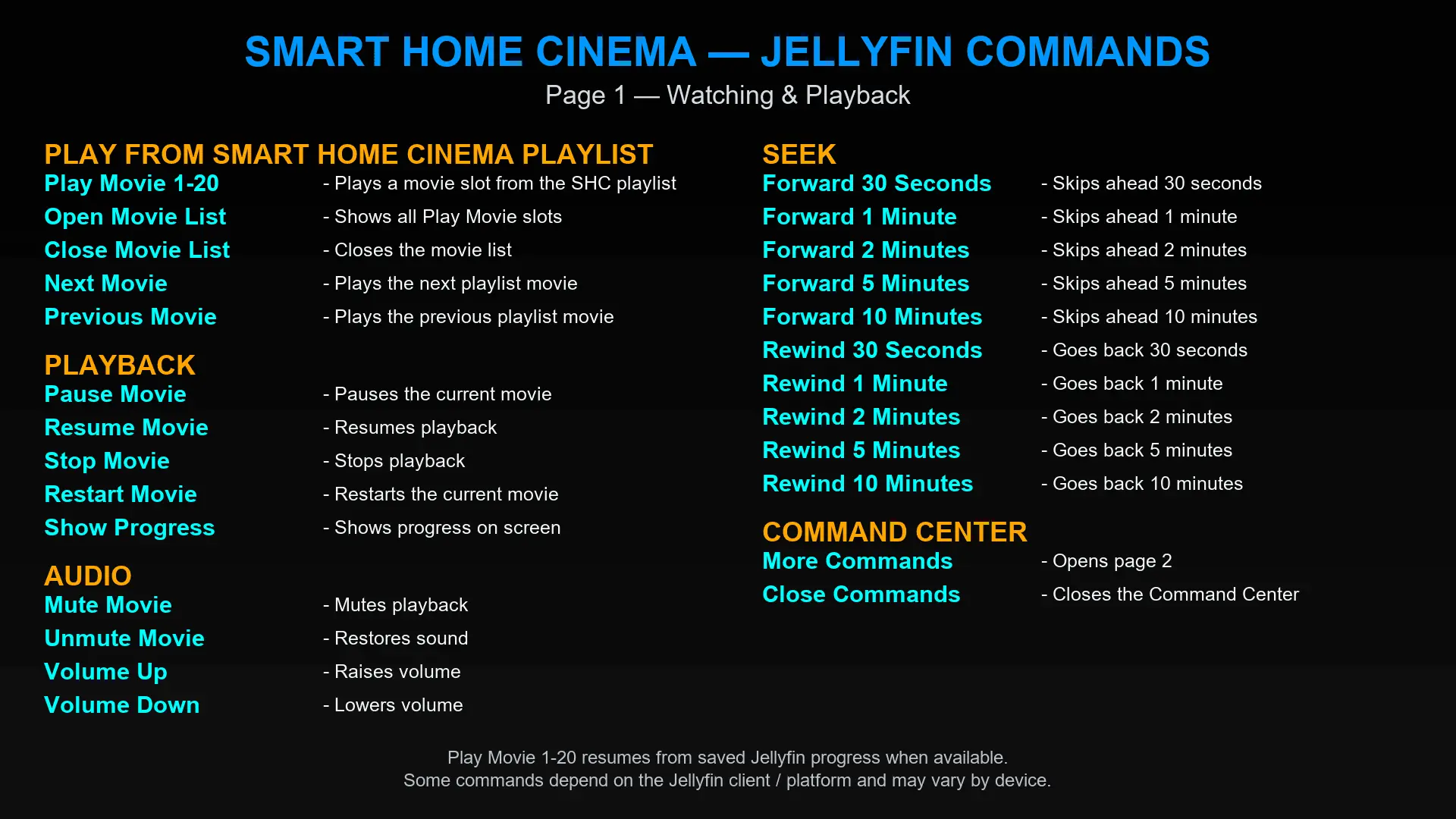
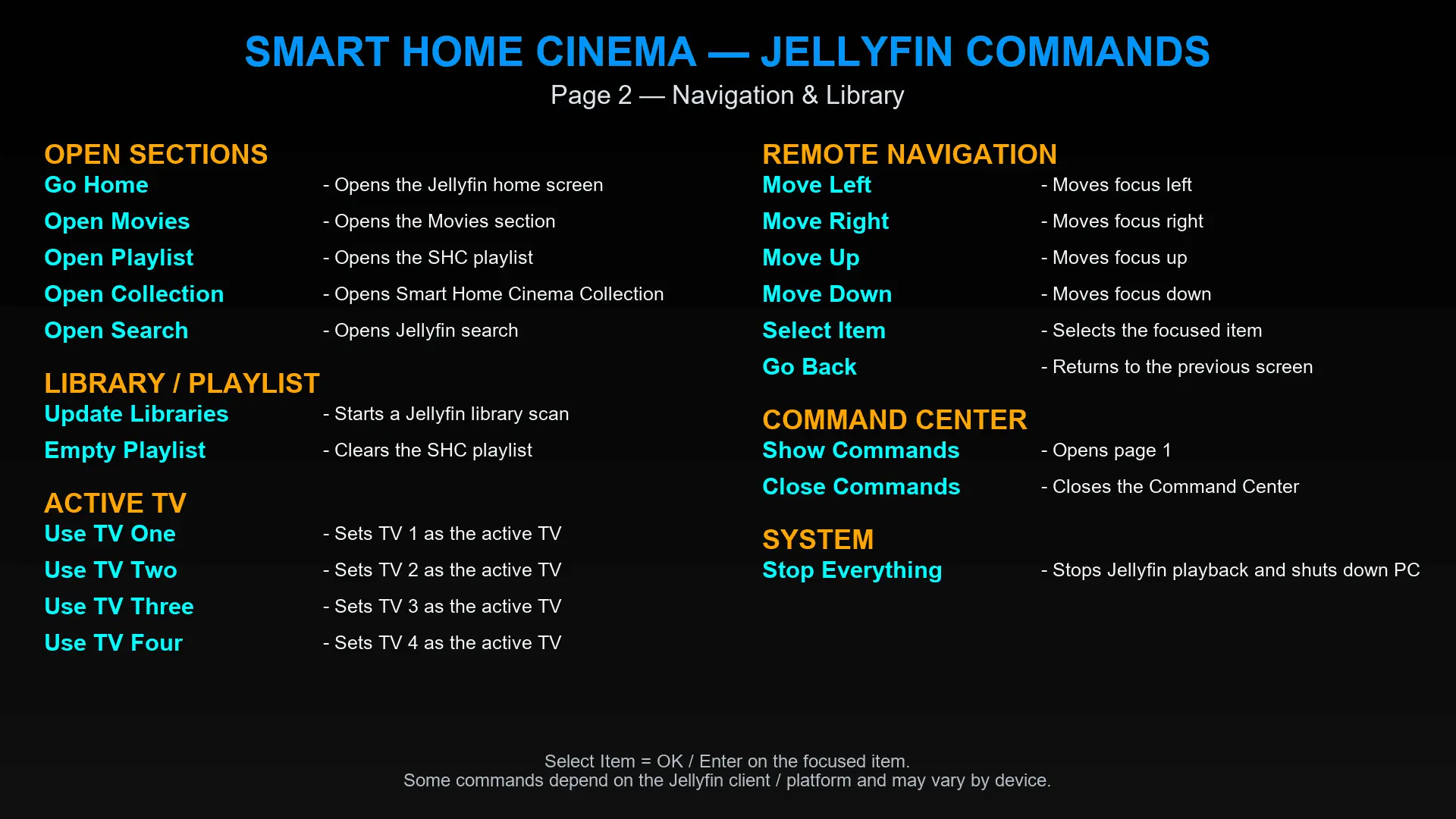
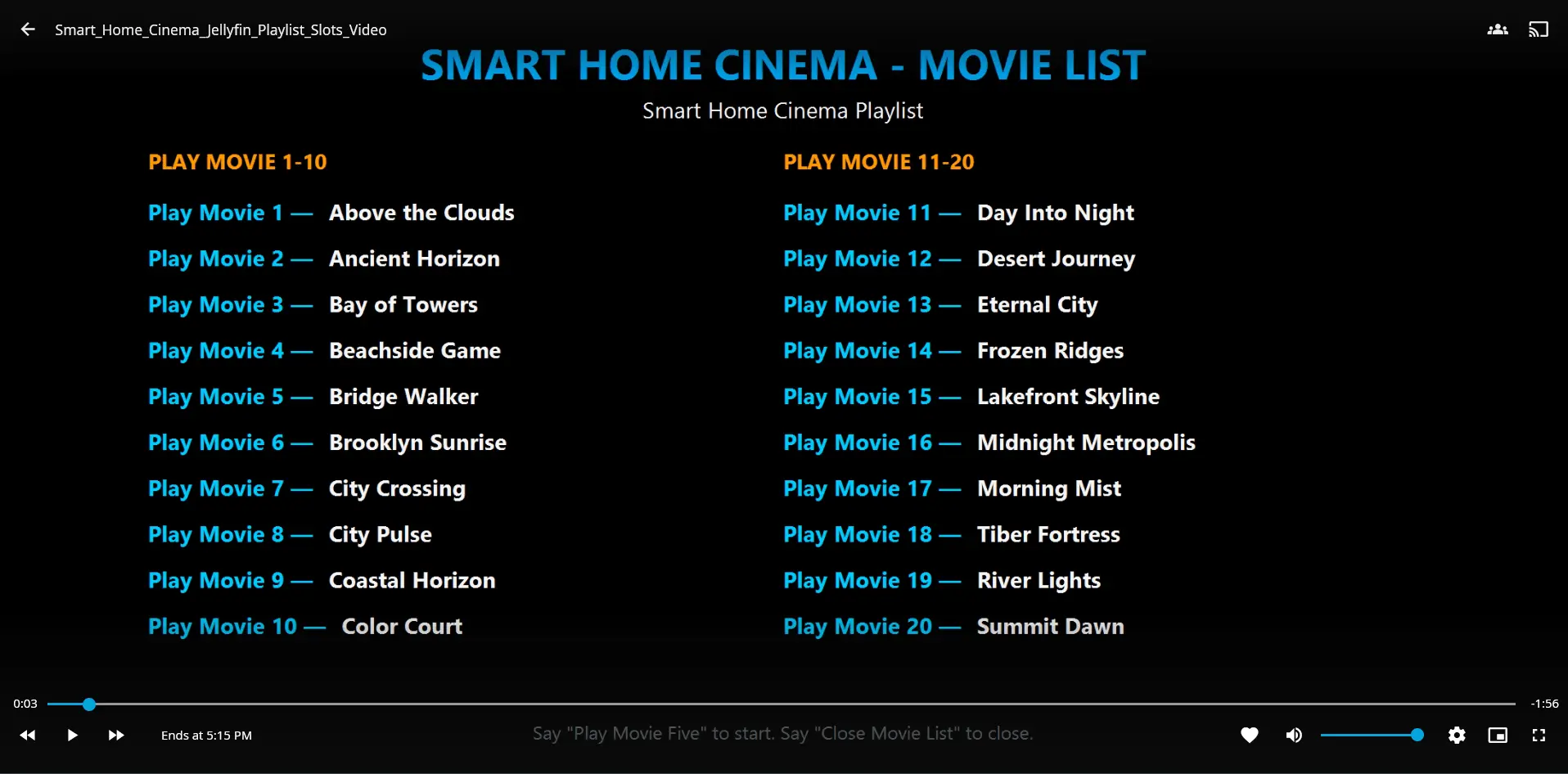
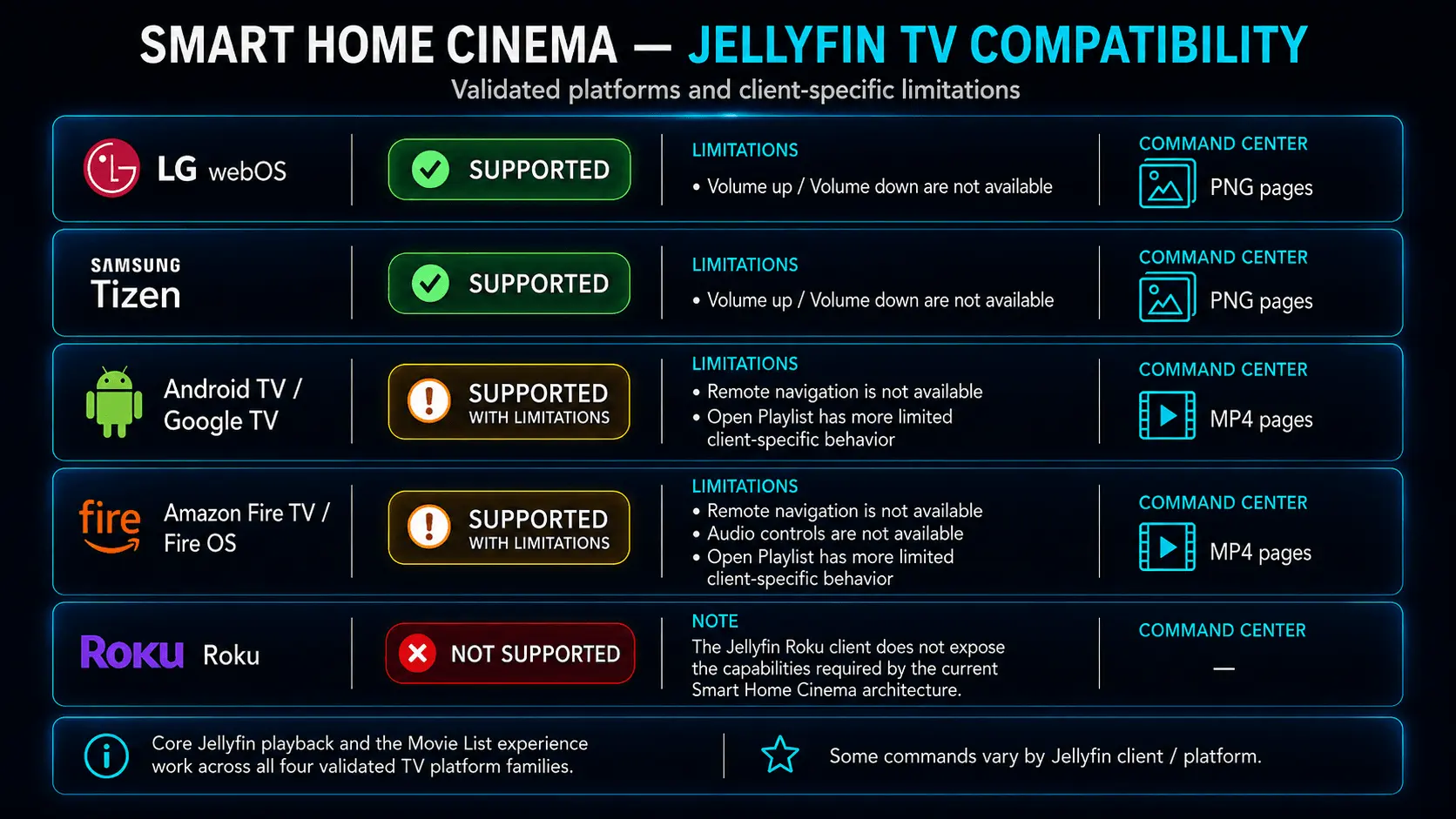
Smart Home Cinema is a Windows voice-control family for home movie playback. It began with local movie control through VLC Media Player and PotPlayer and later expanded with a separate Jellyfin package for users who manage their media through Jellyfin Server and watch through compatible TV clients. Both packages remain active parts of the same product family. VLC / PotPlayer Package The original package is designed for people who play local movie files directly on a Windows PC, often connected to a TV or monitor. It includes four editions: VLC Local Voice, VLC Voice Assistant, PotPlayer Local Voice, and PotPlayer Voice Assistant. Local Voice editions receive commands through a microphone connected to the PC and local speech recognition. Voice Assistant editions receive commands through Alexa or Google Assistant via TRIGGERcmd. The package supports practical movie-session control, including play, pause, resume, stop, next movie, forward, rewind, progress display, command screens, monitor switching, subtitle download and synchronization workflows, local folder actions, and end-of-session commands. Movie files remain on the user’s PC or local storage, and VLC or PotPlayer remains the actual media player. Jellyfin Package The Jellyfin package is for people who already run their own Jellyfin Server and use compatible Jellyfin clients on TVs or streaming devices. Smart Home Cinema does not replace Jellyfin, host the media library, or provide movies. It adds a voice-control and deterministic routing layer around the user’s existing Jellyfin setup. The package includes three editions. Local Voice receives commands through the PC microphone and local speech recognition. Voice Assistant and Multi-Zone receive commands through Alexa or Google Assistant via TRIGGERcmd. Local Voice and Voice Assistant can store up to four configured TV or client targets, with one selected target controlled at a time. Multi-Zone can control up to four independent Jellyfin viewing zones. Each zone can use its own Jellyfin user, TV or streaming device, and Movie List playlist, and commands are addressed directly to the intended zone. The numbered Movie List provides up to 20 positions, making selection predictable even when titles are similar, repeated, or difficult for voice systems to interpret. The Jellyfin package also supports playback control, seeking, restart, progress display, library updates, playlist access, command screens, and additional navigation or audio commands where the selected Jellyfin client exposes those capabilities. The core Jellyfin playback and Movie List experience has been validated across LG webOS, Samsung Tizen, Android TV / Google TV, and Amazon Fire TV / Fire OS. Some commands vary by client platform. Privacy and local-first operation Smart Home Cinema is designed around the user’s own Windows PC, local network, playback tools, and media environment. It does not collect usage analytics, playback history, media-library data, microphone audio, recognized speech, or command history. Licensing communication occurs only when required for trial initialization, license activation, or a license rebind. After activation, Smart Home Cinema does not perform continuous online license checks or periodic background verification. For the Jellyfin package, commands are exchanged between Smart Home Cinema on the user’s PC, the user’s own Jellyfin Server, and the configured Jellyfin clients. Smart Home Cinema does not host, monitor, or receive that Jellyfin traffic. Voice Assistant and Multi-Zone use third-party services for command input, and those services operate under their own privacy policies and technical conditions. License and trial A single Smart Home Cinema license covers both the VLC / PotPlayer and Jellyfin packages on one Windows PC. The license is a one-time purchase, with no subscription or recurring fees. A full 14-day free trial is available. No credit card is required to download or use the packages, and the trial provides full functionality throughout the 14-day period. Smart Home Cinema supports one installed edition per Windows PC at a time. To switch editions, the current edition must be uninstalled before another one is installed.
Screenshots
Reviews (1)
Average 5.0 out of 5
Based on 1 review

appreciate the product, good luck!
Comments (2)
Thank you, @jaisaxena— I really appreciate the support and the kind words!
Control local movies on Windows with your voice. Works with VLC and PotPlayer, runs fully offline, and gives you hands-free playback from bed, the sofa, or anywhere in the room.