
Vigilance
Catch supply chain attacks, not false alarms

npm install -g vigihqDetails
- Follow on
- Categories
- Target Audience
- Pricing
- Freemium
- Alternatives
 Socket alternatives
Discovery signals
How AI and people discover Vigilance on PeerPush
About Vigilance
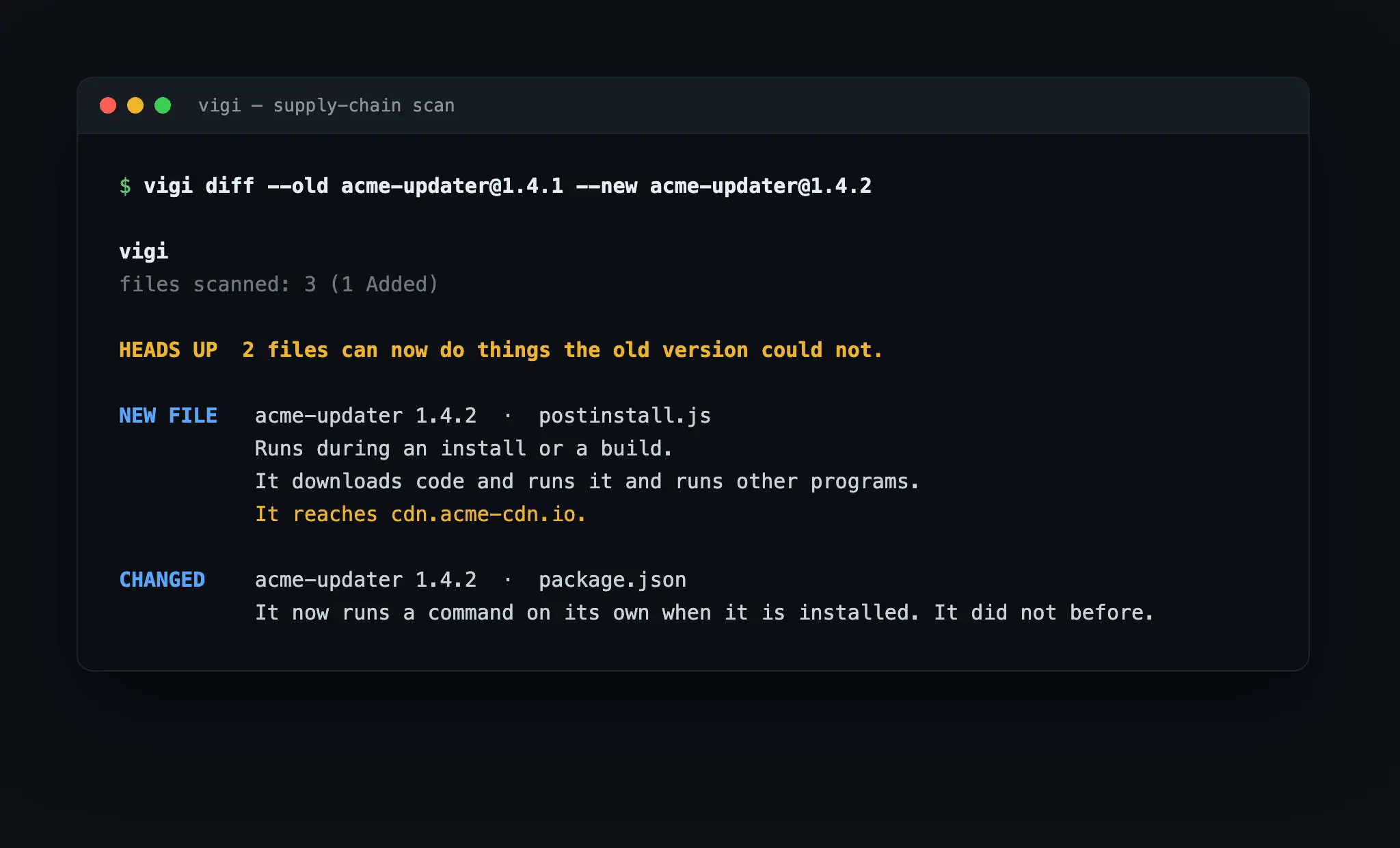
Most scanners report every file that changed. A normal software release changes hundreds of files. Nobody reads them all, so people stop looking. That is how a poisoned update gets in. Vigilance watches one thing. It watches what a file can now do that it could not do before. It reads the machine code. It finds the file that just gained the power to run commands, reach the network, read secrets, or write to disk. Then it tells you in plain words. Take a package that ships version 1.4.2. On the surface it is a small bump. Vigilance reads it and reports the truth. A new file now runs during install. It downloads code and runs it. It reaches an outside server. The old version did none of that. You see the attack in one line, before it runs. Why it is different: - It scans what others skip. Folders, archives, installers, and binaries. Over 40 formats, down to the bytes inside a package. - It runs offline. Nothing leaves your machine. No account, no cloud, no network in the scan path. Your code stays yours. - It reports new power. A file that changed but gained nothing stays quiet. You hear only about files that can now do something new. - It signs every result. A teammate trusts the record without a rerun. Nobody edits a past decision in secret. - It is one command on Mac, Windows, and Linux. It drops into your build in minutes. When a dependency crosses a line, it fails the build. Who it is for. Security teams and developers who ship software and pull in other people's code. Anyone who must trust a dependency, an update, or a build before it runs in production. A poisoned update looks normal, so a file-change list cannot catch it. Vigilance reads what each file gained the power to do. It catches the attack as it arrives, before it does harm. Vigilance is free to start. Paid tiers cover teams and whole fleets.
Screenshots
Reviews (2)
Average 5.0 out of 5
Based on 2 reviews


Comments (2)
Focusing on what a file newly gains the ability to do, rather than every changed file, is a sharp approach to reducing alert fatigue. The offline scan and signed results also stand out.
How does it handle a legit update that adds a network call on purpose, like auto-update or telemetry? Is there a way to allow that behavior for a specific package?
We review every flag. Major versions often add a network call on purpose, and we triage those. In a minor or patch release, a new call is almost always suspect. We bench nightly and keep tuning to flag only the malicious.