
Visual REST Client
Graphical UI for .rest and .http files in VS Code - free!

Details
- Categories
- Use Cases
- Target Audience
- Pricing
- Free
- Platforms
Discovery signals
How AI and people discover Visual REST Client on PeerPush
By AI reads among Developer Tools tools
457 AI reads in the last 30 days, ranked against every Developer Tools tool listed.About Visual REST Client
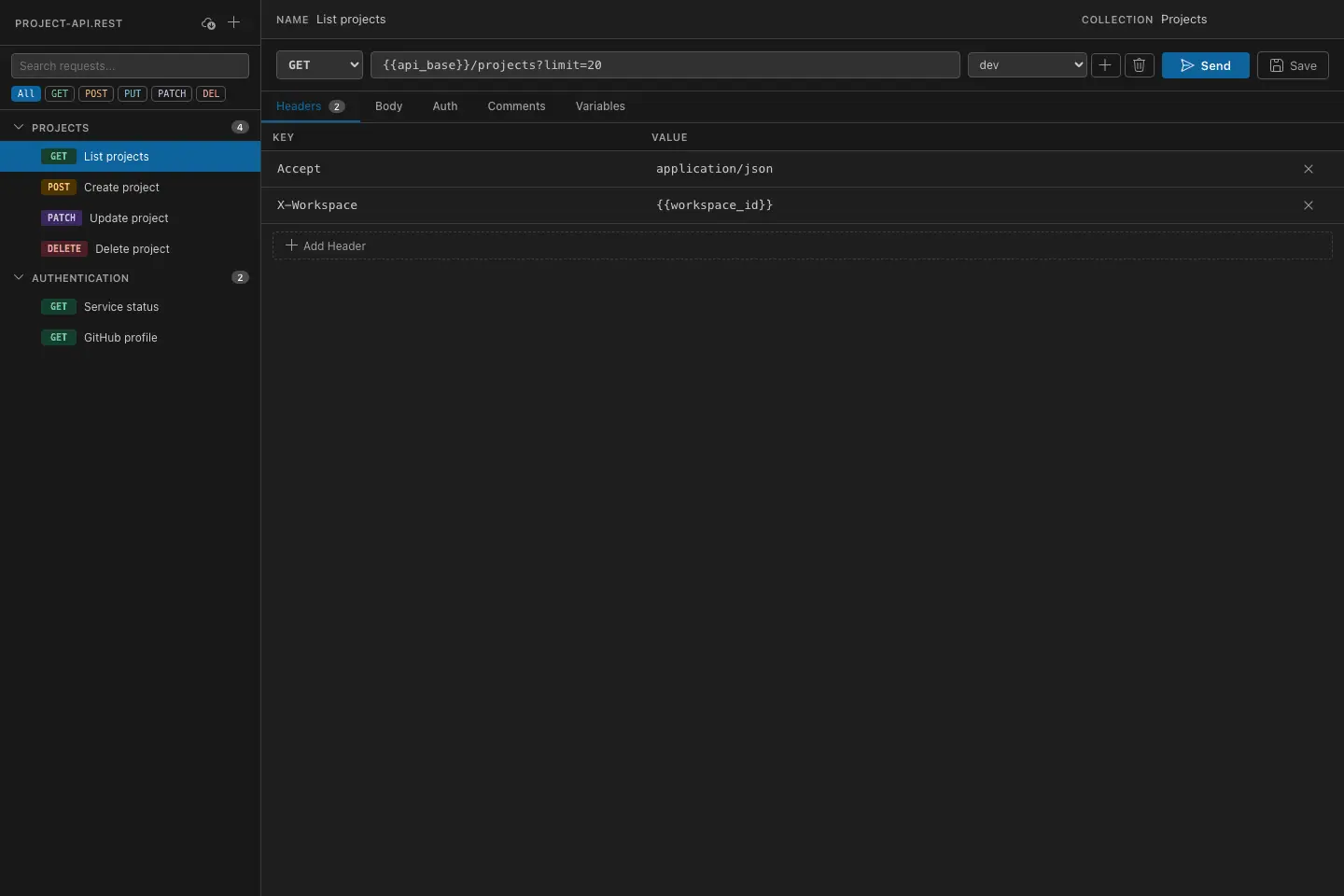
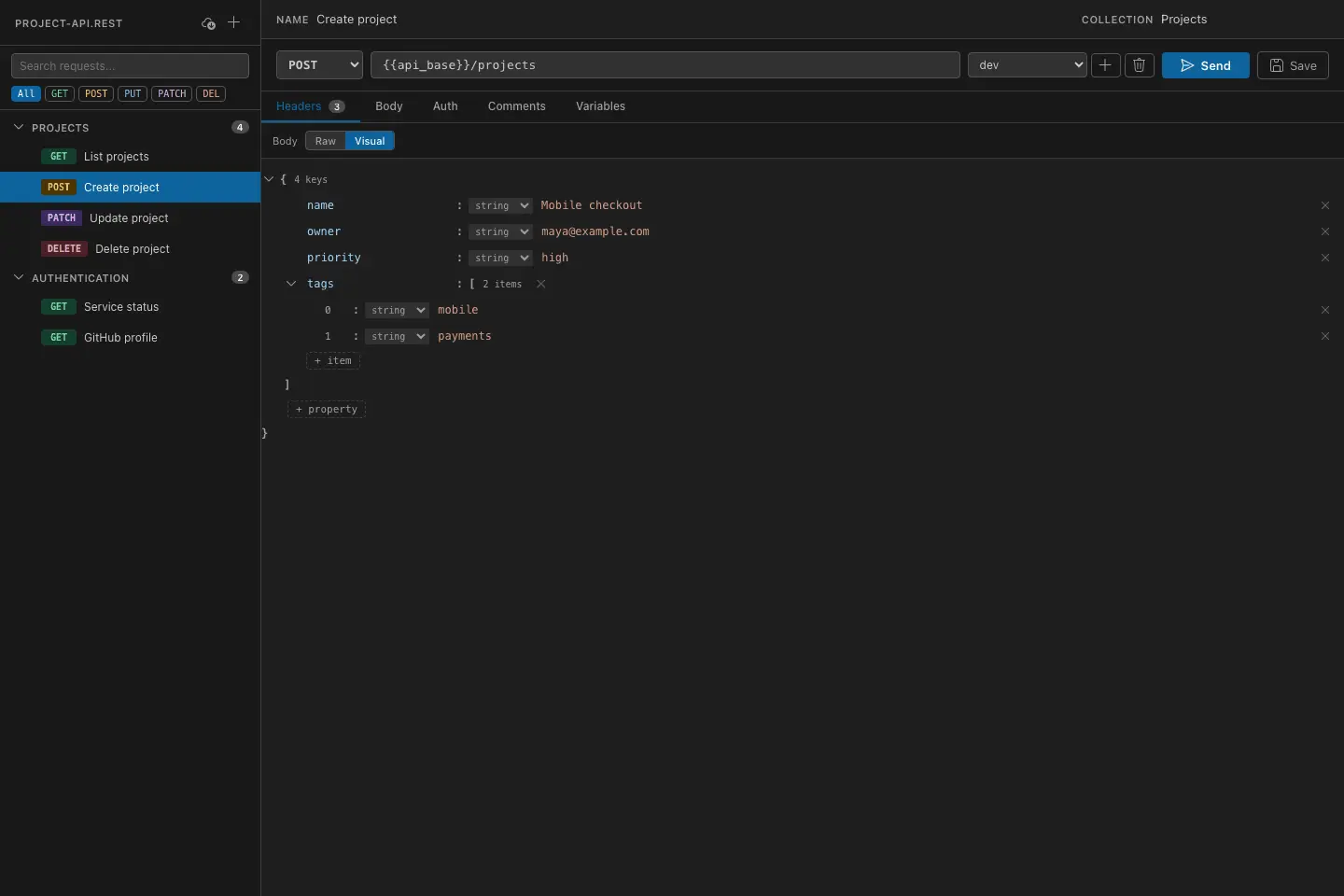
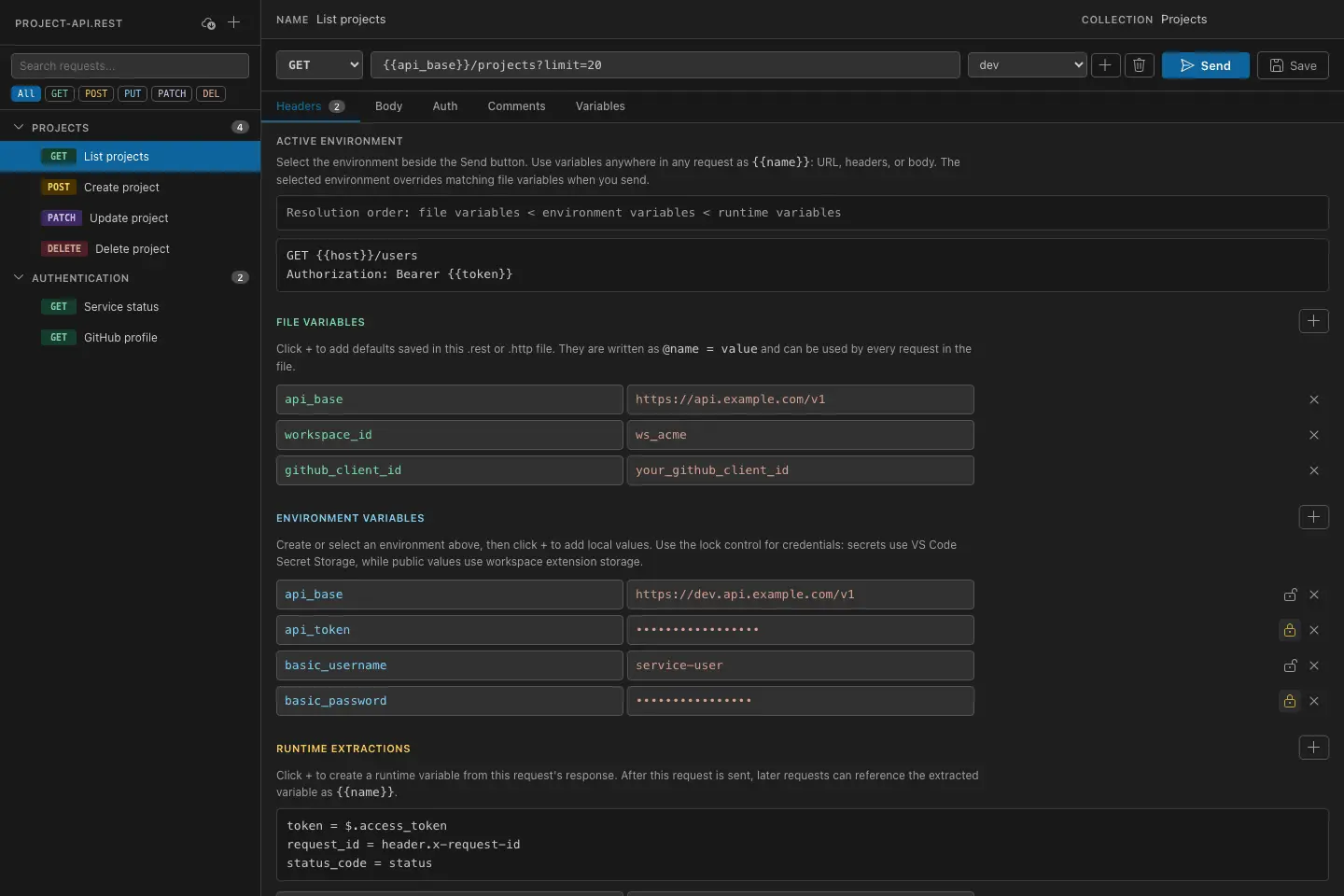
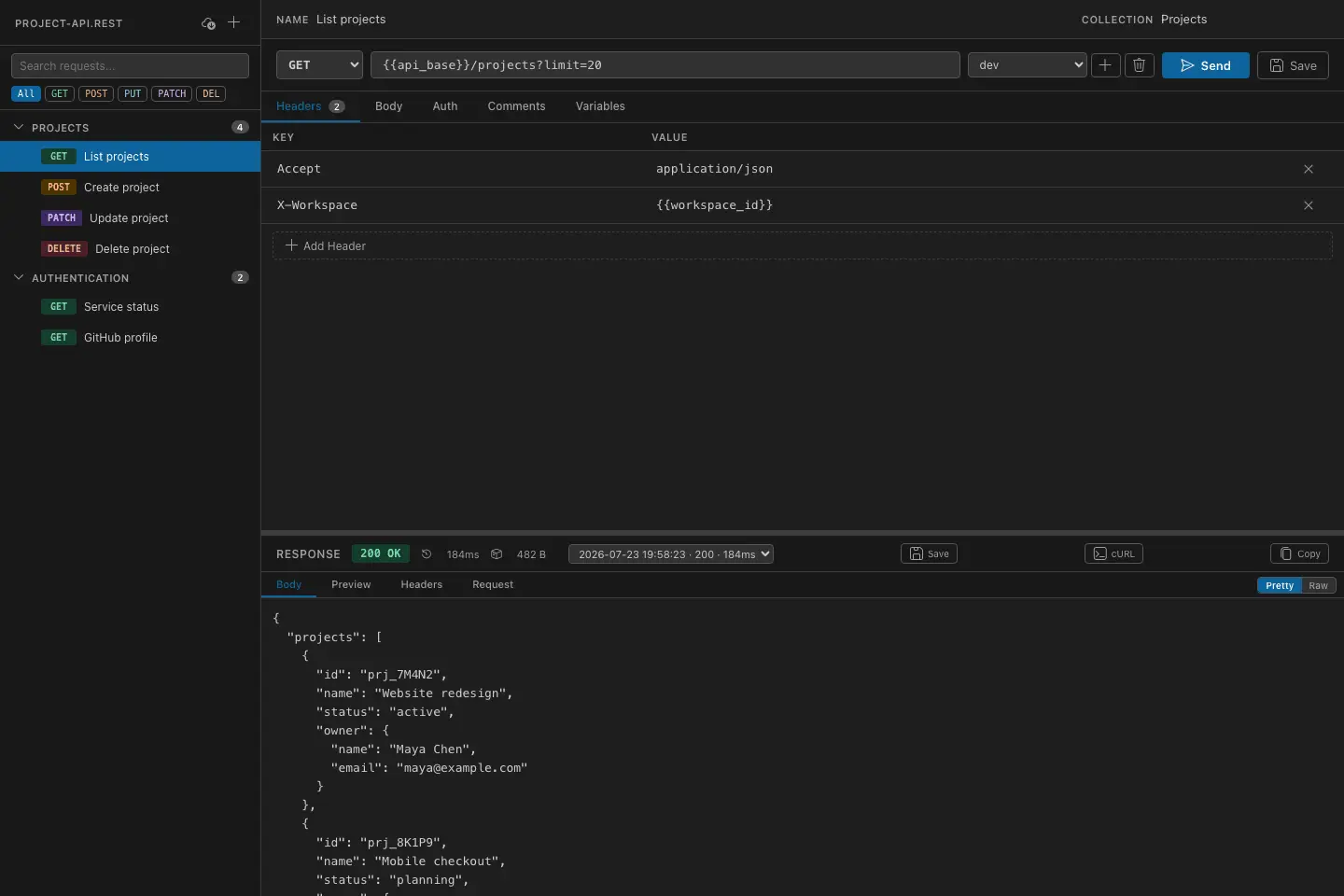
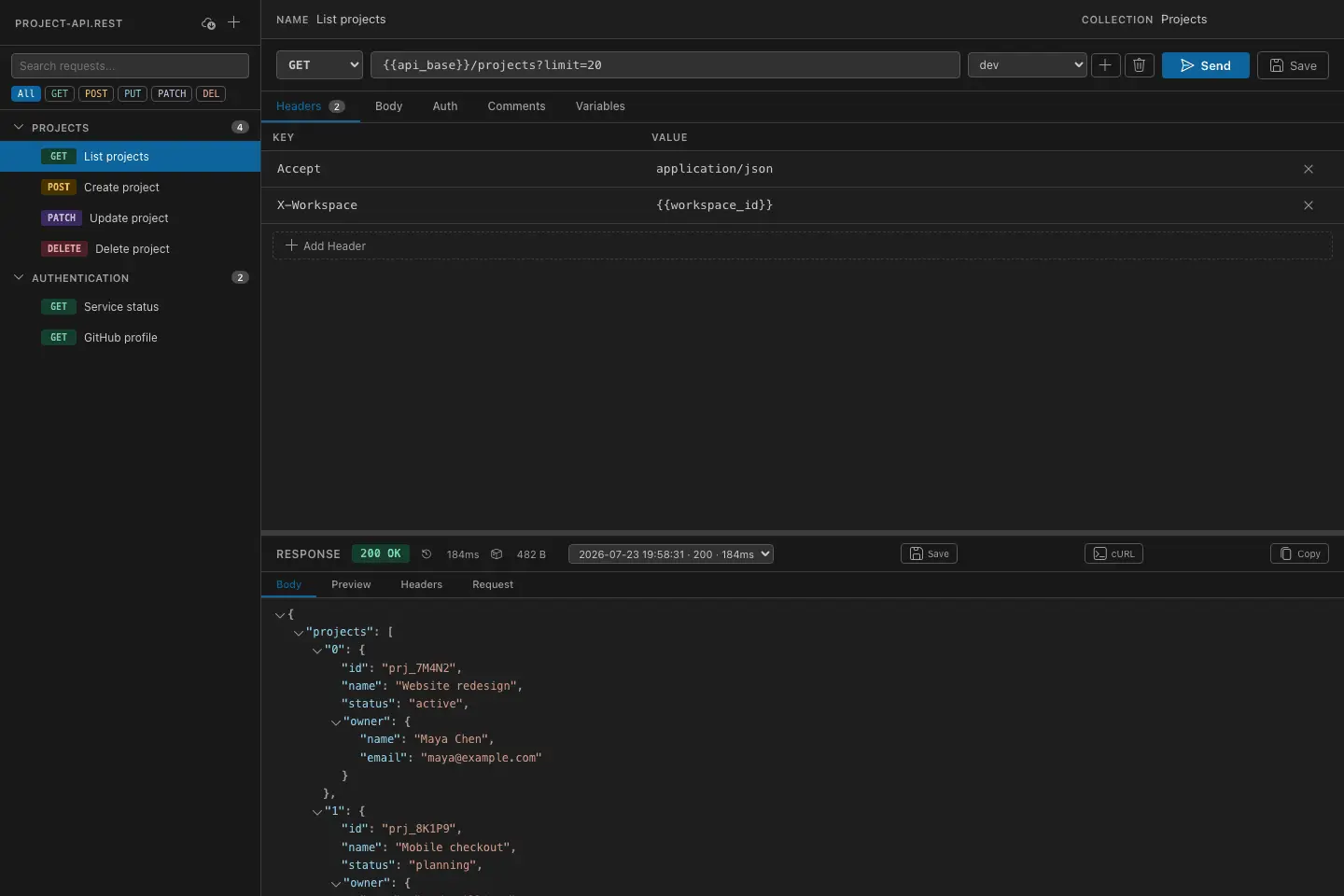
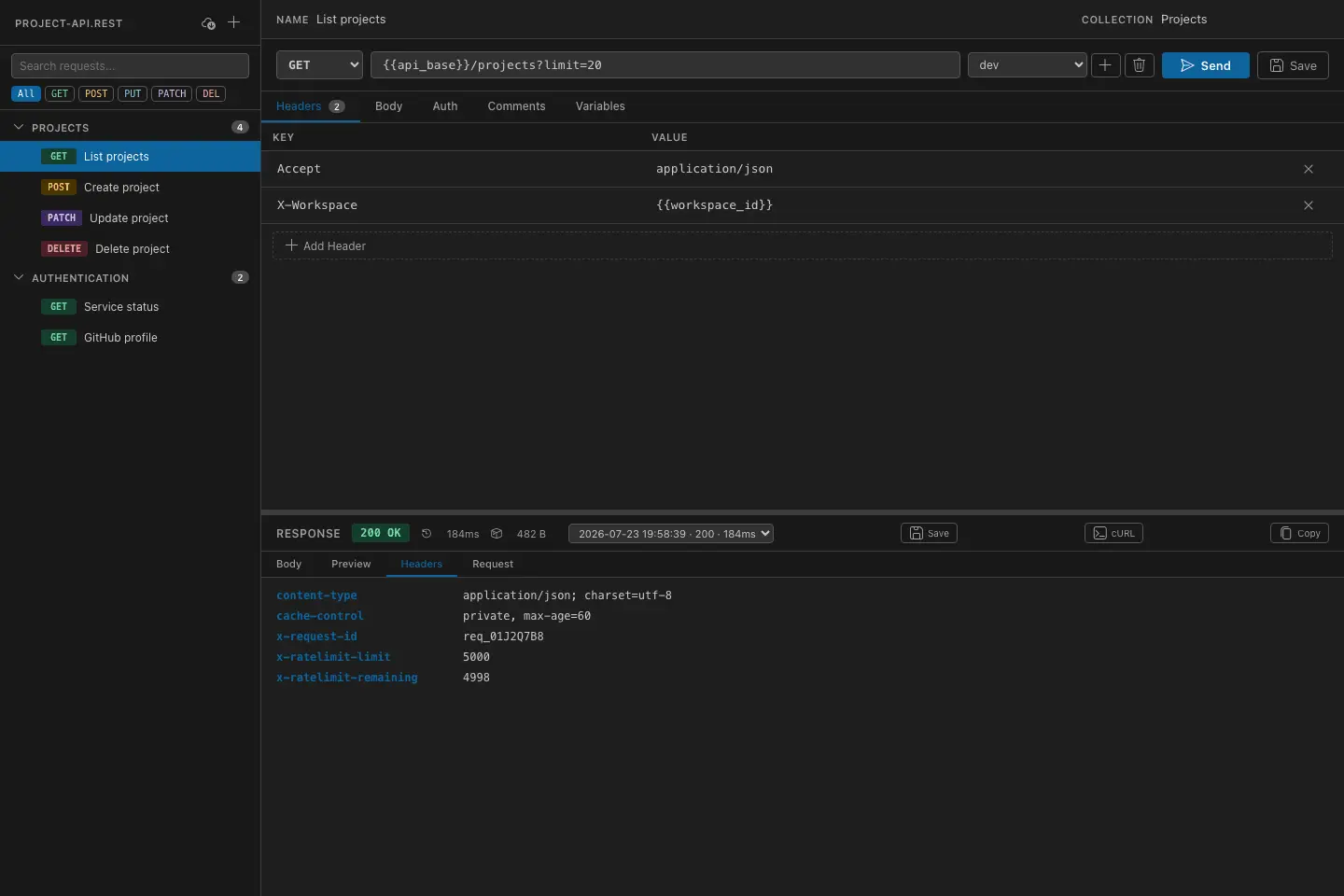
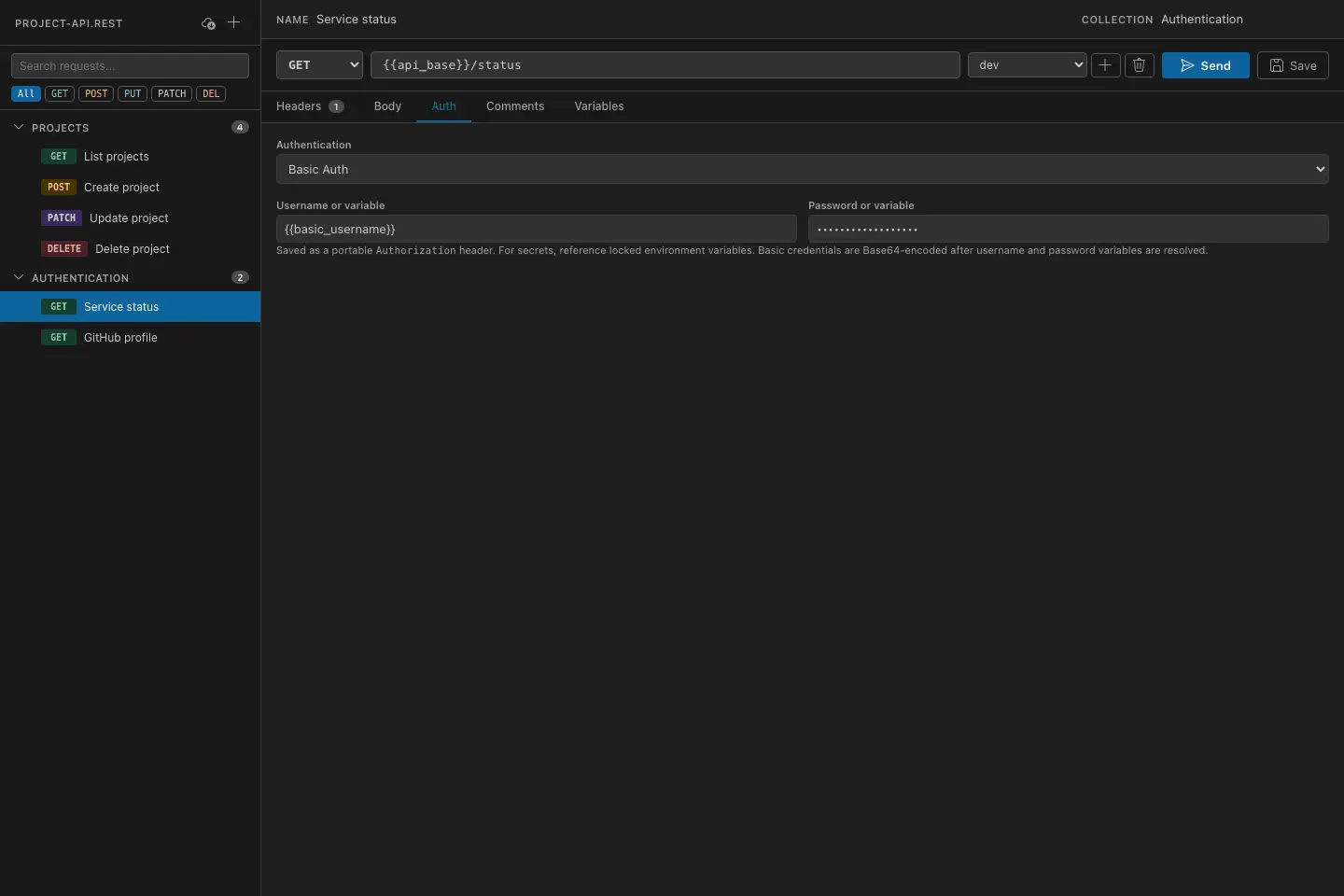
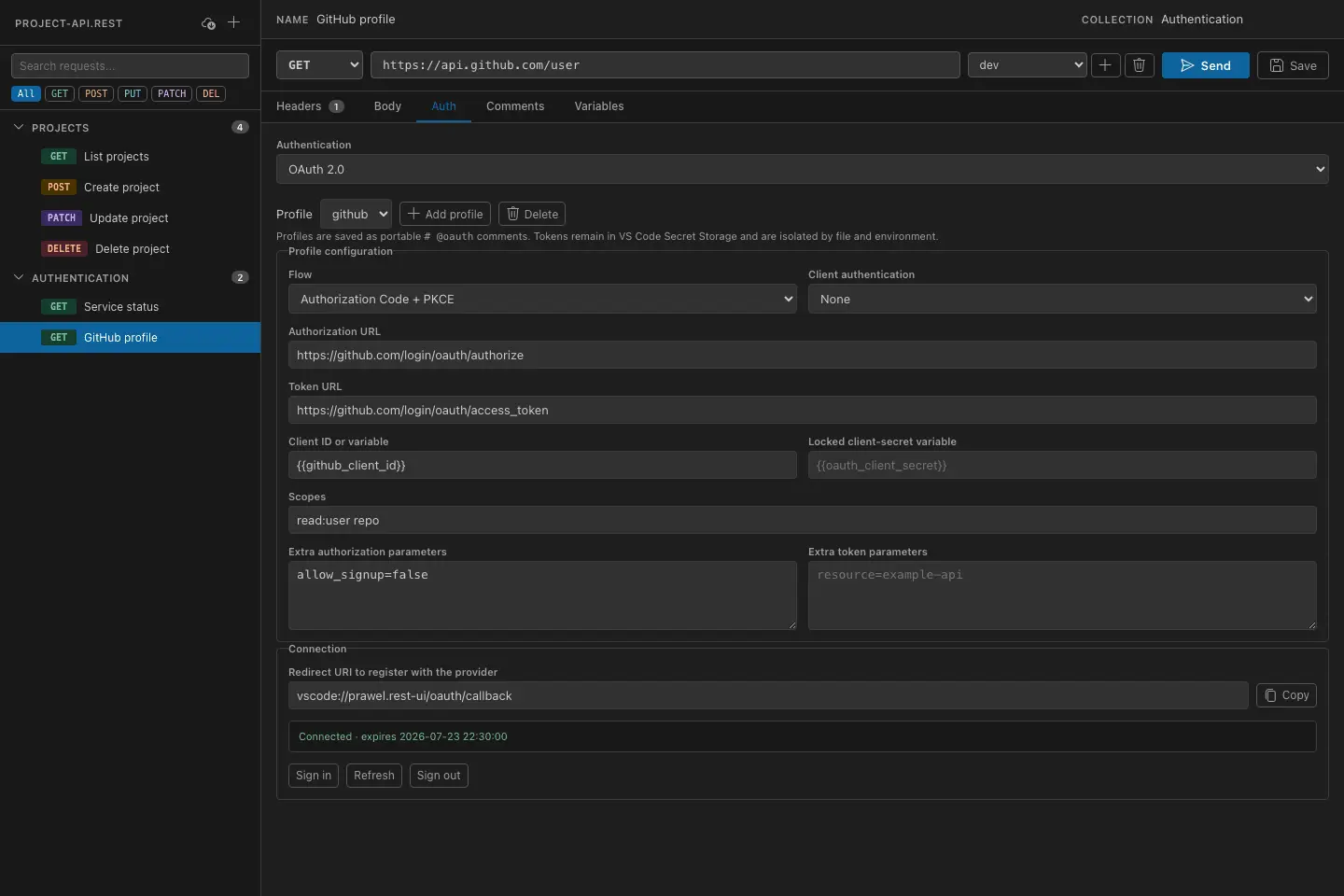
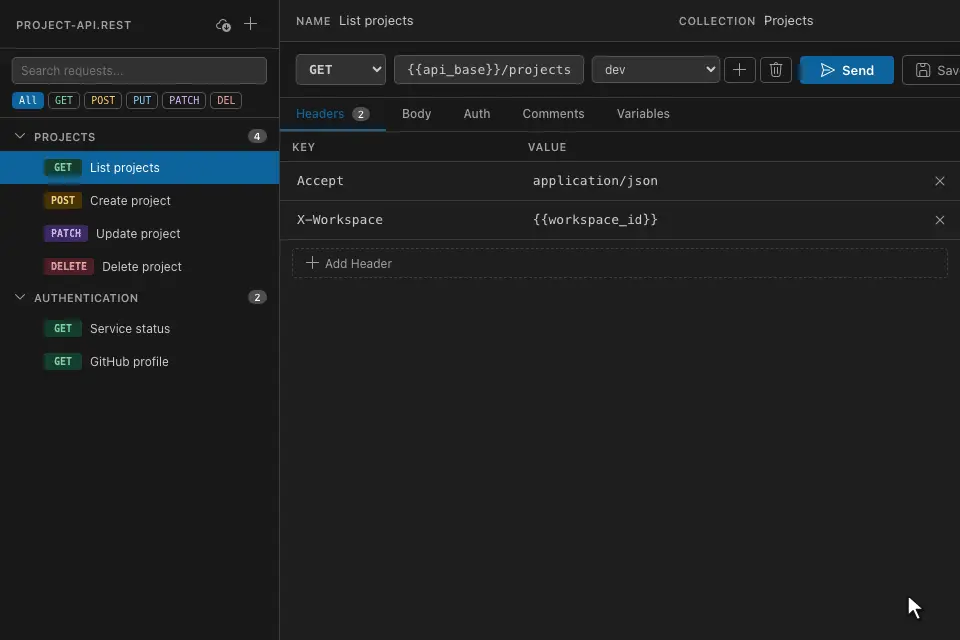
A visual REST client for VS Code that edits `.rest` and `.http` files, so your existing files keep working while you get a graphical editor for requests, variables, responses, and collections. Build requests with method selectors, header and query-param tables, JSON and GraphQL body editors, comments, and multipart uploads. Handle real workflows with file and environment variables, runtime extraction rules for chaining requests, Bearer, Basic, and reusable OAuth 2.0 auth, cookie management, per-request history, and cURL export with secrets redacted. Postman Collection import included. Your files stay plain text and fully compatible — switch freely between the visual editor and the built-in text editor. Download for VS Code: https://marketplace.visualstudio.com/items?itemName=prawel.rest-ui Download for iOS: https://apps.apple.com/us/app/visual-rest-client/id6813028067
Screenshots
Product Updates (9)
1.4.0
- Ignore named environment templates such as `.env.sinco.example`, `.env.test.sample`, and `.env.dev.template` in the environment selector. - Prevent unfinished header rows from adding stray `: ` lines before request bodies when editing headers or saving repeatedly. - Keep extracted runtime variables available when switching tabs or closing and reopening a REST file during the same VS Code window session.
Comments (0)
No comments yet. Be the first to share your thoughts!
1.3.0
- Import native RapidAPI / Paw `.paw` binary documents directly, including nested folders, headers, raw and GraphQL bodies, and a choice of included environment values. Unsupported dynamic values and request settings produce import warnings. - Refresh the editor with rounded panels, inset tabs, and a compact request toolbar that follows the active VS Code theme, including light and high contrast themes. Move environment controls above the URL for more editing room. - Access folder rename and move actions from an overflow menu, with descriptive tooltips for new requests and single or collection runs. - Keep unchanged request files unmodified when sending requests or running a collection, preserving body line endings and comment directives. - Inspect runtime extraction results in a dedicated response tab and keep the response header compact by removing the extra sent-environment message. - View assertion results in each response's Tests results tab after sending a request or running a collection, with results retained in response history and a green tick or red cross showing the outcome. - Show the environment used beside the response size and explain why adding an environment is unavailable when environments are loaded from dotenv files. - Use a narrower HTTP method picker with a themed badge for the selected method. Add tooltips to response metrics and environment controls, and truncate long response header names while showing their full names on hover.
Comments (0)
No comments yet. Be the first to share your thoughts!
1.2.0
- Import native Thunder Client collections, with nested folders, inherited authentication and base URLs, enabled query parameters, GraphQL and form bodies, scoped static values, and warnings for features that need manual setup. - Import Insomnia v5 YAML and legacy v4 JSON collections, with nested folders, inherited authentication, scoped variables, an explicit bundled-environment choice, GraphQL and form bodies, and warnings for unsupported features. - Import collections into the currently open REST file or a new file. Current-file imports retain unsaved edits, support undo, and confirm variable conflicts. - Run all requests, a folder, or selected requests sequentially with runtime variable chaining, declarative assertions, cancellation, stop-on-failure, and a result summary. - Keep collection runner options behind Run collection and show request selection checkboxes only when choosing Selected requests, leaving the everyday list clear. - Navigate nested collection folders and rename or move entire folder trees. - Enable or disable individual headers and query parameters without deleting their values; switches persist when files are saved and reopened. - Edit URL-encoded form bodies in a table, including repeated fields and safely encoded variable values. - Configure HTTP/HTTPS proxies, custom certificate authorities, and host-scoped client certificates. Proxy credentials and encrypted-key passphrases are stored securely in VS Code. - Show the environment and host that produced each response and history entry, with a notice when viewing results from another environment. - Report failed runtime extractions and clear their previous values so later requests cannot silently reuse stale results. - Restore response extraction with existing dotted array paths such as `$.[0].title`, and explain collection-run failures with extraction
Comments (0)
No comments yet. Be the first to share your thoughts!
1.1.0
- Import Bruno native and OpenCollection YAML collection folders, including mixed formats, nested groups, inherited authentication, scoped variables, GraphQL, form bodies, and local attachments. Import warnings identify unsupported features and missing environment or runtime values before sending. - Greatly reduced the extension package size to about 460 KB.
Comments (0)
No comments yet. Be the first to share your thoughts!
1.0.1
### Added - Import Hoppscotch collections with nested folders, scoped variables, inherited authentication, GraphQL, and form bodies. A shared Import Collection command detects Postman or Hoppscotch files and reports unsupported features.
Comments (0)
No comments yet. Be the first to share your thoughts!
1.0.0
### Added - Query parameter table that preserves repeated parameters, variable references, existing encoding, and URL fragments. - Cookie inspector with masked values, reveal controls, refresh, and clearing for the active file and environment. - Multipart form-data editor with text and file fields, and whole-file request bodies using portable `< ./file` references. Uploads enforce request-size limits. - Exact-byte response downloads, binary response notices, and text decoding using the response charset. - Postman Bearer, Basic, and API-key authentication import with collection/folder inheritance, request overrides, and warnings for unsupported auth and scripts. ### Fixed - Reject stale visual updates after external document changes and retain pending browser edits in a recovery copy instead of overwriting external requests. - Isolate extracted runtime variables by file and environment, including late responses after switching environments. - Bind cached OAuth credentials to the resolved profile configuration; changing the client, endpoint, scopes, or credential parameters requires fresh tokens.
Comments (0)
No comments yet. Be the first to share your thoughts!
0.2.2
### Added - GraphQL body mode with separate query and JSON variables, formatting, syntax diagnostics, operation selection, and drafts retained across request switches. - GraphQL POST queries and mutations through the existing auth and HTTP sender, including REST Client-format compatibility and JSON-safe variable resolution. - Expandable GraphQL response errors alongside HTTP status and partial data. - Postman GraphQL body import.
Comments (0)
No comments yet. Be the first to share your thoughts!
0.2.1
### Added - Added an extensible opaque-postamble parser for compatibility with external `.rest` tooling, including httpyac script blocks and assertions and IntelliJ-style response handlers. - Added standards-based, in-memory cookie jars that reuse response cookies in redirect hops and later requests while isolating sessions by REST file and active environment. ### Fixed - External post-response syntax is no longer displayed or sent as part of the request body and remains byte-for-byte intact when the body is edited. - Inline variables such as `{{username}}`, malformed script blocks, and unrecognized body text remain part of the request body.
Comments (0)
No comments yet. Be the first to share your thoughts!
0.2.0
### Added - Added case-insensitive response find in the tab bar for Body, Preview, Headers, and Request, with highlighting, result counts, wraparound navigation, and `Ctrl/Cmd+F` focus. - Preview navigation expands collapsed parent values and reveals matches inside long strings while retaining the JSON path context. - Added automatic root-level `.env` / `.env.*` environment loading with workspace-storage fallback and import/export migration tools. - Environment values are now masked by default with an accessible per-row reveal control independent of Secret Storage locking. ### Changed - Dotenv-backed environments are read-only in the Variables panel; migration actions deliberately move the full catalog between dotenv files and VS Code workspace storage. - Dotenv loading is workspace-root aware; migration is disabled in multi-root workspaces to protect the existing workspace-wide managed catalog. - Import and export warn that dotenv files are plaintext and are not automatically ignored by Git. ### Fixed - Aligned Method, URL, environment, Send/Cancel, and Save controls to the same request-bar height.
Comments (0)
No comments yet. Be the first to share your thoughts!
Reviews (2)
Average 5.0 out of 5
Based on 2 reviews

A clean in-editor approach to REST testing that should fit developers who want quick requests without leaving their VS Code workflow.

Comments (1)
A handy developer-focused client inside VS Code; supporting both REST and .http files should keep API testing pleasantly lightweight.