
Quartz Studio
Turn Windows actions into professional guides.

Details
- Follow on
- Target Audience
- Pricing
- One-time from $14.99
- Platforms
Discovery signals
How AI and people discover Quartz Studio on PeerPush
By AI reads among Writing & Documentation tools
13,416 AI reads in the last 30 days, ranked against every Writing & Documentation tool listed.About Quartz Studio
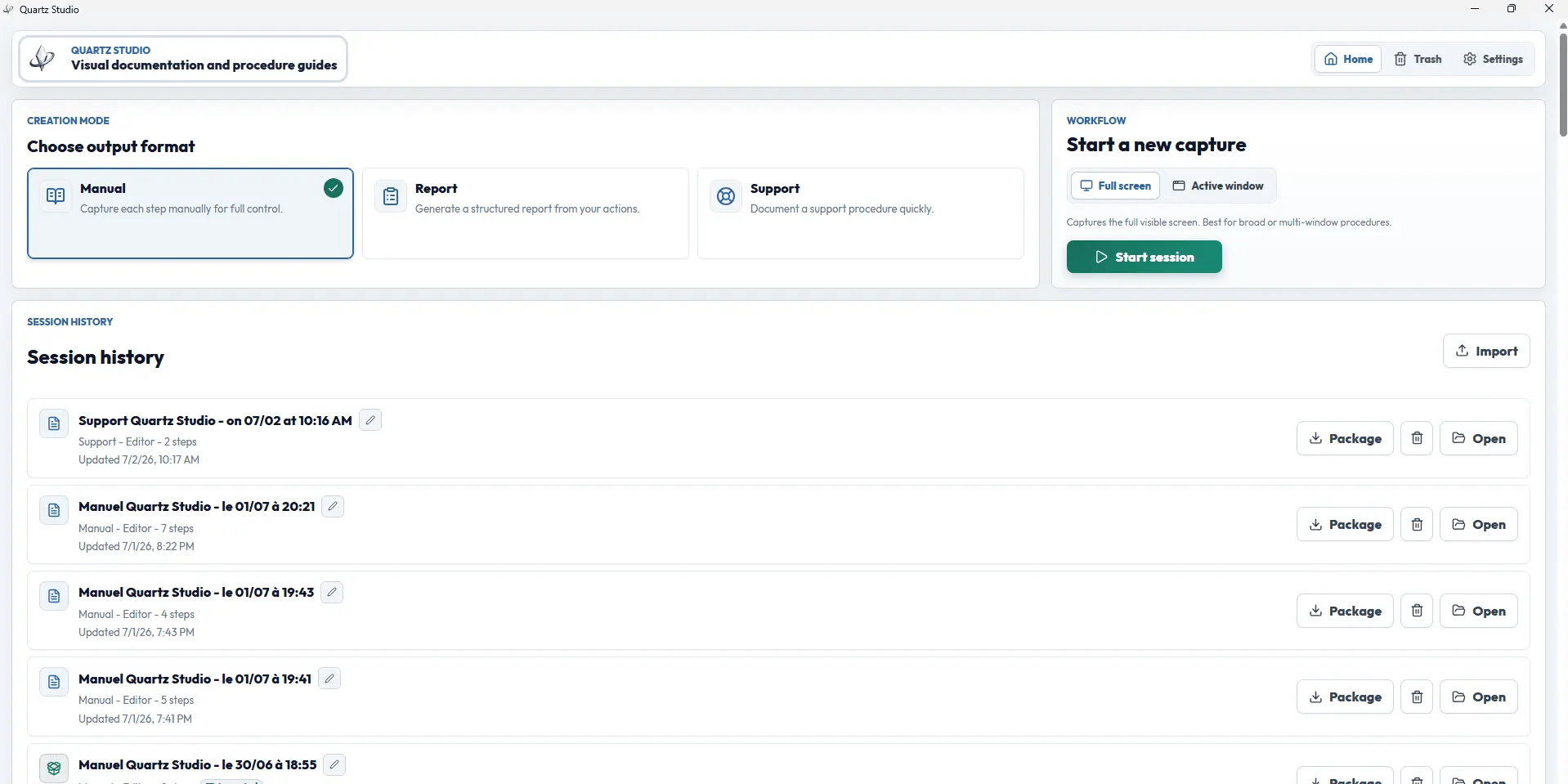
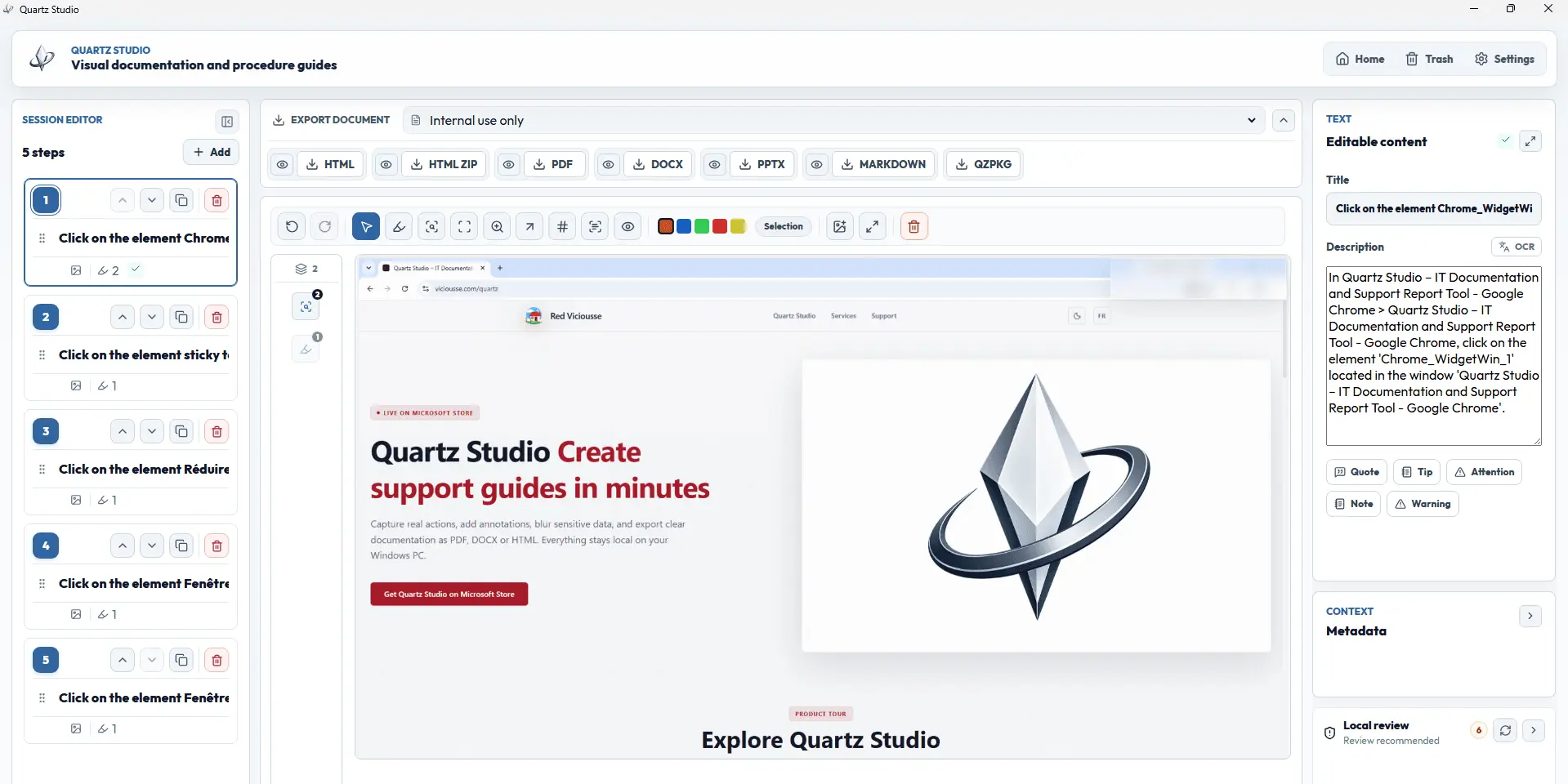
Quartz Studio is a local-first Windows app for creating professional visual documents from real desktop actions. It replaces the manual screenshot → paste → annotate → export workflow with a dedicated environment: consent-based click capture, active-window capture, structured editor, annotations, blur, local OCR, privacy review and exports to PDF, DOCX, HTML, PowerPoint, Markdown or editable package. Quartz Studio is especially useful for IT support, helpdesk, QA, operations, training, technical documentation, incident reports, test evidence and internal procedures. Unlike cloud-based tools or basic screenshot extensions, Quartz Studio keeps screenshots, OCR and documents locally on the user's PC. The app does not log keystrokes and does not require a SaaS account. Available on Microsoft Store with a one-time lifetime license.
Screenshots

Product Updates (2)
Version 0.4.5 — A clearer, more professional experience
This update enhances the overall Quartz Studio experience with simpler text, improved readability, and a more consistent presentation across the entire app. The main screens, editor, exports, and settings have been refined to make creating, reviewing, and exporting your documents even smoother.
Comments (0)
No comments yet. Be the first to share your thoughts!
Quartz Studio is evolving fast
Version 0.4.4 — More export formats, better structure and more control before sharing. - Added active-window capture for cleaner documentation. - Added PowerPoint, Markdown, HTML ZIP and editable .qzpkg exports. - Added Quartz package import/export to preserve editable sessions. - Improved the structured editor with sections, text-only steps, local images and placeholders. - Added local privacy review improvements before export. - Added document presets for support, QA, incidents, runbooks and technical procedures. - Improved branding options for professional document output.
Comments (3)


The active-window capture feature is a game-changer for creating step-by-step guides. Being able to export to multiple formats - especially PowerPoint and Markdown - makes it easy to integrate documentation into existing workflows. Perfect
@omribenshoham Thank you so much! That means a lot. This update comes directly from real user feedback: cleaner captures, more formats, and safer review before sharing, so teams can document with confidence.
Reviews (16)
Average 4.9 out of 5
Based on 16 reviews

Very good Idea !!
Absolutly perfect! This is very good idea, because creating manuals are lot of time consuming and this tool solve it.

A total game-changer for tutorial creation! The active-window capture is incredibly efficient, and the ability to export directly to PowerPoint and Markdown has saved us hours of formatting. It fits perfectly into our team's workflow.

I've been using this app since day one, and honestly, it's been a total game changer. It saves me so much time, and I can't imagine going back. Keep up the awesome work!

Thank you for this amazing app. It's very useful, easy to use, and well designed. I really appreciate all the hard work behind it. Keep up the great work, and I wish you continued success!
Super useful, thank you Vicious

Comments (4)
Local OCR plus a one-time licence is exactly right for this audience. Helpdesk and QA often literally can't send production screenshots to a cloud processor, and per-seat subscriptions die in procurement. Can a second person edit a .qzpkg?
Can I integrate a table into the output document ?
@mounirboukhari Not realy a table, what are you needs?
Check the new updates!
Quartz Studio is built to make IT documentation faster: capture steps, blur sensitive data, export clean reports, and pay once with a lifetime license.