
Papertools
Powerful accounting, built for people running a business.

Details
- Follow on
- Categories
- Target Audience
- Pricing
- Freemium
- Featured in
 Freshbooks alternatives
 QuickBooks alternatives
 Xero alternatives
 wave alternatives
 Zoho alternatives
Discovery signals
How AI and people discover Papertools on PeerPush
About Papertools
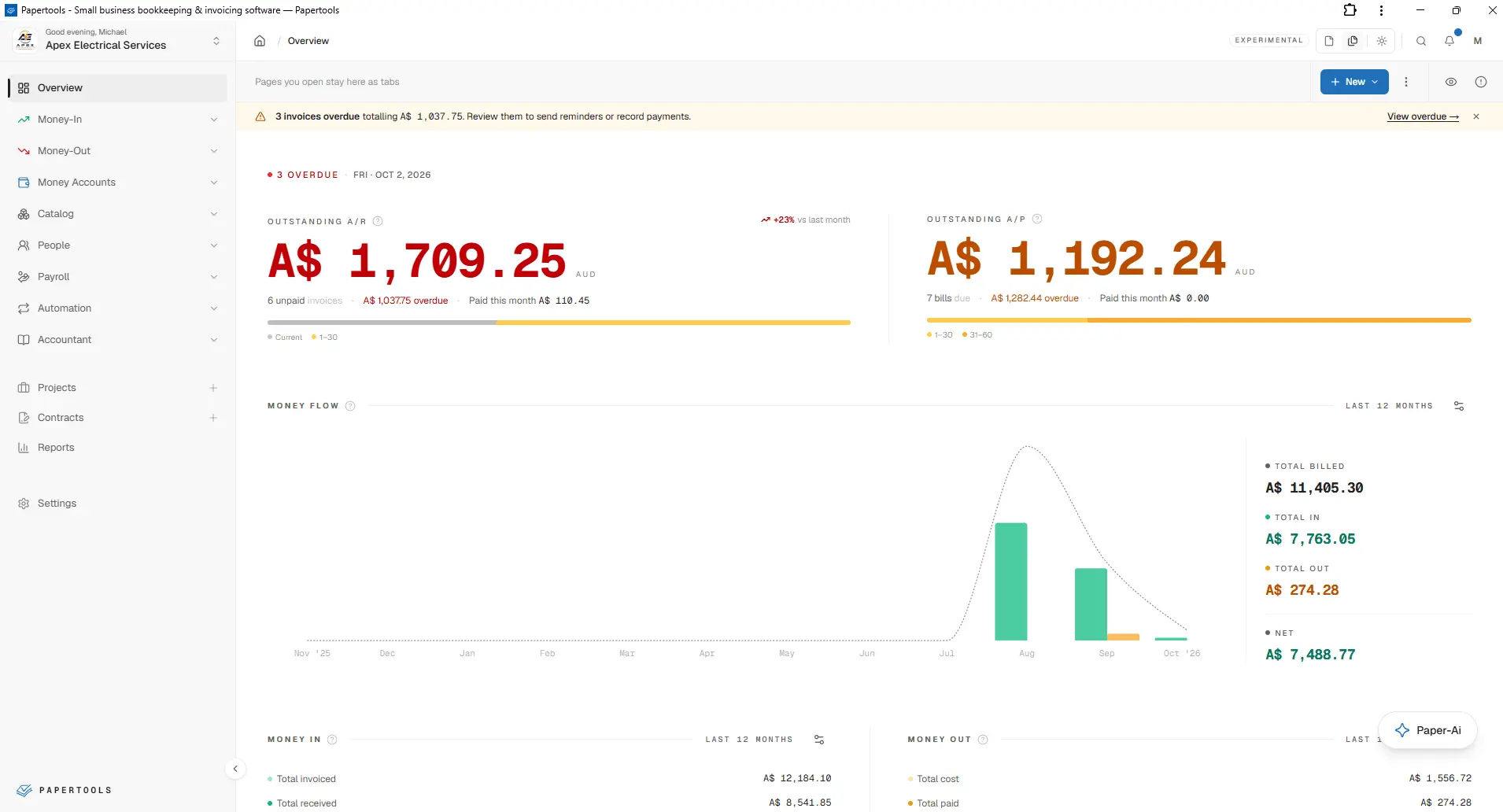
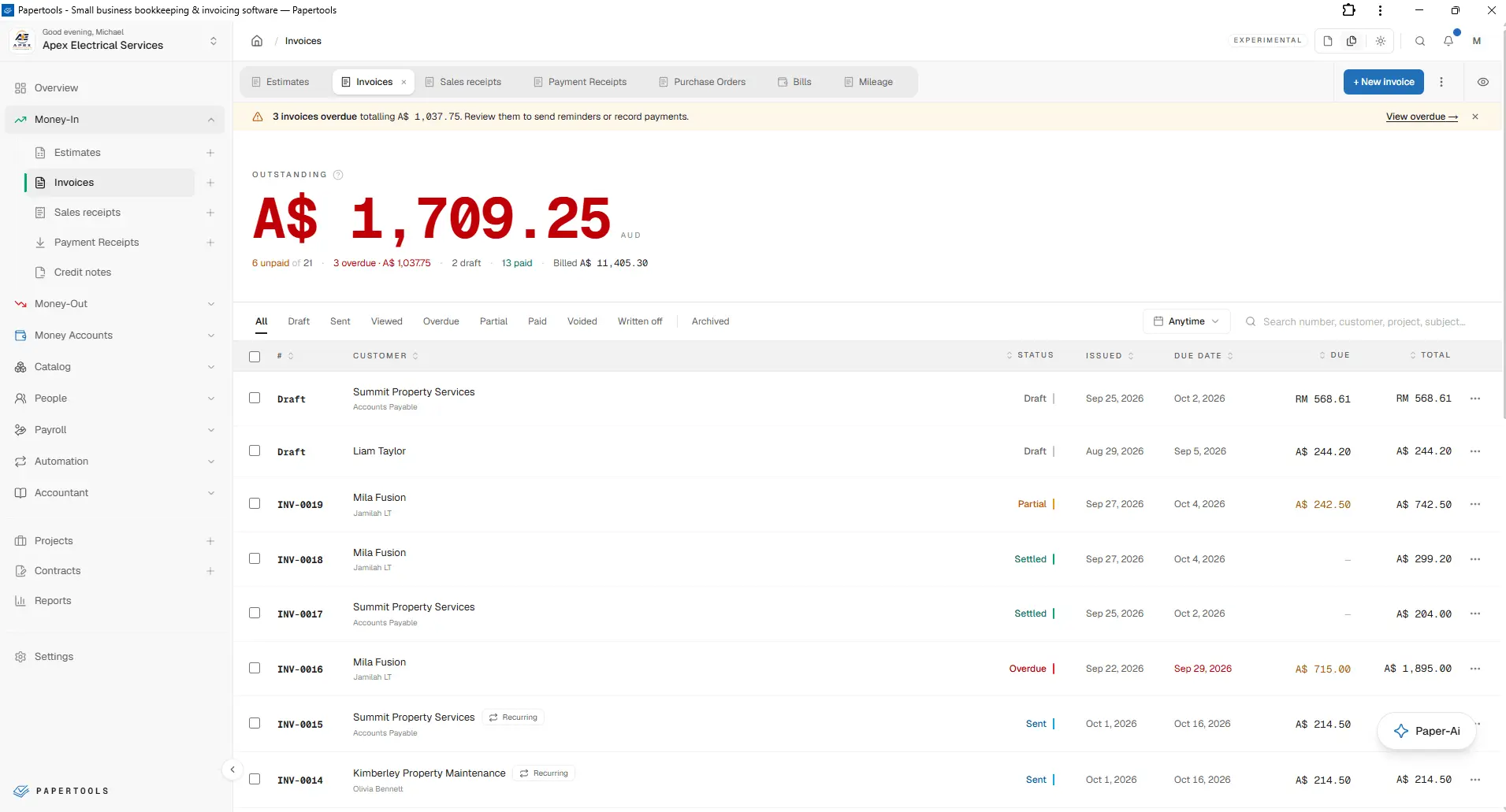
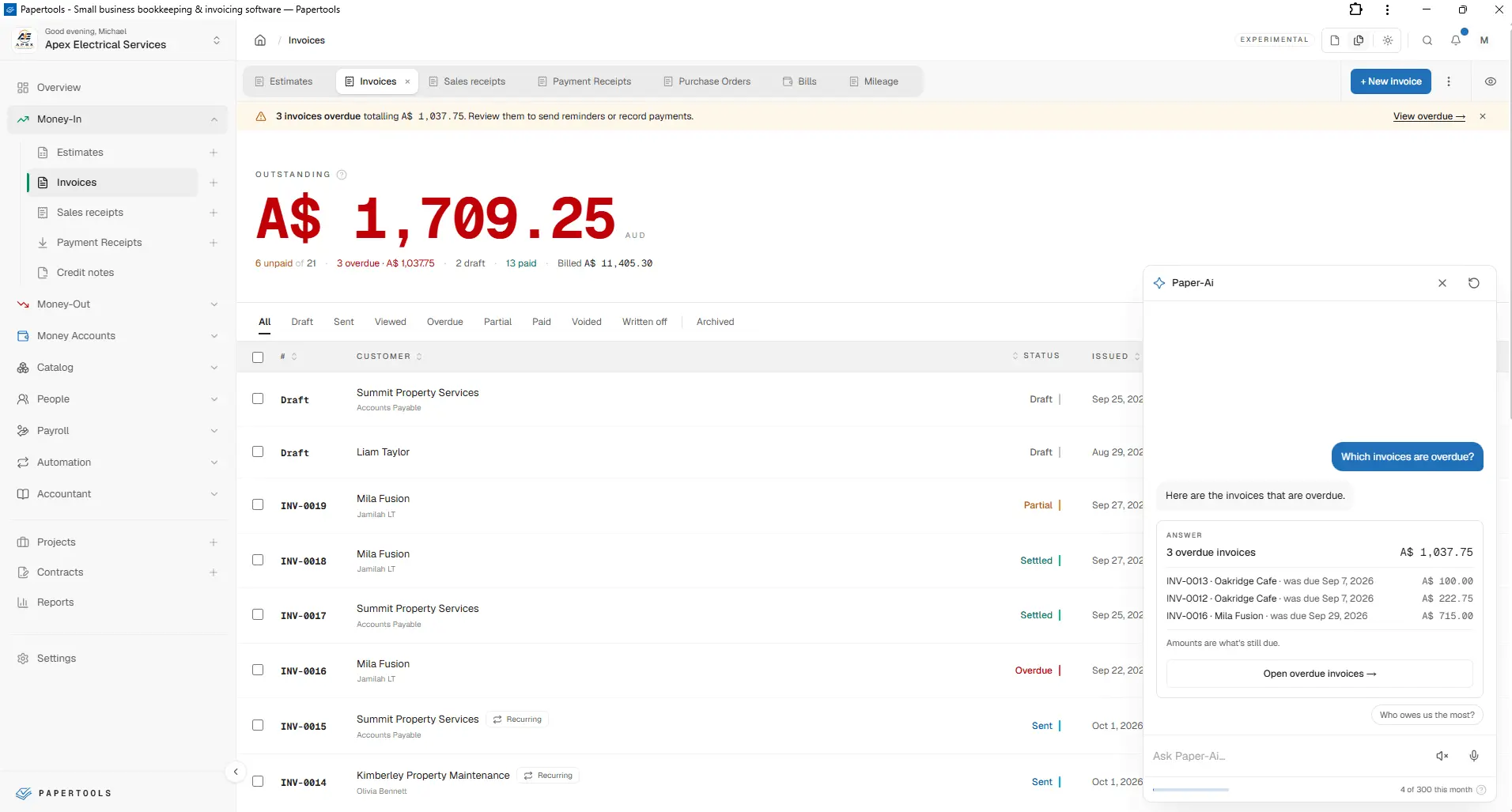
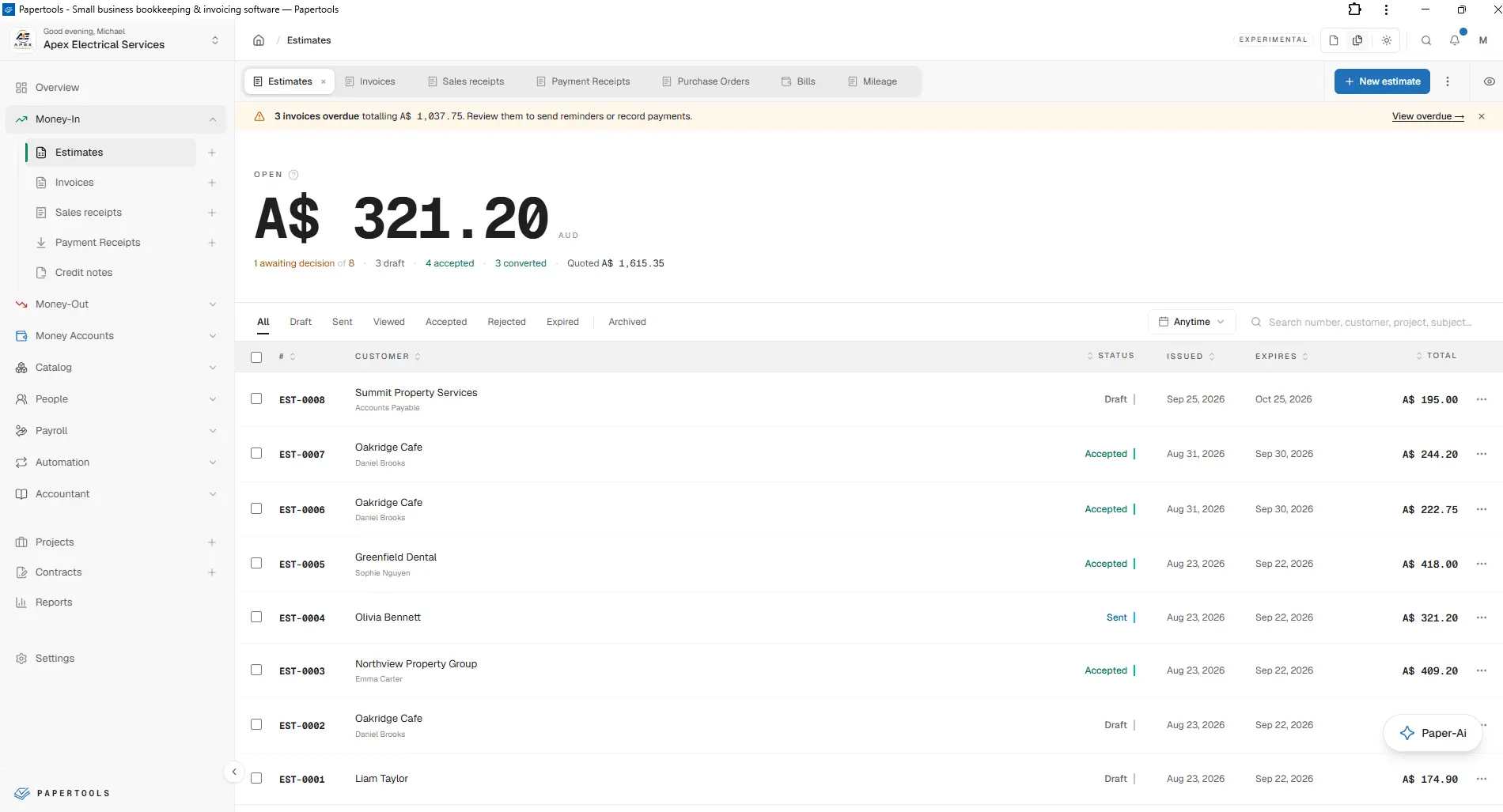
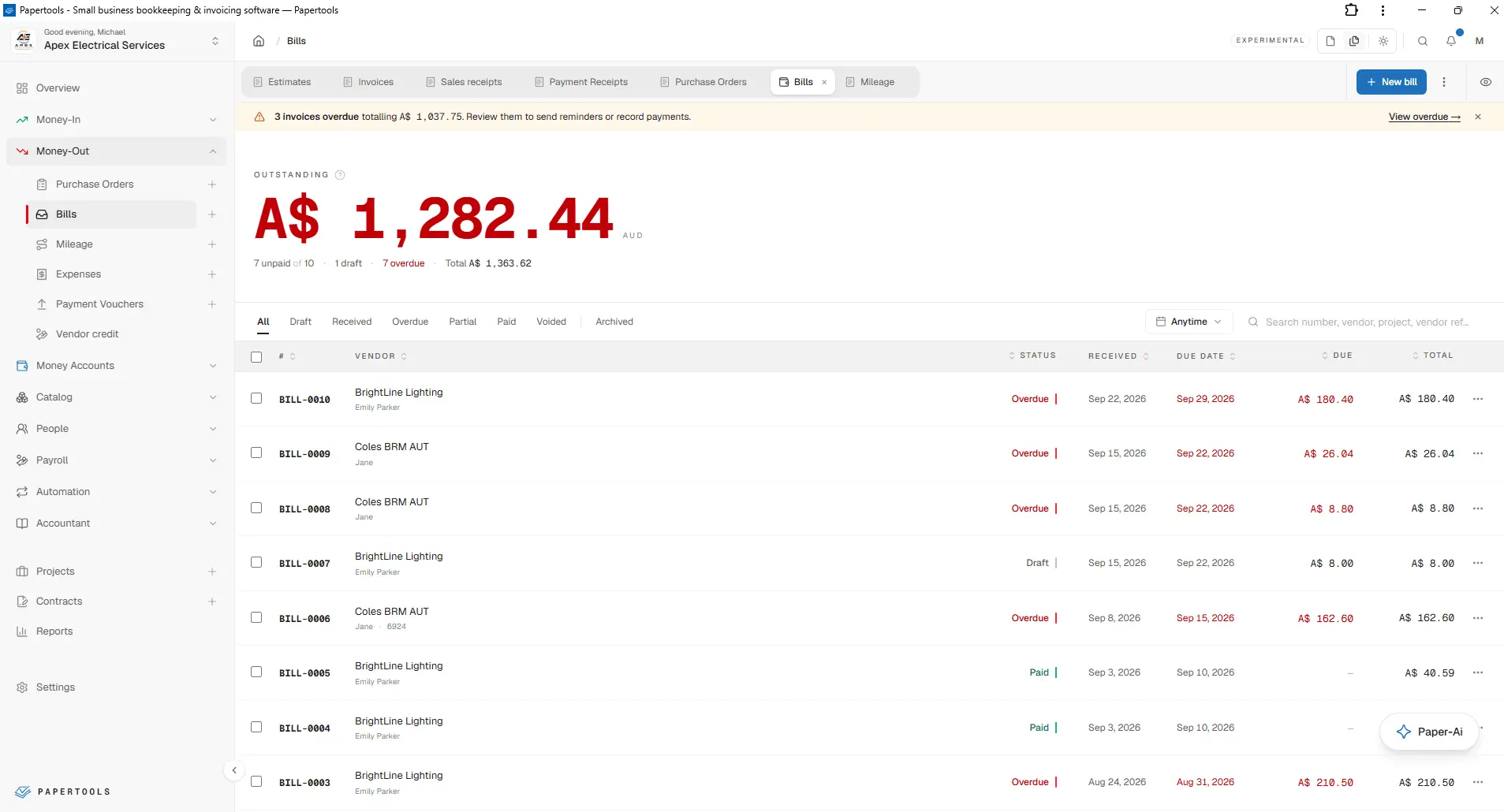
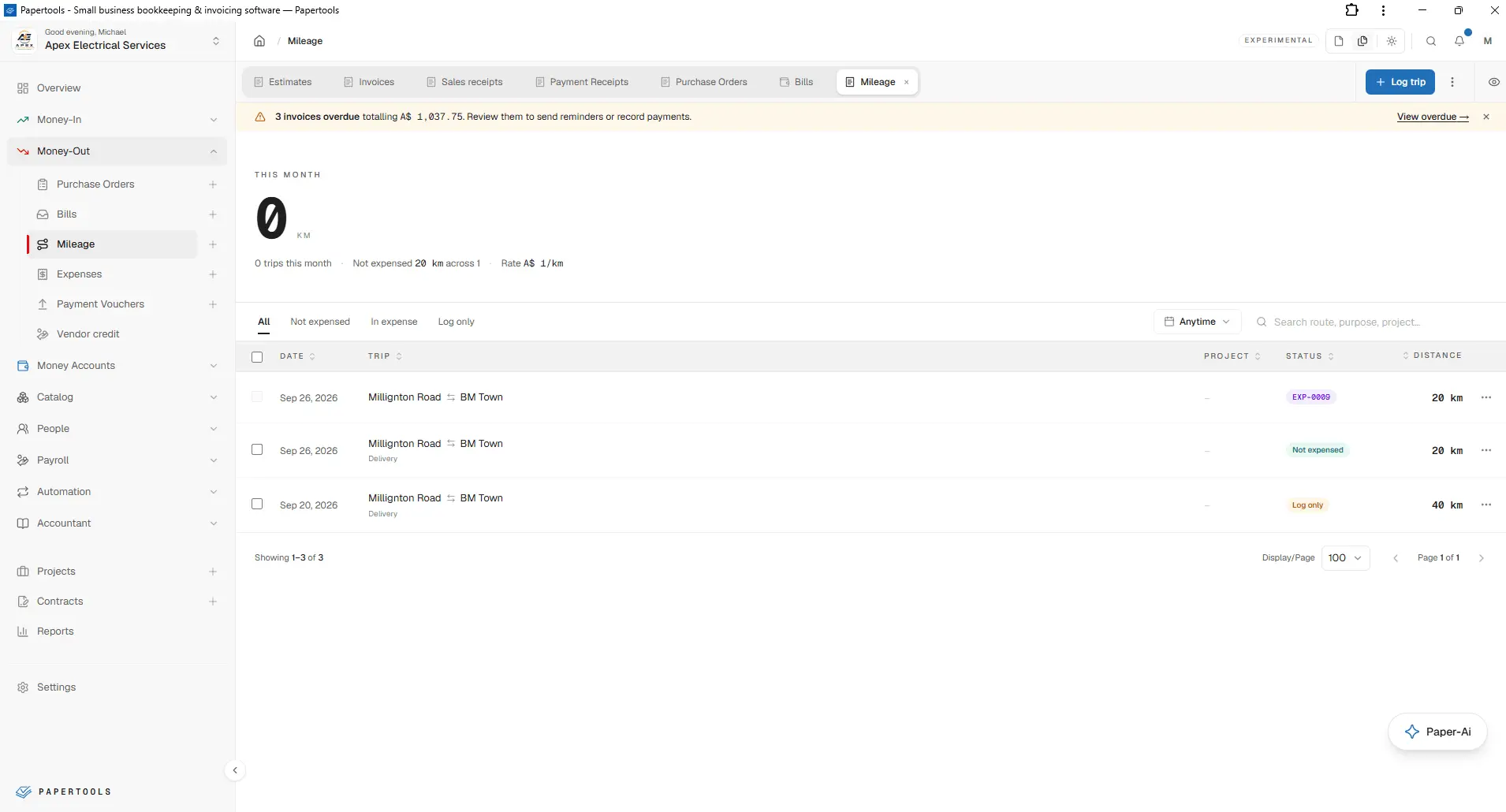
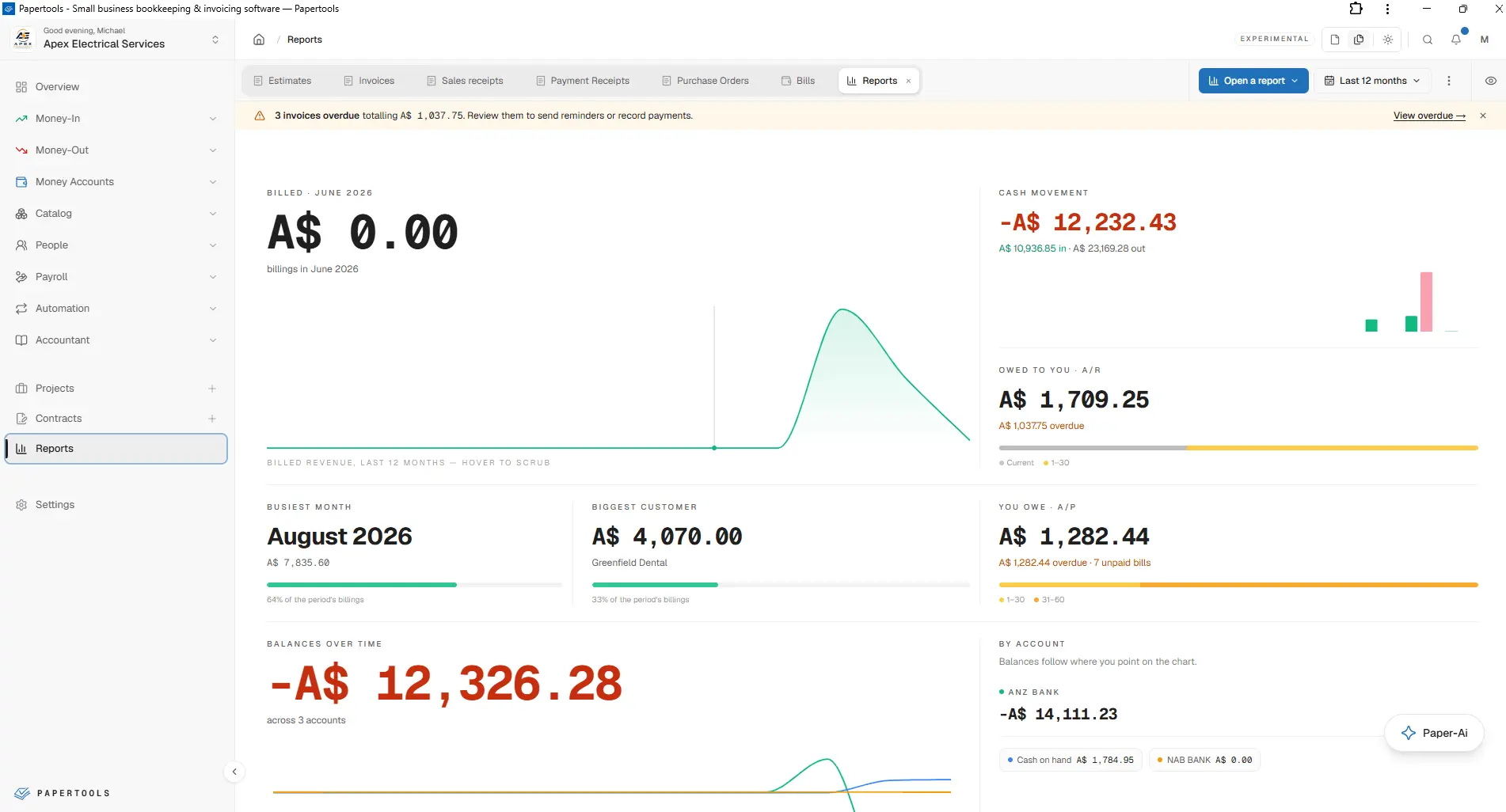
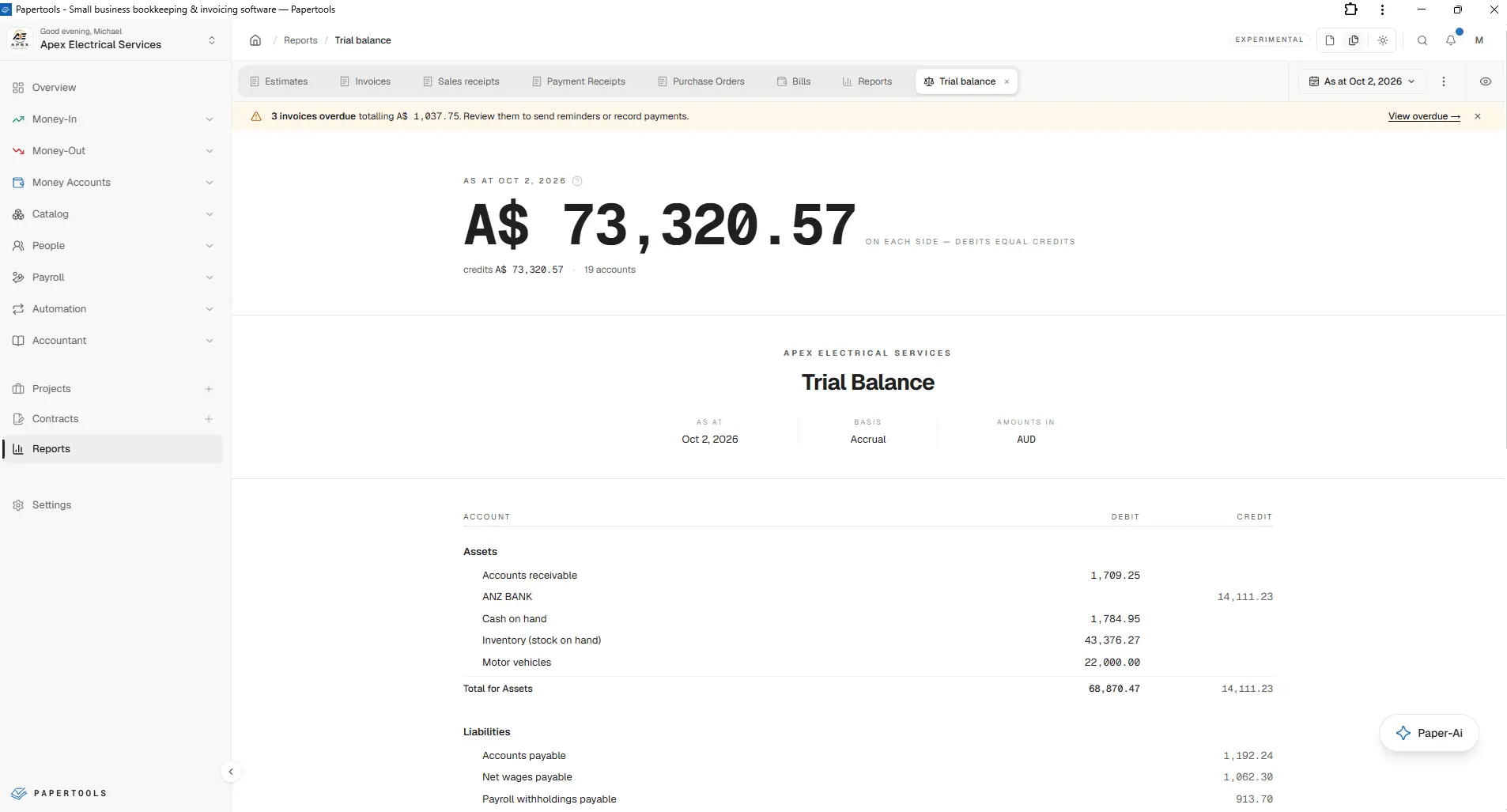
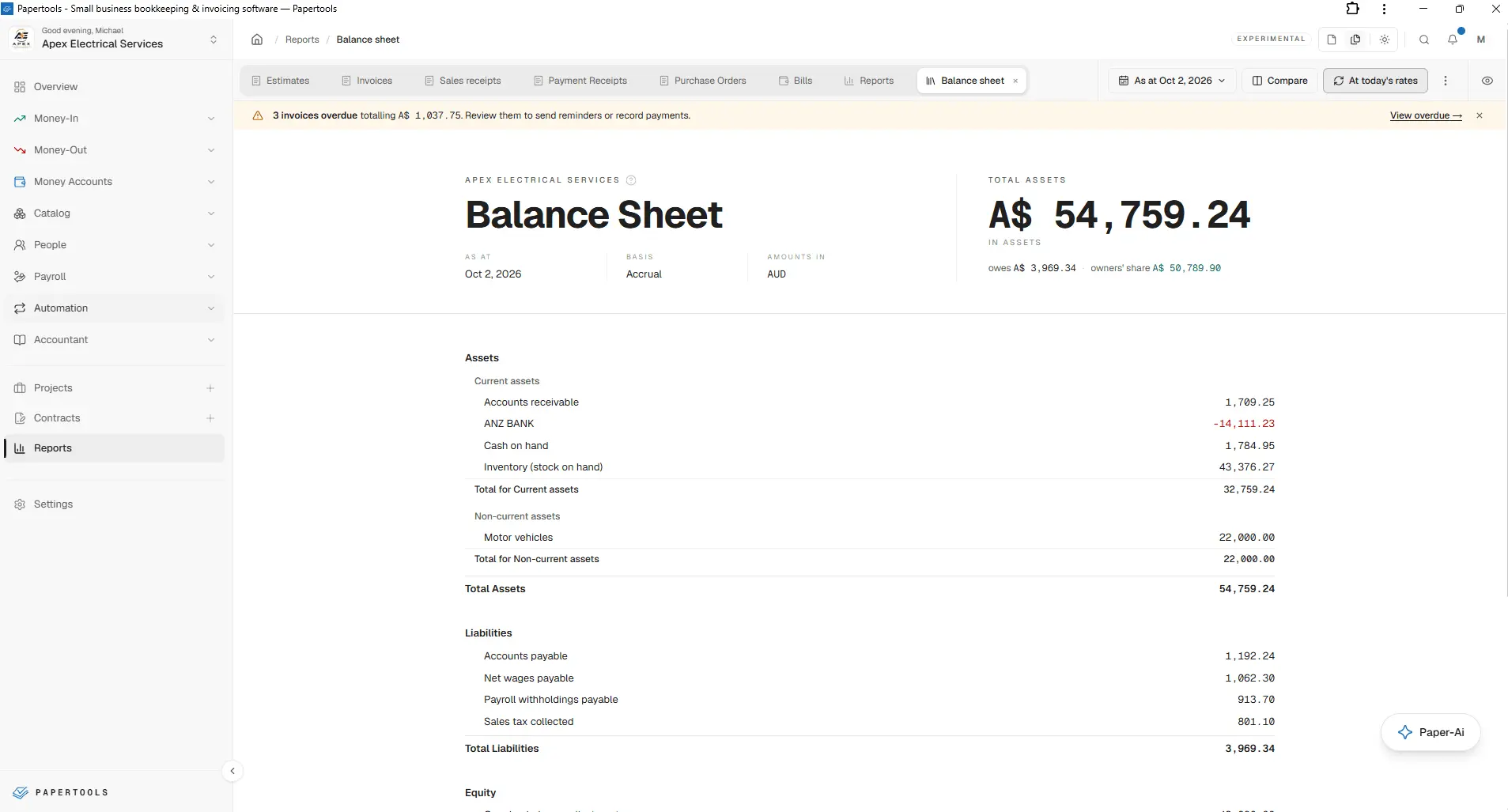
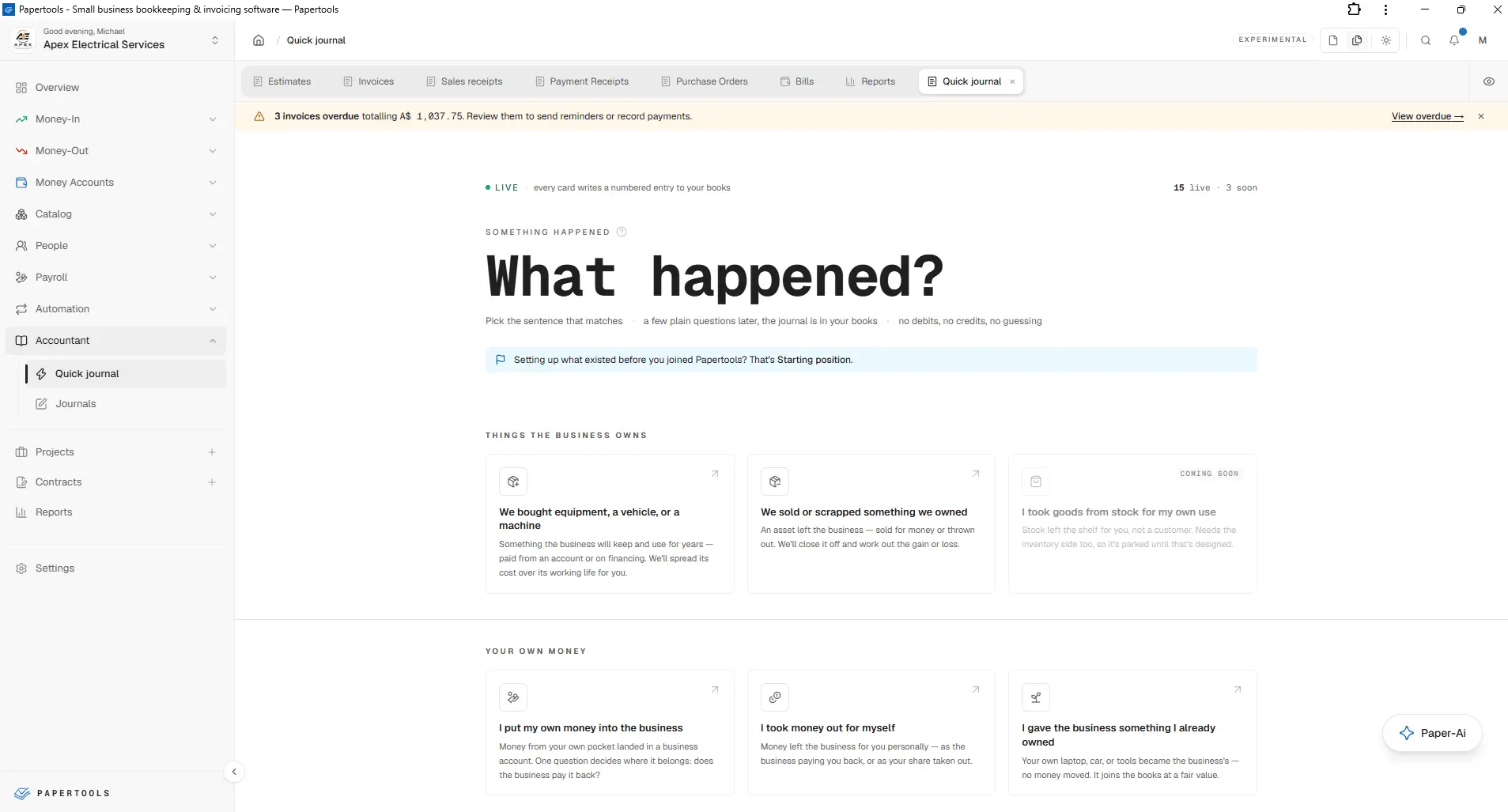
Papertools brings accounting, everyday business paperwork and financial insight into one connected workspace. Built for sole traders, freelancers and small businesses, it combines proper double-entry bookkeeping with practical tools for selling, purchasing, getting paid, managing staff and understanding profit. From the first estimate to the final payment and the reports behind it, Papertools helps you manage the whole financial picture in plain language. SALES, INVOICING AND PAYMENTS Create estimates, invoices, sales receipts, payment receipts and credit notes with your business branding. Turn accepted quotes into invoices, track outstanding balances and keep customers informed with payment reminders. Connect Stripe to accept online card payments, with no added Papertools transaction fee; payment processor fees still apply. PURCHASES, EXPENSES AND MILEAGE Manage purchase orders, supplier bills, expenses, vendor credits and payment vouchers. Keep supporting receipts with your records and turn purchase orders into bills. Record business mileage using saved routes and convert trips into expenses at your chosen rate. BANK FEEDS, MATCHING AND MULTI-CURRENCY Connect bank feeds for supported banks, or import CSV and PDF statements. Match bank transactions to invoices, bills and expenses, reconcile your accounts and track transfers. Work with invoices, bills and bank accounts in multiple currencies, with exchange rates and foreign exchange gains and losses reflected in your books. PAPER-AI: HELP THAT KEEPS YOU IN CONTROL Use voice or text to ask Paper-Ai to prepare documents, find records and help you understand your numbers. Read receipts and PDF statements into information you can review, reducing repetitive entry. Paper-Ai helps with the work while you remain in control: review and approve before anything is saved or posted. AUTOMATION AND INTEGRATIONS Reduce repeat admin with recurring invoices, bills, pay schedules and overdue reminders. Connect online payments and bank feeds, and use webhooks to connect workspace events to your own tools and workflows. PROJECTS AND CONTRACTS Bring the commercial and financial sides of a job together. Organize project income, expenses and labor costs to see what each project earns. Create contracts using reusable templates, manage terms and values, collect signatures and retain the signed agreement alongside your business records. INVENTORY AND PAYROLL Track stock, purchases, adjustments and cost of goods sold so you can understand the margin behind your sales. Manage staff records, pay runs, deductions, employer contributions and payslips, with project labor costs contributing to a clearer picture of job profitability. PROPER BOOKS, WITH A CLEAR WAY IN Work with a chart of accounts, journals and a full double-entry ledger. Quick Journal turns everyday situations, such as buying equipment or putting your own money into the business, into guided accounting entries. An audit log helps you trace changes, while financial reports give you visibility into profit, cash flow, balances and outstanding amounts. A WORKSPACE THAT FITS HOW YOU WORK Choose Page mode to focus on one page at a time, or Desk mode to keep several pages open as tabs. Switch to dark mode, work from desktop or mobile, and organize separate businesses in separate workspaces. Team permissions and data exports support collaboration with the people who help run your business. START FREE, WITH ROOM TO GROW The Essential plan is free forever within its published limits. Business and Enterprise plans add capacity and advanced capabilities as your needs grow. Features and allowances vary by plan; bank feed availability depends on your bank and country. Papertools connects the paperwork you handle every day to the accounting that helps you move forward.
Product Video
Watch a video demo of Papertools.
Screenshots
Product Updates (5)
From a receipt photo to a recorded expense
That receipt in your pocket is easier to deal with while you still remember what it was for. In Papertools, take a photo or upload a receipt to prefill the expense details. Review them, make any corrections and save with the receipt attached to the record. A small task handled now, instead of a pile to sort out later.
Comments (0)
No comments yet. Be the first to share your thoughts!
Page Mode or Desk Mode: a workspace that fits your working day
We’ve added a short walkthrough to the Papertools Academy showing how Page Mode and Desk Mode work. Page Mode gives you one page at a time—a straightforward way to work through an invoice, record an expense or check a report. Desk Mode keeps pages open in tabs inside Papertools. You can move between a customer’s details and their invoices, keep a report handy, and pin or rearrange tabs as you go. Small business owners have different ways of getting things done. These two layouts give you a choice in how you organize your work. Take a look and see which suits you: https://youtu.be/DqSBZ9S1Uw4?si=Jk_J7m_BWClqQk-b
Comments (0)
No comments yet. Be the first to share your thoughts!
From accepted estimate to invoice, without retyping
They said yes to the quote. Keep the work moving. You’ve worked out the price, listed the work, and sent your customer an estimate. They’ve accepted. When it’s time to invoice, those details are already there. In Papertools, you can turn an accepted estimate into an invoice with the customer and line items carried over. Review it, make any necessary adjustments, and send it. Customers can accept your estimate through a shared link without creating an account. If they give you the go-ahead by phone or email, you can mark it accepted yourself. It’s a small part of running a business, but repeating the same information on every job adds up. This keeps the next step simple. Our walkthrough shows how to create, send, and convert an estimate into an invoice: https://www.youtube.com/watch?v=iOdDMB4DKGE Start free. No credit card: https://papertools.app
Comments (1)

Does Papertools handle EU specifics like reverse-charge VAT or the Austrian/German small-business rule, or is it focused on one country for now?

@yilmazthomas1 Yes, Papertools works globally. You can configure VAT-exempt/no-VAT options and add reverse-charge wording to invoices. Tax records can be exported for your accountant. Coverage: https://papertools.app/countries
Customer deposits and credit notes, all accounted for
Deposits, credits, and knowing what your customer still owes A customer pays a deposit before you start. Another needs a credit because something changed on their invoice. A few weeks later, you need to know where both accounts stand. These are everyday situations when you run a business. Keeping track of them should be straightforward. In Papertools, you can record customer deposits, issue credit notes, and apply available credit to invoices. You can see what’s available for each customer and keep the reason for an adjustment with the record. Our Credit Notes & Deposits walkthrough takes you through the steps on screen, from creating a credit note to applying it and recording an advance payment. Watch the tutorial: https://www.youtube.com/watch?v=CMUGPBcucRQ Start free. No credit card: https://papertools.app
Comments (0)
No comments yet. Be the first to share your thoughts!
Your business numbers, broken down by job: a new Projects walkthrough
Your invoices, bills, expenses and payroll are already recorded in Papertools. But what if you want to know how one specific job is doing? How much have you invoiced for it? What did you spend on materials and suppliers? How much went into payroll—and what’s left after those costs? That’s where Projects comes in. You can bring the records related to a particular job together in one project, giving you a clear view of its revenue, costs and profit or loss. The bills and invoices still belong in your business books; linking them to a project lets you see the story behind that individual job. We’ve published a new YouTube walkthrough showing how this works, using a fictional Office Lighting Upgrade project. Follow along as we create the project, link invoices and supplier costs, review allocated payroll, and check the cost breakdown and margin. We also show how to export a project report to share. It’s useful while the work is underway, too. As you record and link more activity, you can keep checking how the numbers are shaping up. Watch the walkthrough: https://youtu.be/VocDePHcJGM?si=CudJt6KFGb0eqpUJ Find more Papertools guides in our Help section: https://papertools.app/help
Comments (0)
No comments yet. Be the first to share your thoughts!
Reviews (11)
Average 5.0 out of 5
Based on 11 reviews
Start free. Know what you earn, what you spend, and what’s left. Papertools keeps your books connected as your business grows.


Thorough accounting workspace with double-entry bookkeeping, invoicing, Stripe payments and reports, clearly aimed at sole traders and small businesses.

Love having invoicing and bookkeeping in one place.

Seems pretty straightforward and probably worth trying!


Such a cool and fun little app, thanks!
Comments (7)
Paper-based note management done right. The sync capability across devices is smooth. Great for people who prefer digital-first workflows.
@omribenshoham Thnxs!
Checked out the free plan it has tons of value, and having Paper-Ai draft records saves heaps of repetitive work.
@felixx Thnxs!
Clean pitch. Which countries do you support for tax and VAT out of the box? For accounting tools that list usually decides whether someone even signs up.
@stackshortlist Thanks! Papertools supports bookkeeping worldwide, with customizable tax settings. We’re continually expanding local tax features—you can see what’s available for each country here: https://papertools.app/countries
Keeping Paper-Ai drafts behind human approval is reassuring for bookkeeping. Does the audit log distinguish the original AI suggestion from the edits and approval made by a team member?
@GeneralManager_Getatext Thanks! Paper-Ai drafts, an authorised member must save or send. The activity log records key events & actual changes under that member’s name, rather than a separate comparison of the AI suggestion and human edits.
Accounting tools for small business owners are often bloated; this looks refreshingly focused. Is bank feed import on the roadmap?
@nckbrz Thanks! CSV & PDF bank statement imports are available worldwide & live, with suggested matches & duplicate detection. Live bank connections via Plaid are available for supported banks & we’re adding providers for more countries.
Following a job from the first estimate to the final payment in one place, with proper double-entry underneath, suits sole traders well. Explaining it all in plain language matters for people who aren't accountants.
@TSUTSU Thanks, That’s exactly what we’re working toward. You shouldn’t need to learn accounting terminology just to understand how your business is doing. Really appreciate you taking a look.
Hi, I'm Adis, founder of Papertools. We bring real accounting and Paper-Ai to sole traders and small businesses, helping you feel in control of your books. Start free—I'd love to hear what you think.